Skip to content
All add-ons

Team Inventory

BedrockAdd-onSurvival

by AllensCreations

Team Inventory screenshot 1 of 3

About this add-on

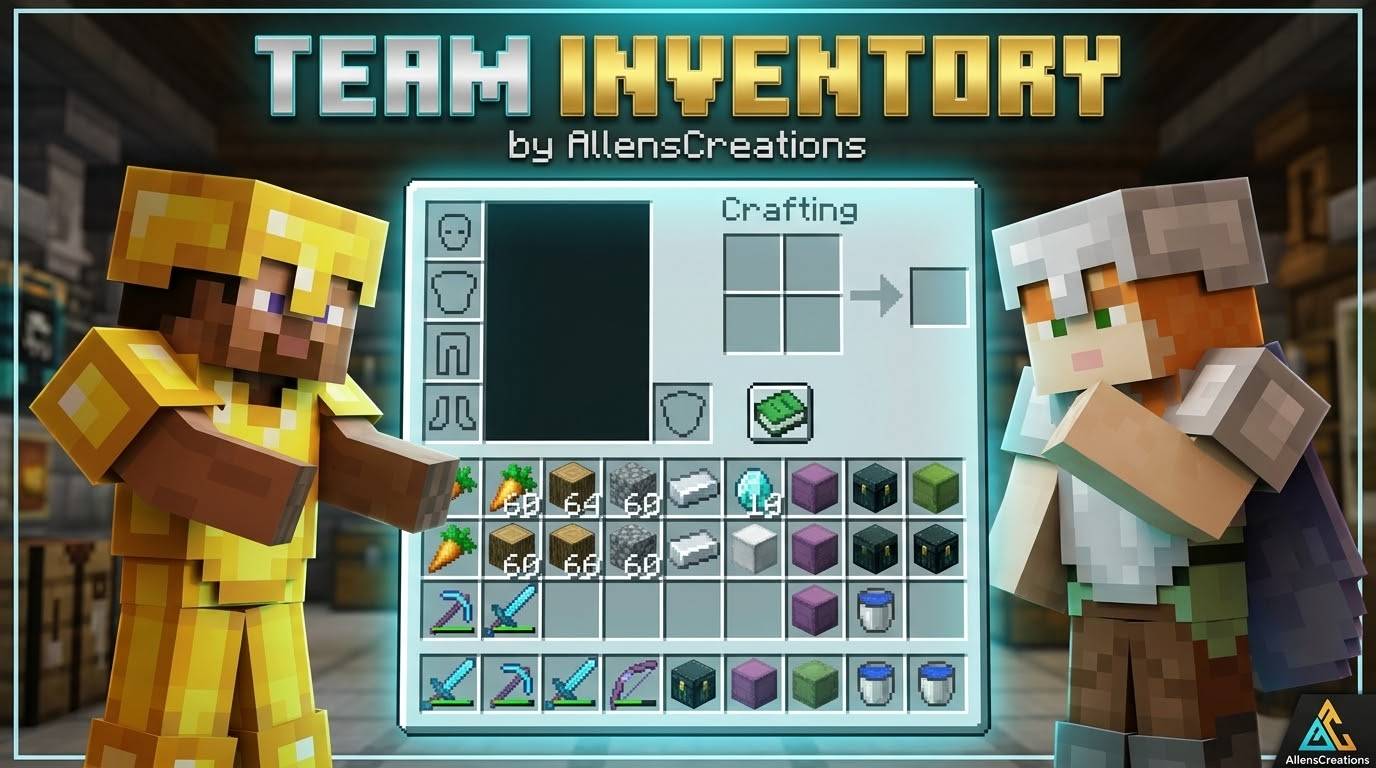
One inventory for the whole team. Team Inventory combines every player's main inventory, armor and offhand items and keeps them identical for everyone until the game is ended.

Read the author’s full description (502 words)

Written by AllensCreations.

Team Inventory (v1.0.14) — Shared Multiplayer Inventory

By AllensCreations

One inventory for the whole team. Team Inventory combines every player's main inventory, armor and offhand items and keeps them identical for everyone until the game is ended.

Overview

The host or an operator starts the shared inventory with the AllensCreations Controller. From that moment, anything one player picks up, uses or drops changes it for the whole team. The add-on keeps names, lore, durability and enchantments of items while the world is running.

Key Features

Shared Inventory

  • What Happens: Main inventory, armor and offhand items are shared by every player who takes part.
  • Simultaneous Changes: When two players change the same stack at once, both changes are combined instead of lost or duplicated.

AllensCreations Controller

  • What Happens: Only the host or an operator can hold and use the Controller. It offers Start and How to play.
  • Survival: Start uses up the Controller.
  • Creative: The Controller is kept.

Team Deaths

  • What Happens: The shared inventory drops once when a player dies and is then emptied for the team.
  • Keep Inventory: The rule is switched on while sharing runs so nothing drops twice, and restored when sharing ends.

Ending the Game

  • What Happens: An operator uses the function end_game. The shared items are divided between players, the host keeps the armor, and everyone else is emptied so items are not duplicated.
  • Controller Replacement: The host or an operator gets a new Controller when the game ends. The function give_controller also gives one.

Joining Players

  • What Happens: Players who join while sharing is running receive the team inventory. Their own items are replaced, so store anything personal before joining.

How to Use

  1. Import the pack and enable both the Behavior Pack and the Resource Pack in the world settings.
  2. The host or an operator uses the Controller and chooses Start.
  3. Play together and coordinate item use with teammates.
  4. An operator runs the function end_game to finish.

Compatibility

  • Minecraft Bedrock Edition: 1.26.40 or newer. Older versions were not checked.
  • Experimental features: No experiment requirement detected in the inspected files.
  • After the world is restarted, only names, lore, durability and enchantments of items are restored. Shulker box and bundle contents, potion types, dyed colors, banner patterns and maps may be lost.
  • If the shared inventory becomes too large to save, players are warned and the saved copy is cleared until it is smaller.
  • Players in Creative or Spectator mode are not part of the shared inventory.

Creator and Permissions

Guidelines and Attribution

  • Creator: AllensCreations
  • Rights & Reservation: All rights reserved for AllensCreations.
  • Content Creators: Content creators are permitted to feature this creation in videos and streams with credit to AllensCreations.
  • Redistribution: Do not re-upload this pack or provide direct monetized download bypasses. Link directly to the official repository page.

© All rights reserved for AllensCreations.

Search & Discovery Keywords

Minecraft Bedrock add-on, Team Inventory Bedrock mod, shared inventory, multiplayer shared items, shared armor and offhand, team survival inventory, Minecraft PE multiplayer, MCPEDL add-on, CurseForge Bedrock, AllensCreations.

Images



What’s new in the latest update

The author’s notes for the file uploaded .

Changelog — Team Inventory

[1.0.14] - 2026-10-27

Added

  • AllensCreations Controller: The host or an operator receives a Controller item. Using it opens a menu with Start and How to play. Starting uses it up in Survival and keeps it in Creative.
  • Ending the Game: The function end_game ends sharing and divides the shared items between players. The function give_controller gives a new Controller.
  • Team Start: Sharing now begins when the host chooses Start, and everyone's items are combined at that moment.

Improved & Balanced

  • Simultaneous Changes: Changes made by several players at the same moment are combined instead of dropping a spare copy of the stack.
  • Faster Syncing: Inventories are checked every tick and only changed slots are updated.
  • Hotbar Selection: Every player now keeps their own selected hotbar slot.
  • Creative and Spectator: Players in these modes no longer take part in the shared inventory.
  • Restarts: Items keep their full details after a restart when a teammate still holds the same item.

Fixed

  • Death Drops: The shared inventory is no longer duplicated when several players die together.
  • First Setup: Items from every online player are combined instead of only the first player's.
  • Join Sync: A player's inventory is checked after syncing and retried if it did not update.
  • Saving: Players are warned when the shared inventory is too large to save, and an outdated saved copy is no longer kept.
  • Error Messages: Internal error warnings are limited so they no longer flood chat.

[1.0.12] - 2026-10-18

Fixed

  • Join Notification: The inventory-sync message is shown more reliably when players join.

[1.0.11] - 2026-10-18

Improved

  • In-Game Title: The in-game add-on title now shows the correct release version.

[1.0.10] - 2026-10-18

Fixed

  • Join Notification: Improved delivery of the inventory-sync message when players join.

[1.0.9] - 2026-10-18

Added

  • Private Syncing Message: Players receive a short shared-inventory syncing message when they join, without repeating it on death respawn.

[1.0.7] - 2026-10-18

Improved

  • Team Inventory Name: Updated the in-game name to Team Inventory.

[1.0.6] - 2026-10-18

Added

  • Persistent Shared Inventory: Shared inventory state is retained when the world is restarted.
  • Equipment Sharing: Armor, offhand items, and the selected hotbar slot are included in the shared inventory.
  • Conflict Feedback: Players receive brief feedback when simultaneous slot changes conflict.

Improved & Balanced

  • World Settings: The add-on leaves the world's inventory-on-death setting unchanged.
  • Clearer Status: Removed the always-visible status display and custom command controls.

How to install

  1. Download the file below. On iOS or Android, open it from your Downloads with Minecraft; on Windows, double-click it.
  2. Minecraft imports the pack automatically. Enable it in your world’s settings under Behavior Packs or Resource Packs; an add-on usually needs both.
  3. Playing on a Realm or server? Everyone needs the same packs, and the host has to enable them.
  4. Starting a new world? Choose its seed first: the Seed Map shows villages, structures and biomes near spawn for any Bedrock seed.