All add-ons
Uncrafting Items+
BedrockAdd-onSurvivalby yowhats
About this add-on
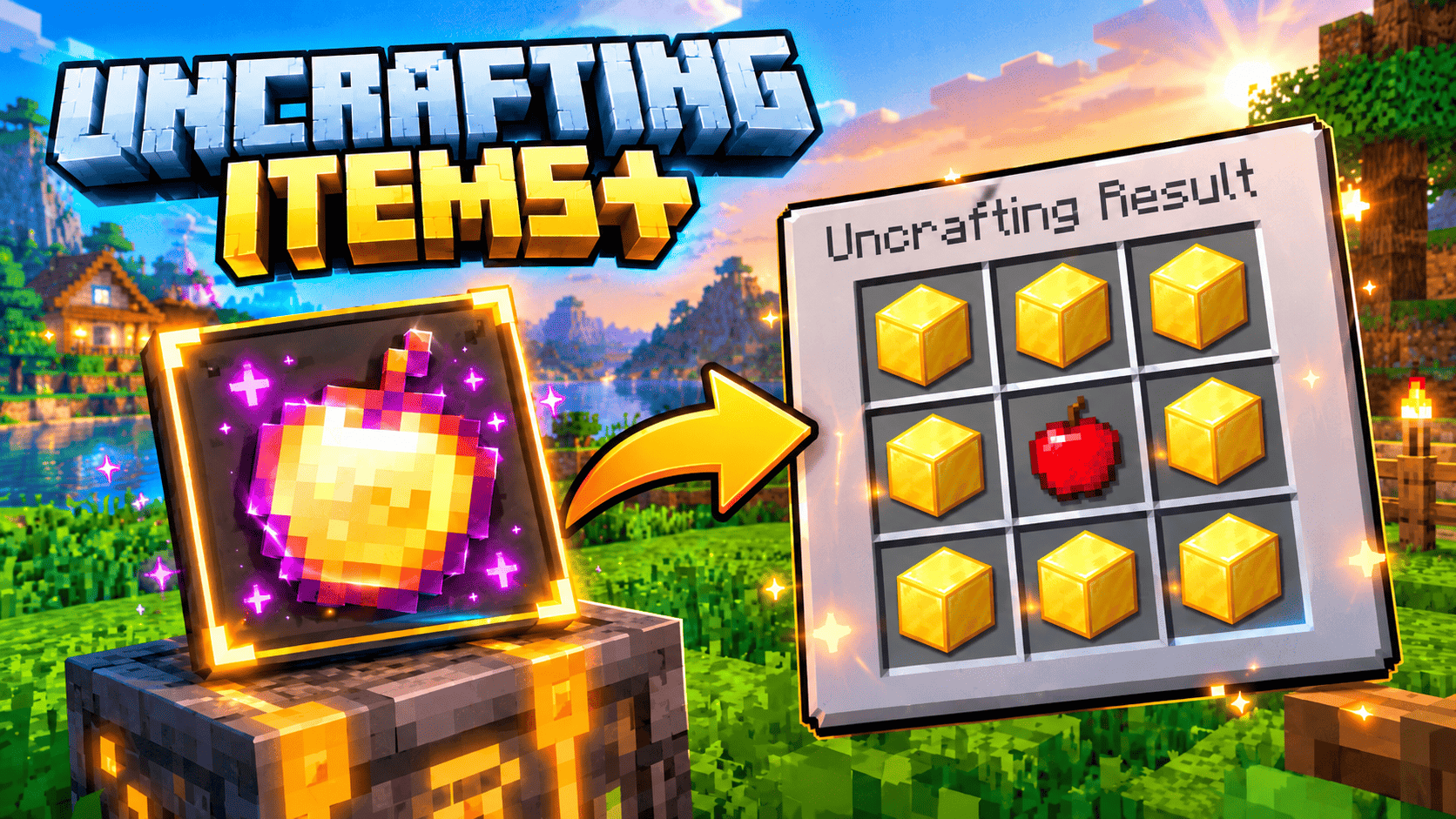
Break any crafted item back into its raw materials with the Uncrafted Table. 943 salvage recipes, plus 13 restored classics like the enchanted golden apple, saddle, name tag and...
Read the author’s full description (652 words)
Written by yowhats for the MCPEDL post, shown as published.
Uncrafting Items
Salvage anything. Rebuild the legends.
Ever crafted 64 torches and used six? Filled a chest with doors you never placed? Built a diamond hoe you instantly regretted? The Uncrafted Table gives the materials back.
Recipe-list - Link Removed: https://www.mediafire.com/file/dzab68cqeflmqus/recipe-list.csv/file
Feed it tools, armour, blocks and food, and it returns the exact ingredients that made them — then use the 13 restored recipes to craft the classics Minecraft removed.
What's inside
943 salvage recipes
Every recipe is built from the game's own crafting data and validated against the Bedrock item registry, so the table can never output an unknown item. A diamond pickaxe gives back 3 diamonds and 2 sticks. A torch gives coal and a stick. A hopper gives iron and a chest.
13 restored recipes
The recipes Minecraft removed or never had:
- Enchanted Golden Apple — the original 8 gold blocks 1 apple recipe
- Saddle, Name Tag and the four 1.6 horse armours (leather, iron, golden, diamond)
- Chainmail armour, which was never craftable
- Cobweb from string, and the village bell
A custom block, not a reskin
The Uncrafted Table is a 12-cube model with its own hand-painted 64×64 texture atlas, a glowing rune waist, four rune spires and a floating crystal. It does not reuse a single vanilla asset.
A menu built for survival
- Salvage held item — one tap on whatever is in your hand
- Salvage from backpack — shows only the items you carry that have a recipe
- Recipe index — browse all 943 recipes by category, with live "you own ×N" counters
- Restored recipes — see the exact grid, check your materials, craft instantly
- Bulk salvage — break down every full batch in one action
The Uncrafting Kit
A hand-held item that opens the same menu anywhere in the world. Useful if a device ever refuses to draw the custom block, and handy when you are deep in a mine.
Command fallback
Type /scriptevent yogamerz:table to open the salvage menu at any time, on any device, with no block needed.
Fair play, built in
- Recipes that output several items (sticks, torches, panes, rails) are salvaged in batches — no duplication, ever
- An incomplete batch is refused and the item stays in your inventory
- Damaged gear still returns its full material value
- Enchantments are lost on salvage, so nothing is farmed by accident
- If your inventory is full, results drop at your feet instead of disappearing
- Breaking the table gives it back
How to craft the Uncrafted Table
A shaped 3x3 recipe, always unlocked, no blueprint hunting:
Copper Ingot Amethyst Shard Copper Ingot
Amethyst Shard Crafting Table Amethyst Shard
Copper Ingot Redstone Block Copper Ingot
That is 4 copper ingots, 2 amethyst shards, 1 crafting table and 1 redstone block.
Uncrafting Kit recipe: 4 paper, 4 amethyst shards, 1 copper ingot.
Place the table and right-click it. That is the whole tutorial.
Compatibility
- Minecraft Bedrock Edition 1.21.80 and newer, including the latest release
- No experiments and no beta APIs required — stable script APIs only
- Windows, Android, iOS, Fire, consoles, Realms, multiplayer servers and Bedrock Dedicated Server
- Works in existing worlds; nothing is generated or replaced
Installation
1. Download the .mcaddon file
2. Open it — Minecraft imports both packs automatically
3. Edit your world and activate Uncrafting Items [BP]
4. The resource pack enables with it
5. Enter the world and craft the table
If the block does not appear on your device, use the Uncrafting Kit or the command — the menu works exactly the same.
Credits
Created by: yogamerz
Model, textures, UI art and code: yogamerz
Concept and design: yogamerz
License: Uncrafting Items Add-On License (included inside the pack as LICENSE.txt)
Every texture, model, user-interface glyph and line of script in this add-on was created for it. It contains no third-party code, no assets taken from other add-ons, and no files extracted from the game.
Minecraft is a trademark of Mojang Synergies AB. This add-on is not approved by or associated with Mojang or Microsoft.