Skip to content
All add-ons

Vein Miner "Break a Whole Vine Of Ores"

BedrockAdd-onSurvival

by Mony :)

Vein Miner "Break a Whole Vine Of Ores" screenshot 1 of 3

About this add-on

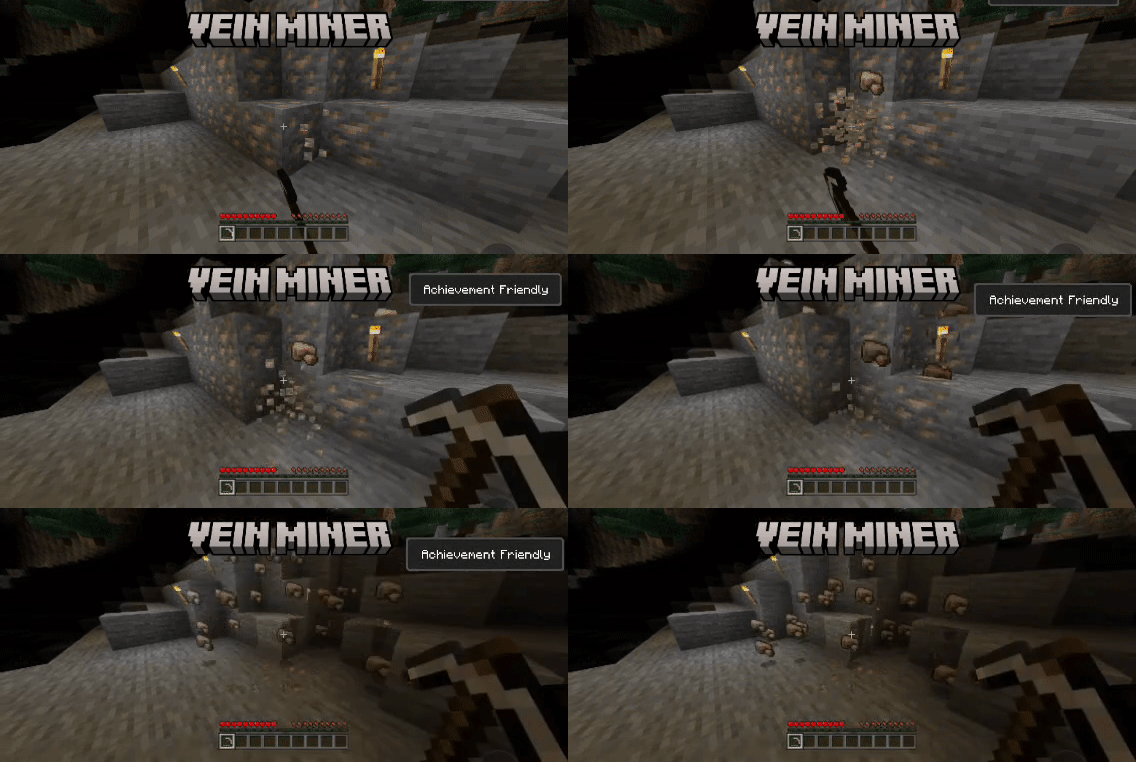
Crouch + mine one ore block with a pickaxe, and the entire connected vein comes out with it, no more chasing scattered ore blocks one by one.

Read the author’s full description (216 words)

Written by Mony :).

ShowCase

How To Use

Spoiler

Download the .maddon file

Tap/double-click it — Minecraft will open and import it automatically

Wait for the "Successfully imported" message

Open Minecraft and go to Play

Create a new world or edit an existing one

Scroll down to Behavior Packs

Find Vein Miner and tap the to activate it

Achivement Friendly

Launch your world!

Features

Spoiler
  • Detects the full vein: only connects matching ore types, so mixed veins (iron next to diamond) won't cross-chop
  • Drops the correct resource per ore — raw iron, raw gold, diamond, redstone dust, lapis, coal, emerald, copper, quartz, gold nuggets, ancient debris — with vanilla-accurate quantities (e.g. 4–9 lapis, 4–5 redstone)
  • Works across overworld, deepslate, and nether ore variants
  • Realistic durability: your pickaxe takes damage per ore mined, same as breaking manually
  • Capped at 64 blocks per vein to keep large deposits lag-free
  • Fully script-based, no changes to vanilla mining when not crouching

You are allowed to:

  • Showcase this addon WITH CREDITING
  • Use this addon in your worlds/servers/realms

You are NOT allowed to:

  • Repost this addon to other sites (This includes apps)
  • Create your own download link
  • Claim this addon as your own
  • Modify this addon

Support 

If you had any problem with the addon you can join our discord server, Feel free to support me if you'd like!

What’s new in the latest update

The author’s notes for the file uploaded .

What Changed?

  • supports 26.50
  • fixed some issues
  • Number of ores broken appear on the action bar

Video

The video the creator shared for this add-on. Mannooma100k on YouTube

How to install

  1. Download the file below. On iOS or Android, open it from your Downloads with Minecraft; on Windows, double-click it.
  2. Minecraft imports the pack automatically. Enable it in your world’s settings under Behavior Packs or Resource Packs; an add-on usually needs both.
  3. Playing on a Realm or server? Everyone needs the same packs, and the host has to enable them.
  4. Starting a new world? Choose its seed first: the Seed Map shows villages, structures and biomes near spawn for any Bedrock seed.