Skip to content
All add-ons

Vein Miner + Tree Miner | Vein Miner

BedrockAdd-onSurvival

by RisabGamerz

Vein Miner + Tree Miner | Vein Miner screenshot 1 of 5

About this add-on

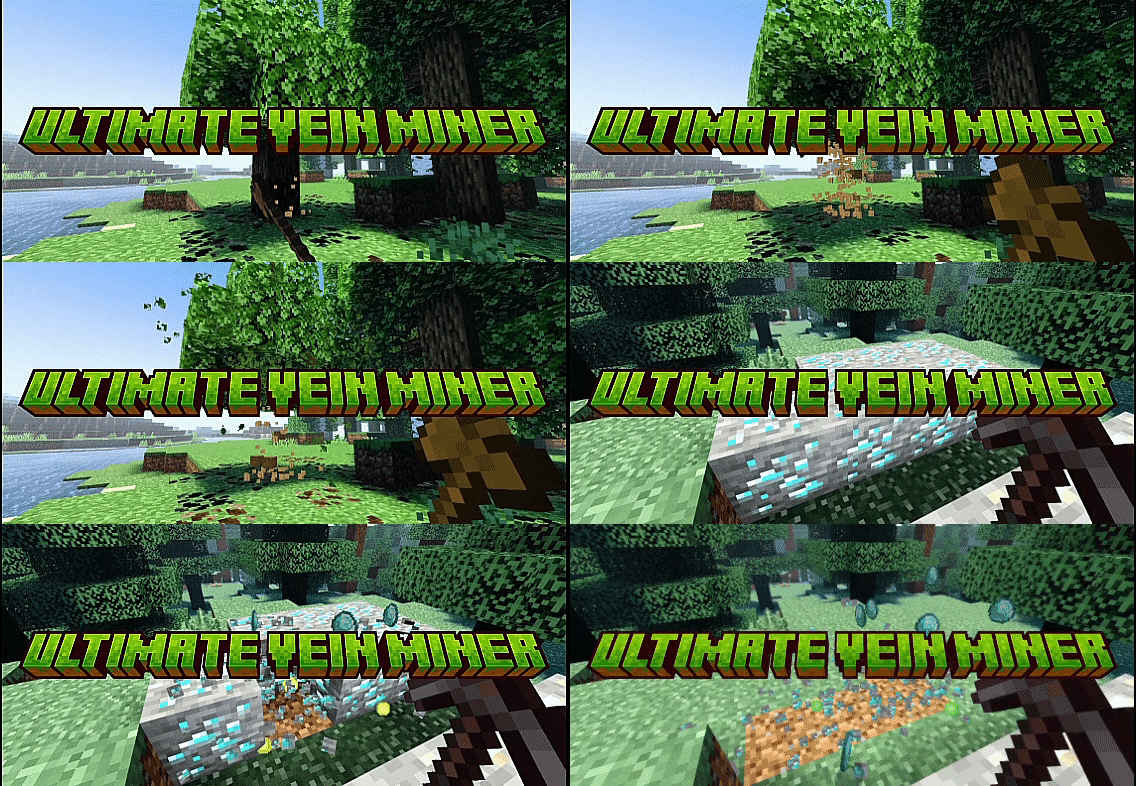
A Fully Advance Vein miner + Tree Capitator + Leaf Capitator .This add-on is achievements friendly and also removes leaves when you break tree which creates Realistic Effect.

Read the author’s full description (218 words)

Written by RisabGamerz.

Enhance your resource gathering in Minecraft with this all-in-one addon that combines Tree Capitator and Vein Miner. Instantly chop entire trees with one swing and mine full ore veins effortlessly, saving time and effort. It also has leaf capitator with loot system.

Key Features:

  • Tree Capitator: Instantly fell entire trees.
  • Vein Miner: Mine connected ore veins in one go
  • Leaf Capitator also gives loot like apple , sticks ..

Showcase

How To Use:

  • Just Crouch and Break tree or mine ores to use this 
  • Take your Minecraft experience to the next level with the ultimate resource-gathering addon.

⚠ Note: To activate pack , Edit or Create your world and tap on the behaviour Section , Then Activate

Creator: Risab Gamerz

Socials:

Join our discord :

Support On Kofi:

You Are Allowed To:

  • Showcase my work in videos/streams if you give proper credit (e.g., link to the official download).
  • Edit file for personal use only

You Are Not Allowed To:

  • Distribute through monetized links (AdFly, Linkvertise, etc.).
  • Edit and re-share my projects

If You Give Low Rating ,You Should Comment the reason.

Credits--------

This project was inspired by Quillphen's Ore Vein Miner. While all code in this project is independently written and implements original logic for cluster detection, block breaking, and drop handling, I would like to credit Quillphen for the inspiration and gameplay concept.

What’s new in the latest update

The author’s notes for the file uploaded .

  • Poplar trees vein miner added
  • Latest versions supported

Video

The video the creator shared for this add-on. NetherSpark Studios on YouTube

How to install

  1. Download the file below. On iOS or Android, open it from your Downloads with Minecraft; on Windows, double-click it.
  2. Minecraft imports the pack automatically. Enable it in your world’s settings under Behavior Packs or Resource Packs; an add-on usually needs both.
  3. Playing on a Realm or server? Everyone needs the same packs, and the host has to enable them.
  4. Starting a new world? Choose its seed first: the Seed Map shows villages, structures and biomes near spawn for any Bedrock seed.