All texture packs
Ayanami Rei UI | Animated Anime Menu
BedrockTexture packOtherby LanzerForge
About this texture pack
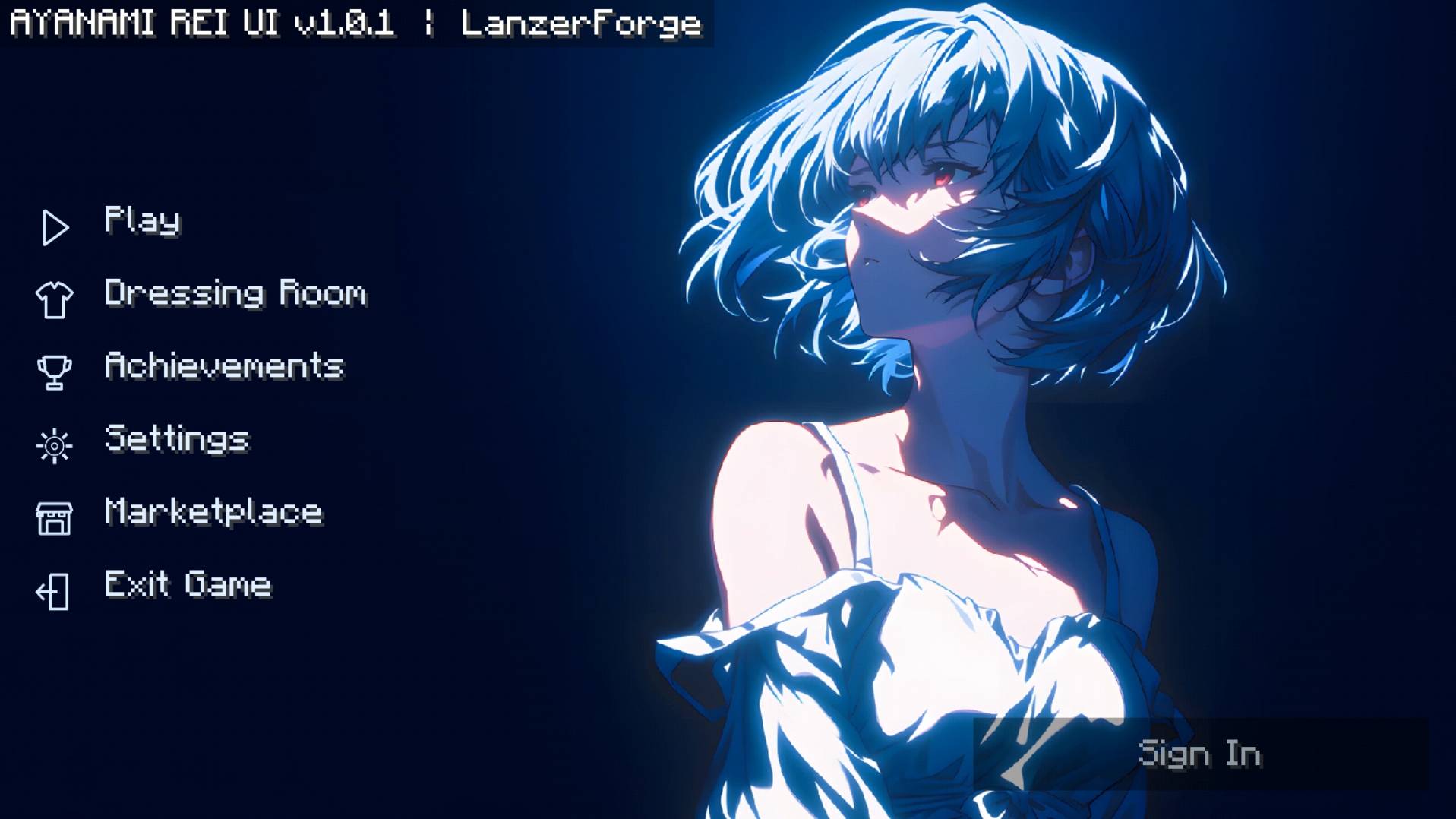
Transform your Minecraft Bedrock main menu with an animated Ayanami Rei background, custom icons, and a stylish anime-inspired design.
Read the author’s full description (99 words)
Written by LanzerForge.
Ayanami Rei UI - Animated Anime Main Menu
Give your Minecraft Bedrock main menu a new look with an animated Ayanami Rei background, custom icons, and a dark blue theme with pink accents.
Features
- Animated background with 120 frames
- Custom menu icons
- Anime-inspired main menu design
- Dark blue and pink color theme
- Custom buttons for easy navigation
- Designed for Minecraft Bedrock Edition
Installation
- Download the ".mcpack" file.
- Open the file with Minecraft.
- Wait for the resource pack to import.
- Go to Settings → Global Resources → My Packs.
- Activate Ayanami Rei UI.
- Return to the main menu to see the changes.
Images
How to install
- Download the file below. On iOS or Android, open it from your Downloads with Minecraft; on Windows, double-click it.
- Minecraft imports the pack automatically. Enable it in your world’s settings under Behavior Packs or Resource Packs; an add-on usually needs both.
- Playing on a Realm or server? Everyone needs the same packs, and the host has to enable them.
- Starting a new world? Choose its seed first: the Seed Map shows villages, structures and biomes near spawn for any Bedrock seed.
Advertisement