BodyCam HUD Overlay
BedrockTexture packOtherby PastaBreakerHimself
About this texture pack
BodyCam HUD Overlay for Minecraft bedrock.
Read the author’s full description (98 words)
Written by PastaBreakerHimself for the MCPEDL post, shown as published.
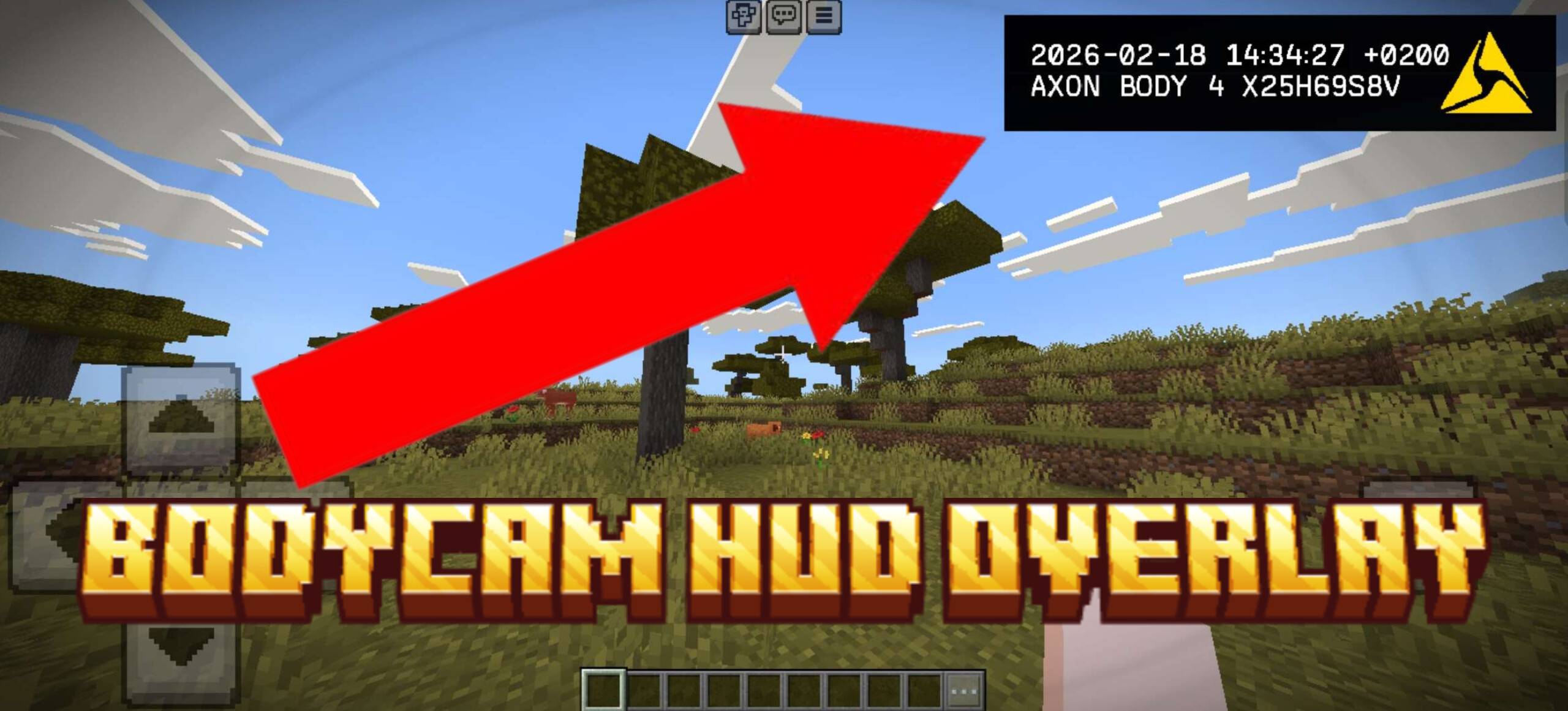
BodyCam HUD adds a bodycam-style overlay to Minecraft Bedrock using only a resource pack. It gives your screen a lens and vignette effect, adds a small recording panel in the top-right corner, and includes light scanline/flicker details plus a simulated 24-hour clock.
The pack is made with Bedrock JSON UI and custom textures. No scripts, commands, shaders, client mods, or behavior pack are needed. Enable it in your world or global resources, and the overlay will show up in-game.
It works well for roleplay, tactical maps, horror maps, police or military-themed worlds, survival videos, and cinematic gameplay.
Showcase:
How to install
- Download the file below. On iOS or Android, open it from your Downloads with Minecraft; on Windows, double-click it.
- Minecraft imports the pack automatically. Enable it in your world’s settings under Behavior Packs or Resource Packs; an add-on usually needs both.
- Playing on a Realm or server? Everyone needs the same packs, and the host has to enable them.
- Starting a new world? Choose its seed first: the Seed Map shows villages, structures and biomes near spawn for any Bedrock seed.
Advertisement