Custom Color Hearts
BedrockTexture packOtherby WayBetterGaming
About this texture pack
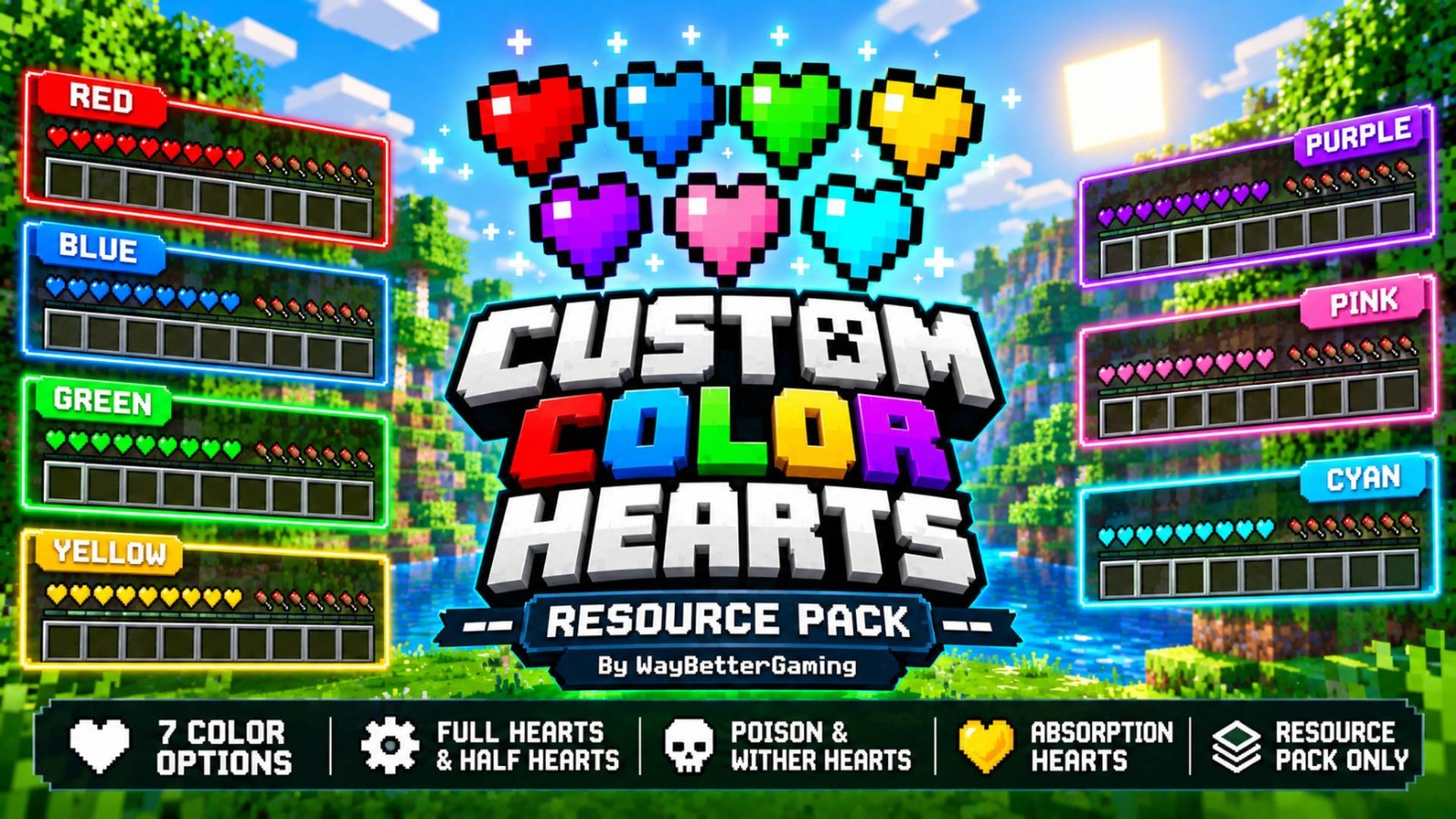
Change your Minecraft health bar to Red, Blue, Green, Yellow, Purple, Pink, or Cyan with 7 easy-to-select color subpacks.
Read the author’s full description (238 words)
Written by WayBetterGaming.
❤️ Custom Color Hearts
Give your Minecraft Bedrock/PE experience a colorful new look with Custom Color Hearts! This lightweight resource pack lets you customize your health bar with seven vibrant heart colors while keeping Minecraft's familiar pixel-art style.
🌈 Features
- 7 Heart Colors: Choose from Red, Blue, Green, Yellow, Purple, Pink, and Cyan.
- Customizable Health Bar: Change the appearance of your in-game hearts using the included color subpacks.
- Multiple Heart States: Includes textures for full hearts, half hearts, blinking damage states, and more.
- Poison & Wither Hearts: Includes custom-colored variants for these status effects.
- Absorption Hearts: Includes textures for full and half absorption hearts.
- Lightweight: A small download that keeps your resource pack collection simple.
- Resource Pack Only: No behavior pack or additional gameplay modifications required.
🎨 Choose Your Style
Whether you prefer classic red hearts or want a fresh cyan, purple, or pink health bar, Custom Color Hearts gives you multiple options to personalize your Minecraft HUD.
📦 Installation
1. Download the ".mcpack" file.
2. Open it with Minecraft to import the resource pack.
3. Go to Settings → Global Resources or activate it in your world's resource packs.
4. Open the pack's settings and select your preferred color subpack.
5. Enter your world and enjoy your customized hearts!
Note: Available features and compatibility may vary between Minecraft Bedrock versions. Test the pack in your game to ensure all heart states display correctly.
Created by WayBetterGaming
Enjoy a more colorful Minecraft experience! 💖
Images
How to install
- Download the file below. On iOS or Android, open it from your Downloads with Minecraft; on Windows, double-click it.
- Minecraft imports the pack automatically. Enable it in your world’s settings under Behavior Packs or Resource Packs; an add-on usually needs both.
- Playing on a Realm or server? Everyone needs the same packs, and the host has to enable them.
- Starting a new world? Choose its seed first: the Seed Map shows villages, structures and biomes near spawn for any Bedrock seed.
Advertisement