GLASSY UI
BedrockTexture packPvpby SaifNeo
About this texture pack
GLASSY UI — A transparent GUI/UI overhaul giving you a clear view & tactical edge. Includes Dark Mode, performance-boosting Particles Core, and clean menus.
Read the author’s full description (264 words)
Written by SaifNeo for the MCPEDL post, shown as published.
GLASSY UI
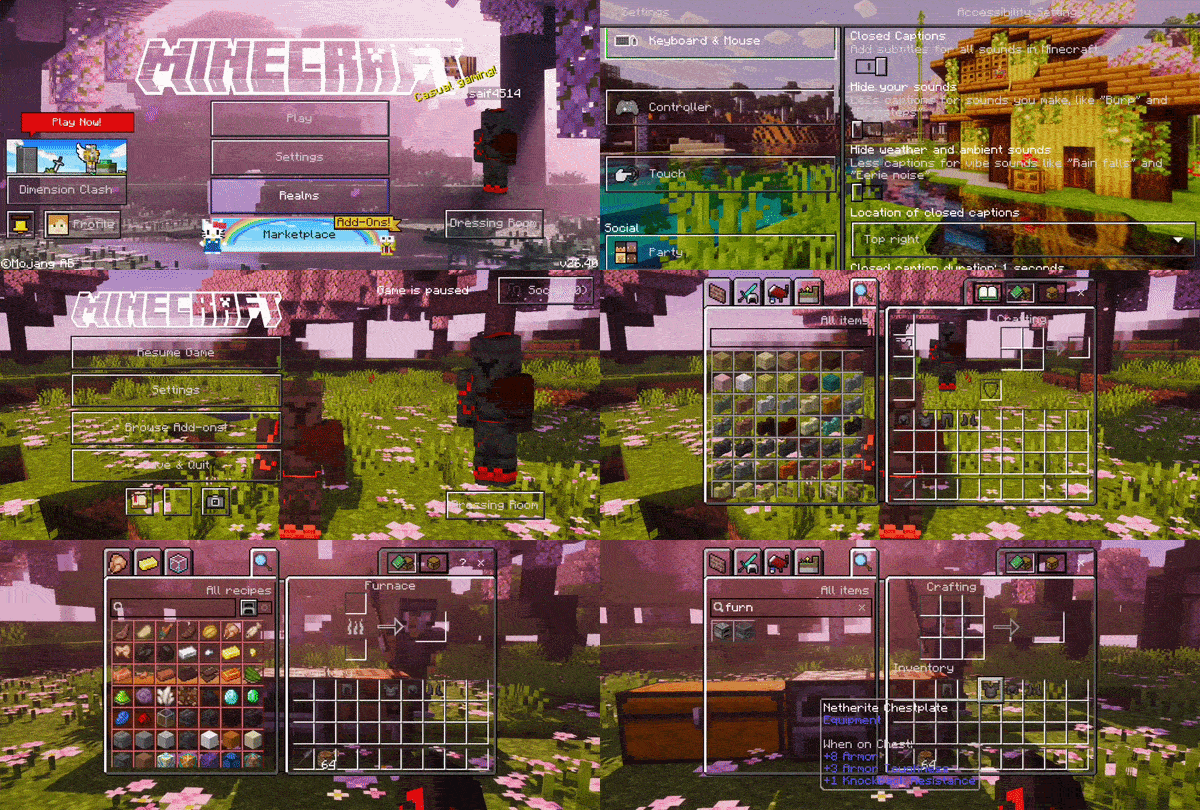
A fully transparent UI pack designed to completely overhaul your GUI/UI, giving you a clear, tactical advantage while navigating any container.
✦ Normal Mode Showcase ✦
Classic UI
Pocket UI
For a comfortable and eye-friendly nighttime experience, this pack also includes a sleek Dark Mode variant.
✦ Dark Mode Showcase ✦
Classic UI Dark Mode
Pocket UI Dark Mode
✦ Particles Core ✦
Take full control of your visual effects. Particles Core allows you to easily toggle most particles on or off in-game, significantly boosting performance for a smoother gameplay experience.
⚠️ IMPORTANT WARNING ⚠️
This pack customizes the Start Screen, Marketplace, Skin Dresser, Settings, and more. However, Minecraft's default Ore UI blocks these custom changes.
To see the custom screens below, you MUST use the Force close ore ui mod (available inside Levi launcher or mbloader).
Start Screen
Start Screen Dark Mode
* Highly recommended: Restart your game after applying the pack to ensure all UI elements update properly.
❤︎ Credits & Shout-outs ❤︎
Huge shout-out to ItsCyberRush; their transparent pack gave me the inspiration to create mine and helped me learn a lot. Thank you to notnicto for allowing the use of the Particles Core within this pack. Also, thanks to Bedrock Tweaks for the No how to play button codes.
ITSCYBERRUSH (PROFILE) | NOTNICTO (PROFILE) | BEDROCK TWEAKS (WEBSITE)
⚠️ Terms & Policy ⚠️
You are strictly prohibited from modifying, stealing, or reusing any assets from this pack. If you are making a review, you must link to the original CurseForge or MCPEDL download page in your description. Any violations will result in an immediate copyright strike.
For full details, please read the TERMS & POLICY (LINK).
What’s new in the latest update
The author’s notes for the file uploaded .
Small update added new version tag
How to install
- Download the file below. On iOS or Android, open it from your Downloads with Minecraft; on Windows, double-click it.
- Minecraft imports the pack automatically. Enable it in your world’s settings under Behavior Packs or Resource Packs; an add-on usually needs both.
- Playing on a Realm or server? Everyone needs the same packs, and the host has to enable them.
Advertisement