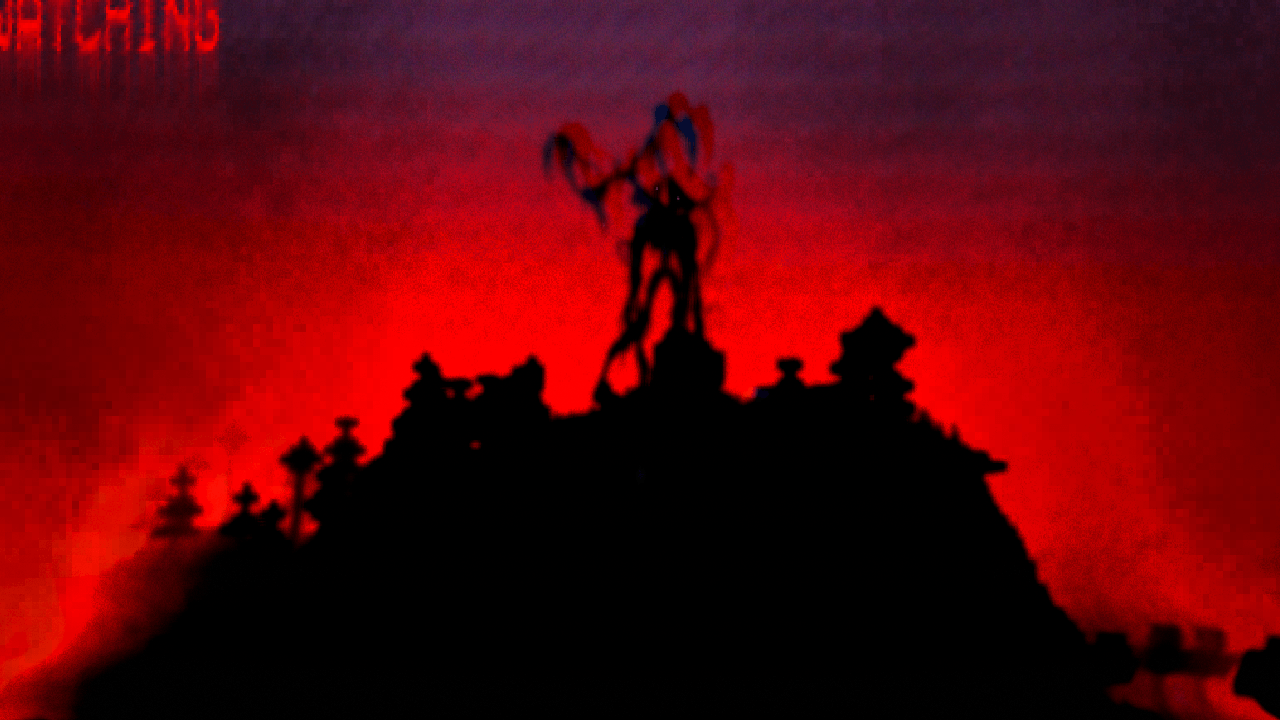
Halloween Event Kit
BedrockAdd-onHorrorby Shadraelle
About this add-on
Add extra blocks, plants and items to your world for a fun halloween themed event
Read the author’s full description (1,180 words)
Written by Shadraelle.
Give your Minecraft world a Halloween makeover with eerie plants, ghostly decorations, mysterious relics and a pocketful of suspicious sweets. Build a haunted garden, light up a creepy cottage, or prepare a trick-or-treat adventure for your friends. Just remember: not every sugar rush ends well…
Features
- Grow Ghost Pumpkins, Corrupted Strawberries, Corrupted Torchflowers and Sculk Mushrooms.
- Carve your Ghost Pumpkins and turn them into glowing decorations.
- Decorate with Forgotten Vines that slowly spread across surfaces and around corners.
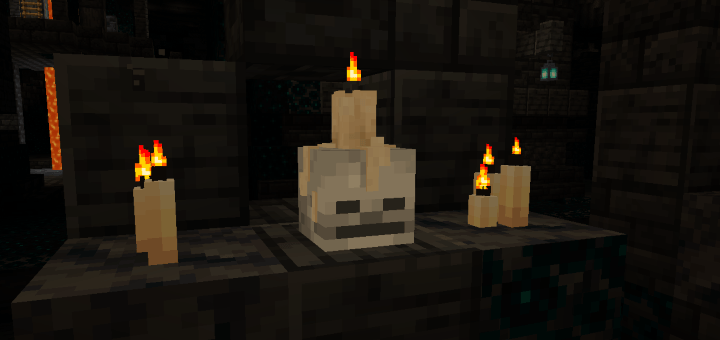
- Light Spooky Skull Candles with flint and steel, then extinguish them with an empty hand.
- Display vanilla and Halloween plants in Deepslate Pots.
- Enjoy 11 Halloween sweets, complete with effects, duration information and cheeky descriptions.
- Carry your goodies in a Ghost Bundle.
- Have players search for hidden relic sherds they can then turn into deocrative pots
- Set up teleportation potions and portals for your own spooky adventures.
- some of the plants can be planted directly on/in sculk and deepslate
Plants
- Ashen Lace
- Dark Orchid
- Lost Lily
- Grave Lantern
- Sculk Lantern Plant
- Forgotten Vine
- Corrupted Strawberry Plant - has a harvestable fruit
- Corrupted Torchflower
- Sculk Mushrooms - grow from a small edible version, harvestable, and also spread naturally
- Ghost Pumpkins - grow from seed and carved and light them just like vanilla pumpkins
Decorative blocks
- Ghost Lantern
- Spooky Skull Candle
- Dark Portal Glass with multiple visual variations that randomly select on placement. dont like the way it looks? just replace blocks till you are happy.
- Deepslate Pot and its potted plant varieties
- Portal, Gate, Echo Pulse, Soulflame and Void Bloom Relic Pots
Trick or treat?
Each sweet includes its effects and duration in its item description—along with a little Halloween humour!
Sweet Effect Duration Gingerbread Cookie Speed I — run, run, as fast as you can! 1 minute Skull Cookie Invisibility — a little boo-st 2 minutes Eye Candy Night Vision — eye see you! 10 minutes Halloween Lolly 1 Jump Boost II — sugar bounce 2 minutes Halloween Lolly 2 Slow Falling — light as a wrapper 1 minute Halloween Lolly 3 Haste I — busy hands 10 minutes Halloween Lolly 4 Regeneration I — a sweet little pick-me-up 5 minutes Halloween Lolly 5 Speed II, followed by Slowness I — sugar rush and crash 1 minute of speed, then 30 seconds of slowness Allsorts 1 Absorption II — a sweet suit of armour 5 minutes Allsorts 2 Jump Boost I and Slow Falling — a floaty surprise 5 minutes Allsorts 3 80% chance of Speed I OR 20% chance of Slowness I — trick or treat! 10 minutesAre these lollies a bit OP? yes they are! however they are not craftable and intended to be used as unique trick or treat items.
The Potion of Absorption also grants Absorption IV for 4 minutes, providing up to 8 extra golden hearts. This potion is actually a complementary item to one of my other packs. It's been added here so that i am able to remove the other mobs after halloween and my players are able to keep their potions. It is not craftable.
Using the Teleportation Potion
Take a sip and arrive somewhere spooky! All Teleportation Potions share one destination, chosen by an administrator. Successful travel includes a portal sound and 20 seconds of Darkness.
To configure it:
-
With permission to run commands, give yourself the required tag:
/tag @s add admin -
Run this command in your own chat:
/scriptevent halloween:potion_settings -
Close chat to use the settings menu.
-
Choose the destination dimension and enter its X, Y and Z coordinates.
-
Save the arrival point.
Y is the player’s standing height, so use the space above the floor. Choose a safe landing with room to stand—the potion teleports directly to your selected coordinates.
Players then simply drink the potion. They do not need the admin tag. Until an arrival point is configured, the potion cannot be used.
Using the Halloween Portal Blocks
Build a portal using Dark Portal Glass, then walk into the glass to travel. A dark screen transition, portal sound and 10 seconds of Darkness add a suitably unsettling arrival!
To configure it:
-
Make sure you have the admin tag.
-
Run this command in your own chat:
/scriptevent halloween:portal_settings -
Close chat, choose the dimension and enter the destination coordinates.
-
Save the destination.
You can also sneak and interact with Dark Portal Glass while tagged admin to open the same settings menu.
The portal requires two clear air blocks above a safe, supporting floor at its destination. Its landing area must also be loaded so the safety check can succeed.
All Halloween portals share one destination. This is separate from the potion’s destination, so you can use potions to bring guests into an event and portals to send them home. Configure both before opening your event! A ticking area is required at the destination location of both the potion and the portal for the teleportation to work.
You can use the portal glass in anywy you like, but since May I have been setting up and planning my event in 2 connected ancient cities.
Other Items
The pack also includes relic sherds and deepslate bricks to craft relic pots, sSpooktatoes and the Bone of the Damned—ready to bring a little extra character to your Halloween builds and activities. Spooktatos can be used as halloween event currency and bones of the damned can be used for scavenger hunts with invisible item frames as an example of usage
The spooky ghost bundle also uses vanilla bundle functionality to keep all your items spooky safe
Whether you’re planning a whole Halloween event or just want something unsettling in the flower garden, there’s a little spooky something waiting for you.
This pack is still slowly evolving, as it has since May, however it is almost complete now and usable for setting up events. Any and all feedback is appreciated. Currently none of the plants generate naturally and the items are not craftable - by design. This can change though if enough people would like them to be.
Requirements
This pack requires beta API's to be enabled. It should run on realms. It also requires cheats for running scriptevents.
I have been doing extensive testing of this addin as its been being built. Please report any bugs you find.
Join my Discord!
Get addon updates and sneak peeks, share your ideas, report bugs, or just come say hello. There’s always something fun—or slightly spooky—in the works!
Join here: https://discord.gg/DrndsfsTX
Copyright
This addon is for personal use. You can use and modify it for private use.
You can
Use this addon in videos or livestreams.
You can not
Distribute, re-upload, or sell this addon, either in its original form or with modifications.
Claim ownership of any part of this addon.
Create and distribute a modified version of this addon without the authors explicit permission.
Sharing and Crediting
If you share a link to this addon, please link directly to the official download page. Do not use an ad-filled link shortener or a direct download link.
If you use this addon in a video or public project, please provide a link to the original download page and credit the author. Thank you!
Images
Video
How to install
- Download the file below. On iOS or Android, open it from your Downloads with Minecraft; on Windows, double-click it.
- Minecraft imports the pack automatically. Enable it in your world’s settings under Behavior Packs or Resource Packs; an add-on usually needs both.
- Playing on a Realm or server? Everyone needs the same packs, and the host has to enable them.
- Starting a new world? Choose its seed first: the Seed Map shows villages, structures and biomes near spawn for any Bedrock seed.
Advertisement