Hotbar Slot Button
BedrockTexture packPvpby Itzriyo157
About this texture pack
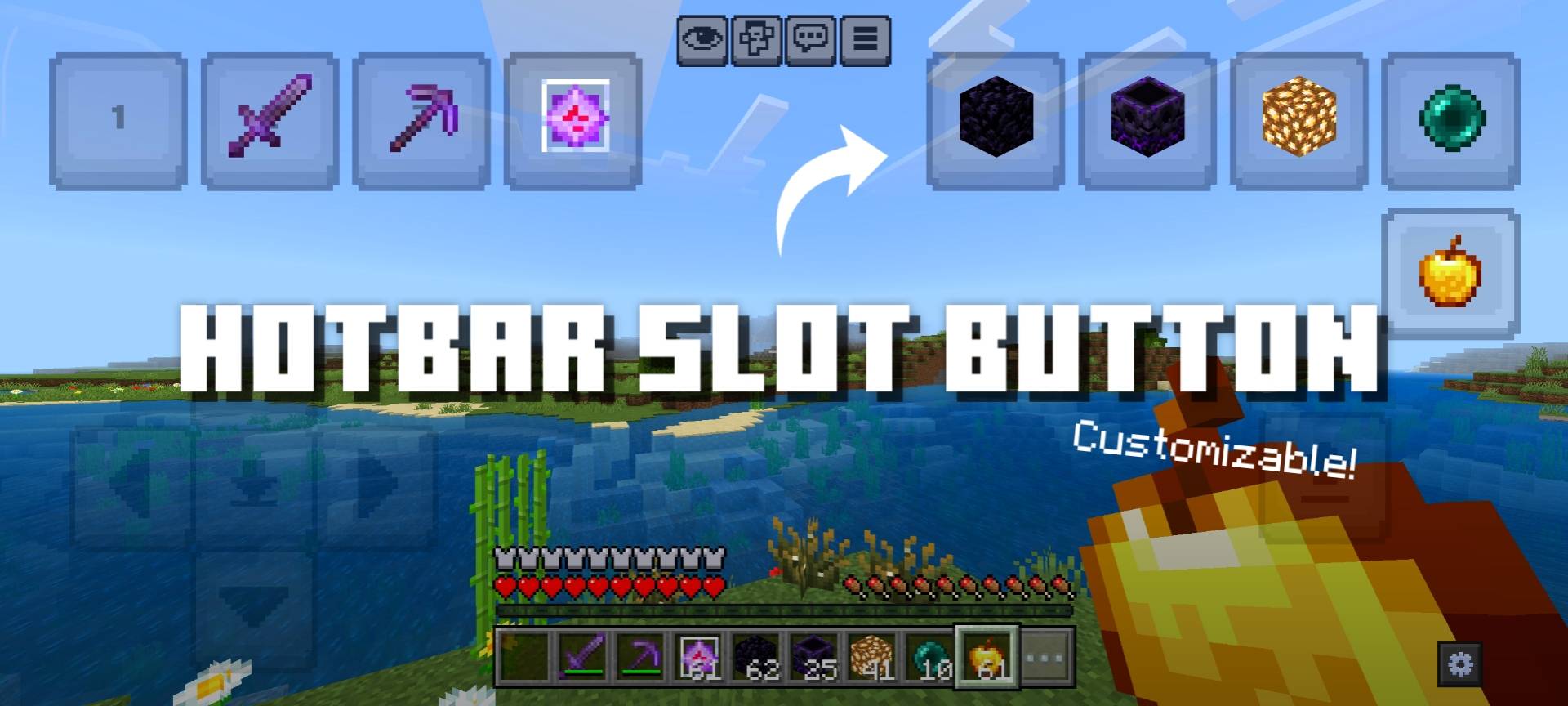
Added new buttons that act like hotbar to make it easier to reach. Light and Customizable!
Read the author’s full description (280 words)
Written by Itzriyo157 for the MCPEDL post, shown as published.
Are you having trouble reaching hotbar on your screen and losing in PvP? Well, this resource pack is for you!
Want to support my work? Feel free to support me using the link below. <3
https://ko-fi.com/itzriyo157
This resource pack adds new buttons that act like hotbars. Each button changes the held item depending on the button, for example, button 1 will press hotbar 1, and so on. These buttons also support 2-finger mode! This means, for example, if I'm mining and using a pickaxe to mine stone, and then suddenly gravel appears, I don't need to remove my finger on screen to change tools; I can simply press the button to change tools and continue mining.
You can also customize the position and size of the buttons! You need to open Editor panel by pressing gear button at the bottom right of the screen, after the Editor panel appears, you can use the slider to move and resize the buttons.
Warning! Due to JSON UI limitations, you cannot save the position and size of the buttons that you have customized in-game! You need to copy the code from this text box and replace it into the _global_variables.json file to save your configuration.
Showcase
Terms Of Use:
You are ALLOWED to:
- Modify this pack only for personal uses.
- Make a review about this pack, as long as you put original download link in description (Curseforge or Mcpedl).
You are NOT ALLOWED to:
- Use or claim my codes from this pack without my permission.
- Distribute the modified pack to public.
- Redistribute this pack to other sites (9minecraft, modbay and etc.)
- Share links that are not from original sources (Curseforge or Mcpedl).
Images
What’s new in the latest update
The author’s notes for the file uploaded .
Since version 26.50+, you can no longer use Select All feature on your Android keyboard (or at least on mine). So you have to manually enter the config numbers into your configuration file. But if you don't have this issue, ignore this pack version
- Hotfix: Changed the Textbox configuration code to be inline, no longer minimized.
Video
How to install
- Download the file below. On iOS or Android, open it from your Downloads with Minecraft; on Windows, double-click it.
- Minecraft imports the pack automatically. Enable it in your world’s settings under Behavior Packs or Resource Packs; an add-on usually needs both.
- Playing on a Realm or server? Everyone needs the same packs, and the host has to enable them.
Advertisement