Low Fire Clear
BedrockTexture packPvpby WayBetterGaming
About this texture pack
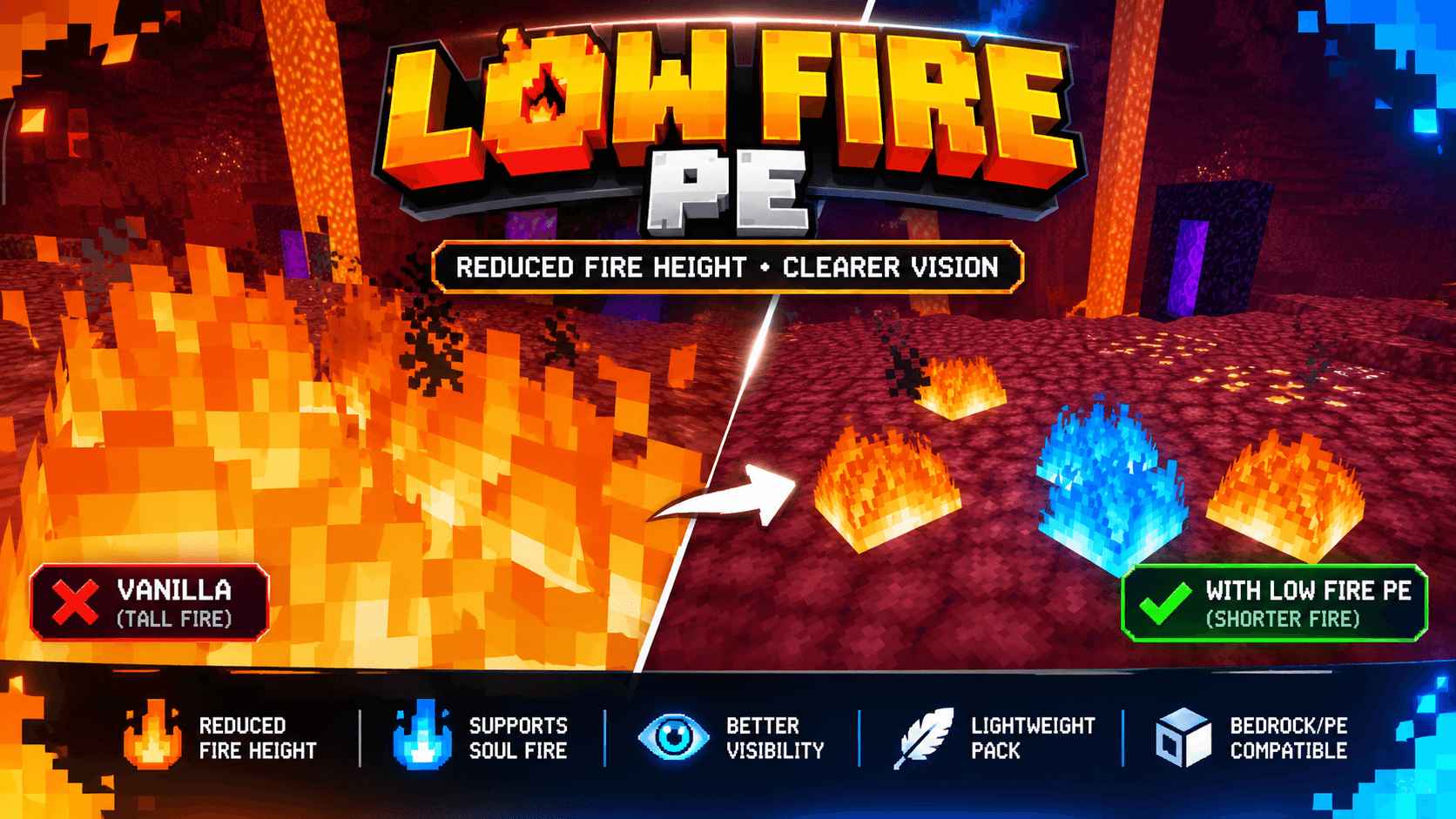
A lightweight Low Fire resource pack for Minecraft Bedrock/PE that reduces normal and soul fire height for clearer visibility during combat, exploration, and PvP. Keeps animated...
Read the author’s full description (224 words)
Written by WayBetterGaming.
Low Fire Clear
Make fire less obstructive with Low Fire Clear, a simple resource pack for Minecraft Bedrock Edition and Pocket Edition!
This pack reduces the visual height of normal fire and blue soul fire, helping you see more of your surroundings when your character catches fire. Its compact, lightweight design makes it a convenient addition to your Minecraft resource packs.
Features
- Low Fire Textures: Shorter-looking flames for improved visibility.
- Normal Fire Support: Reduced-height orange and yellow fire textures.
- Soul Fire Support: Reduced-height blue soul fire textures.
- Animated Flames: Retains the animated appearance of fire.
- Lightweight Pack: Small file size for easy downloading and importing.
- Bedrock/PE Compatible: Designed for Minecraft Bedrock Edition, including Pocket Edition.
Why Use Low Fire ?
Tall fire effects can obstruct your view during combat, PvP, and exploration. Low Fire PE helps keep more of your screen visible, making it easier to focus on your surroundings.
Installation
1. Download the ".mcpack" file.
2. Open it with Minecraft.
3. Wait for the import to complete.
4. Go to Settings → Global Resources or activate the pack in your world's resource packs.
5. Enter your world and enjoy the reduced-height fire textures!
Pack Type: Resource Pack
Version: 1.0.1
Minimum Minecraft Version: 1.20.0
Note: Visual results may vary between Minecraft versions. This pack changes fire textures and is not a gameplay or fire-damage modification.
Images
How to install
- Download the file below. On iOS or Android, open it from your Downloads with Minecraft; on Windows, double-click it.
- Minecraft imports the pack automatically. Enable it in your world’s settings under Behavior Packs or Resource Packs; an add-on usually needs both.
- Playing on a Realm or server? Everyone needs the same packs, and the host has to enable them.
Advertisement