All texture packs
NeBux UI+
BedrockTexture packPvpby NeBux
About this texture pack
A simple ui pack which makes your regular gameplay more easier by adding multiple features
Read the author’s full description (566 words)
Written by NeBux for the MCPEDL post, shown as published.
MY OTHER PACKS
ABOUT PACK
NeBux UI is a simple UI pack designed to enhance gameplay and improve accessibility in Minecraft Bedrock Edition. This pack refines the UI design while adding quick-access features that make navigation faster and more convenient.
FEATURES:
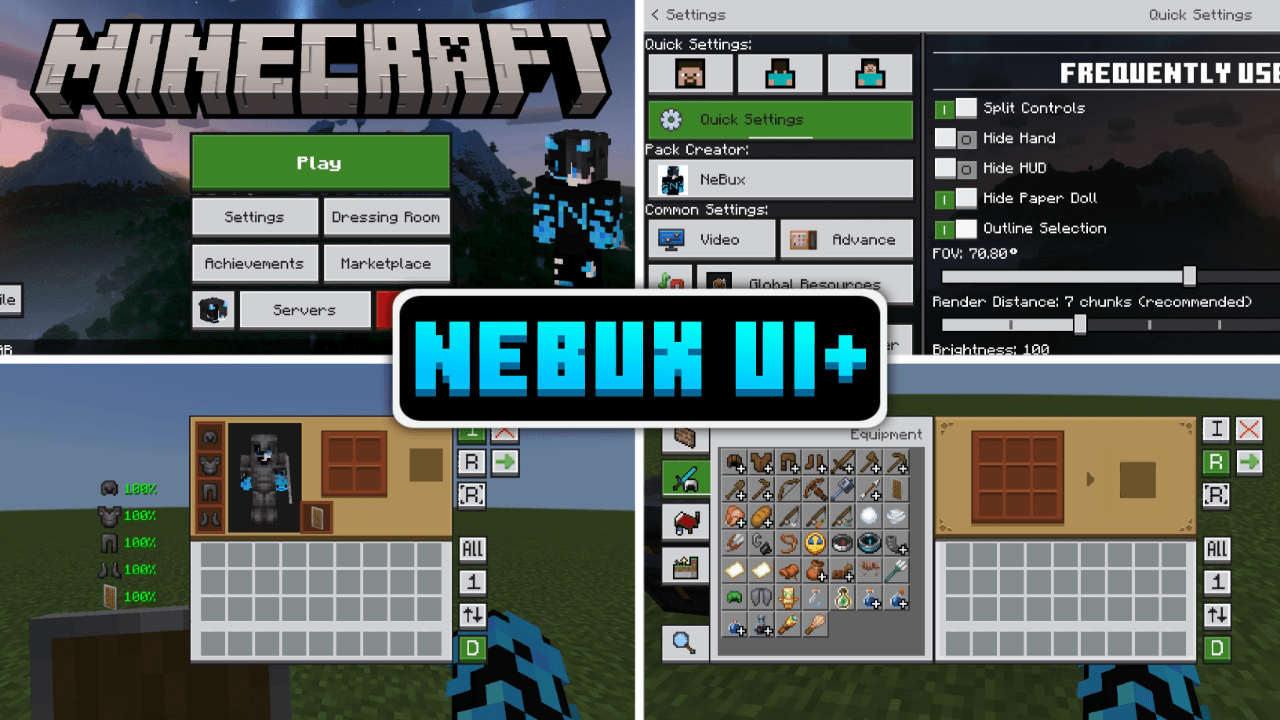
- Quick Settings – A new menu with frequently used toggles like FOV and Camera View for faster access.
- Quick Buttons – Adds shortcuts buttons like a direct Servers button and quick craft, quick drop, drop all, quick move etc. to skip extra navigation steps.
- Quick Craft & Quick Loot – Makes crafting and looting faster with optimized UI elements.
- F1 & F8 Buttons – Just like in Java Edition, F1 hides the HUD, and F8 toggles the paper doll.
- Exit Warning – Prevents accidental game exits by adding a confirmation prompt before quitting.
- Persistent Screens – Inventory, crafting, and other UI elements won’t close when the player takes damage.
- No Chat Input Limit – Removes the default character limit in the chat input box, allowing longer messages.
- Chat Quick Buttons – Adds Undo, Next buttons to improve chat interaction.
- UI Animations – Smooth animations that enhance the look and feel of the UI.
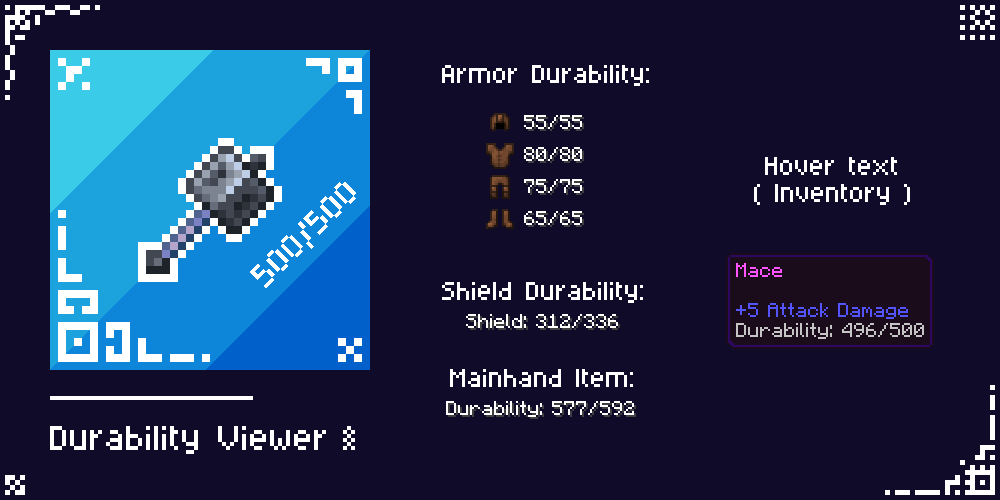
- Durability Viewer – Shows Armor and Tools durability "only on inventory screen".
- Trade Unlocker – Unlocks every trade so you don't need to level up every villager.
- Inventory Counter – Shows how many slots are left in your inventory.
- Inventory Full Warning – A simple warning shown at right top on HUD screen when your inventory gets full.
- Clock & Compass – Working compass and clock shown on HUD, no need to craft these.
- Xp Counter – Shows how much XP you have, visible in creative mode too.
- Enhanced Inventory – Better inventory buttons.
- Custom Containers – Every usable block like crafting table, furnace, etc. has custom GUI.
- Dimension Loading Screens – New loading screens according to the dimension.
- ToolTip Animations – Simple animation when switching items in hotbar, showing item name.
- Chat Select – A button on chat screen to select command or chat by clicking the line.
- Dark Mode – Requires separate "NeBux UI Dark Mode Extension" pack, placed above NeBux UI .
- All Languages – Translated by AI; switch to en_US if translations seem off.
- Fixed storage section in settings screen.
- Added mod menu.
- Custom crosshairs adjustable through mod menu.
- Enchantment Guide.
- Furnace Guide.
- Blast Furnace Guide.
- Smoker Guide.
- F3 (Debug Screen).
- Fixed top middle buttons; use subpacks placement based on camera perspective button setting.
TERMS OF USE:
✅ What You Can Do:
- Modify this pack, but only for personal use.
- Showcase this pack on YouTube or other platforms, but you must provide the download link to this page. Direct links or paywall links are not allowed.
❌ What You Can't Do:
- Modify and reupload this pack as your own.
- Upload this pack to other websites without permission.
- Use any code/assets from this pack without permission (contact on Discord for permission; currently denied).
- Sell, monetize, or distribute this pack in any paid form.
- Upload this pack to third-party websites (like Minecraft pack platforms, MediaFire, Mega, Google Drive) and share your own links.
Please respect my work! :)
CREDITS:
A huge thanks to the following creators, whose codes, assets, and ideas greatly helped in developing this pack.
- minxhyz
- notnicto
- blurryfacee
- DVG YT
- Enchanted_Games
- epicth3emilis
- jobelike_mc
- mod_mcpe
- PepeOnMCPEDL
- project_client
- Real_tlgm
- Vixel
- llit_im_internet
- Kingybu
- Botanydev
- Vi_Tul
- Bruhh69
- Dimzcraft
If you enjoy my packs and want to support my work
❤️ Support Me on Ko-fi
Your support means a lot — thank you!
Images
What’s new in the latest update
The author’s notes for the file uploaded .
Bugs fixes after latest update 1.26
- fixed buttons missing in inventory & crafting screen
How to install
- Download the file below. On iOS or Android, open it from your Downloads with Minecraft; on Windows, double-click it.
- Minecraft imports the pack automatically. Enable it in your world’s settings under Behavior Packs or Resource Packs; an add-on usually needs both.
- Playing on a Realm or server? Everyone needs the same packs, and the host has to enable them.
Advertisement