Orbital Railgun: Starnova
BedrockAdd-onFantasyby Nikolai201202
About this add-on
Summon beautiful, and powerful beams anywhere in the world to cause chaos and mass destruction; in style. Total of 5 diffrent colours
Read the author’s full description (446 words)
Written by Nikolai201202 for the MCPEDL post, shown as published.
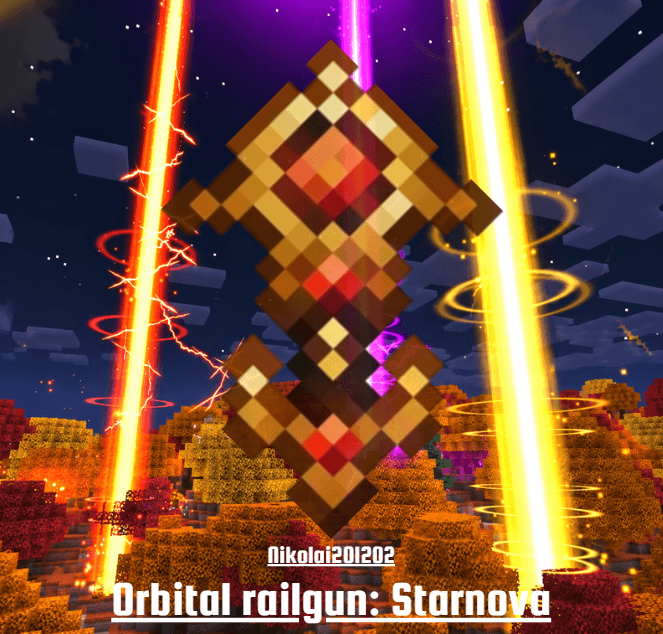
Orbital Railgun: Starnova adds a new powerful weapon (s) to the game, the starnova. Crafted from a new material; Starnite.
Check out my other mods If u enjoyed this one: https://www.curseforge.com/minecraft-bedrock/addons/nikolais-orbital-strike-cannon
And make sure to also check out: https://www.curseforge.com/minecraft-bedrock/addons/remote-stasis-chamber-addon
Every shot has a price: a beam slams down on your own feet first and its shockwave throws you into the air. Then the real strike begins - an 8 second charge with a towering beacon beam and a lightning storm that builds and builds, before the blast carves a perfectly round crater into the ground.
Set the POWER from 1 to 10 to choose how big it gets: from a 10 block crater all the way up to a massive 60 block one. The damage scales with it and goes straight through armour. Piercing everything in its way.
Each of the 5 Starnovas has its own look: its own beams, lightning, shockwave, impact flash and even its own custom skin. Every Starnova holds 3 charges, before it runs out. Aim easily using a inbuilt scope.
Everything is fully configurable via the Settings item: control who can fire and who can open the settings, toggle craftability, set the max power, turn the crater on or off, tune the impact and lightning damage, turn on no self-damage, and make the beams up to 5x bigger with Beam Size. Try the built-in presets - Fun Mode, MAX Mode and Optimised Mode - to reconfigure everything in one tap, save your own config sets, and use the Optimisation menu (with Auto Optimisation: answer two questions and it picks the right settings for your device) to keep things smooth on PC and mobile. There's also a 0 Cooldown mode, test beams, audio options and an emergency cleanup.
Craft Starnite (4 Resin Clumps in the corners, 4 Diamonds, 1 Gold Ingot in the centre), then the Starnova (4 Starnite in the corners, 4 dyes of its colour, 1 Fishing Rod in the centre). In creative everything is in the Orbital Railgun tab, and the Settings item can give you Starnovas directly. Survival players can craft the Survival Settings item (4 Iron Blocks in the corners, 4 Iron Ingots, 1 Fishing Rod in the centre) - the same settings, just no free Starnovas and no 0 Cooldown.
Experimental toggles should not be required but may sometimes need to be enabled.
Please Contact me on discord, be it for a bug, a feature request, advice in general, etc.
For any issues you could not fix yourself you may also contact me on discord: nick_b192
Credits:
Starnova model : Noura on fiverr
Mod: Nikolai201202
And all the lovely custom sounds used, use this DOC link for more info:
https://docs.google.com/document/d/1kS1Q8qTHnP-4PnPdPeuuDpJOESUtbErFJxg_2QEjZJM/edit?usp=sharing
Images
What’s new in the latest update
The author’s notes for the file uploaded .
Fixed Bug with starnova
How to install
- Download the file below. On iOS or Android, open it from your Downloads with Minecraft; on Windows, double-click it.
- Minecraft imports the pack automatically. Enable it in your world’s settings under Behavior Packs or Resource Packs; an add-on usually needs both.
- Playing on a Realm or server? Everyone needs the same packs, and the host has to enable them.
- Starting a new world? Choose its seed first: the Seed Map shows villages, structures and biomes near spawn for any Bedrock seed.
Advertisement