All add-ons
Player Dead Body
BedrockAdd-onHorrorby ZorroCraft 2.O
About this add-on
Tired of losing your loot when you die? This addon gives your world a realistic and useful death system
Read the author’s full description (135 words)
Written by ZorroCraft 2.O for the MCPEDL post, shown as published.
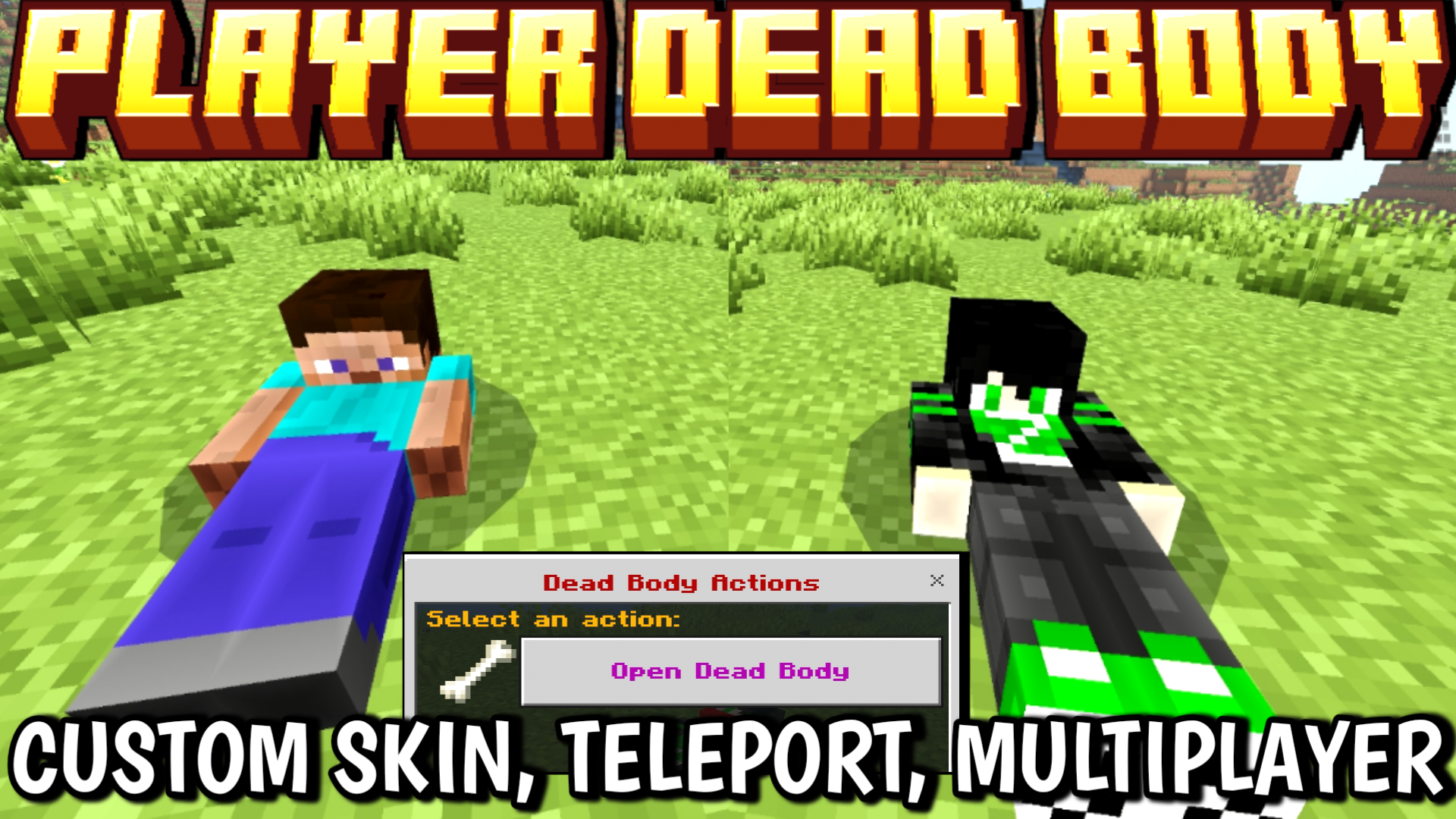
When a player dies, a dead body appears at the death spot — it automatically stores all your dropped items safely. No more hunting for scattered loot
Showcase & Custom skin Tutorial Video
👇👇👇👇👇👇👇
https://youtu.be/5Yc80rAW76s
||Free To Use Just Give Me Credit||
Just hit your body, and a simple UI menu opens — tap “Grave Open”, and all your items drop back instantly.
You’ll also receive your death coordinates as feedback, making it easy to find your body
again.
🎨 Custom Skin Support:
Custom skin guide
You can even make your dead body look like you!
Just follow these steps:
Remove ".mcaddon" and rename ".zip" > and extract folder> rp > textures > entity> custombody> delete skin > paste custom skins > rename with previous skin like 1.png, 2.png...8.png
If you loose your world Achievement And want to Re Enable
Check this YT Showcase
https://youtu.be/OflDLYkK7nw
What’s new in the latest update
The author’s notes for the file uploaded .
💀 Fixed Player Deadbody head position — now looks more realistic!
📦 Increased Deadbody storage capacity for holding more dropped items.
⚡ Improved Deadbody spawning for smoother and more reliable behavior.
Video
How to install
- Download the file below. On iOS or Android, open it from your Downloads with Minecraft; on Windows, double-click it.
- Minecraft imports the pack automatically. Enable it in your world’s settings under Behavior Packs or Resource Packs; an add-on usually needs both.
- Playing on a Realm or server? Everyone needs the same packs, and the host has to enable them.
- Starting a new world? Choose its seed first: the Seed Map shows villages, structures and biomes near spawn for any Bedrock seed.
Advertisement