🎃 Raven Night — Haunted Furniture & Halloween Decor
BedrockAdd-onHorrorby Cannela
About this add-on
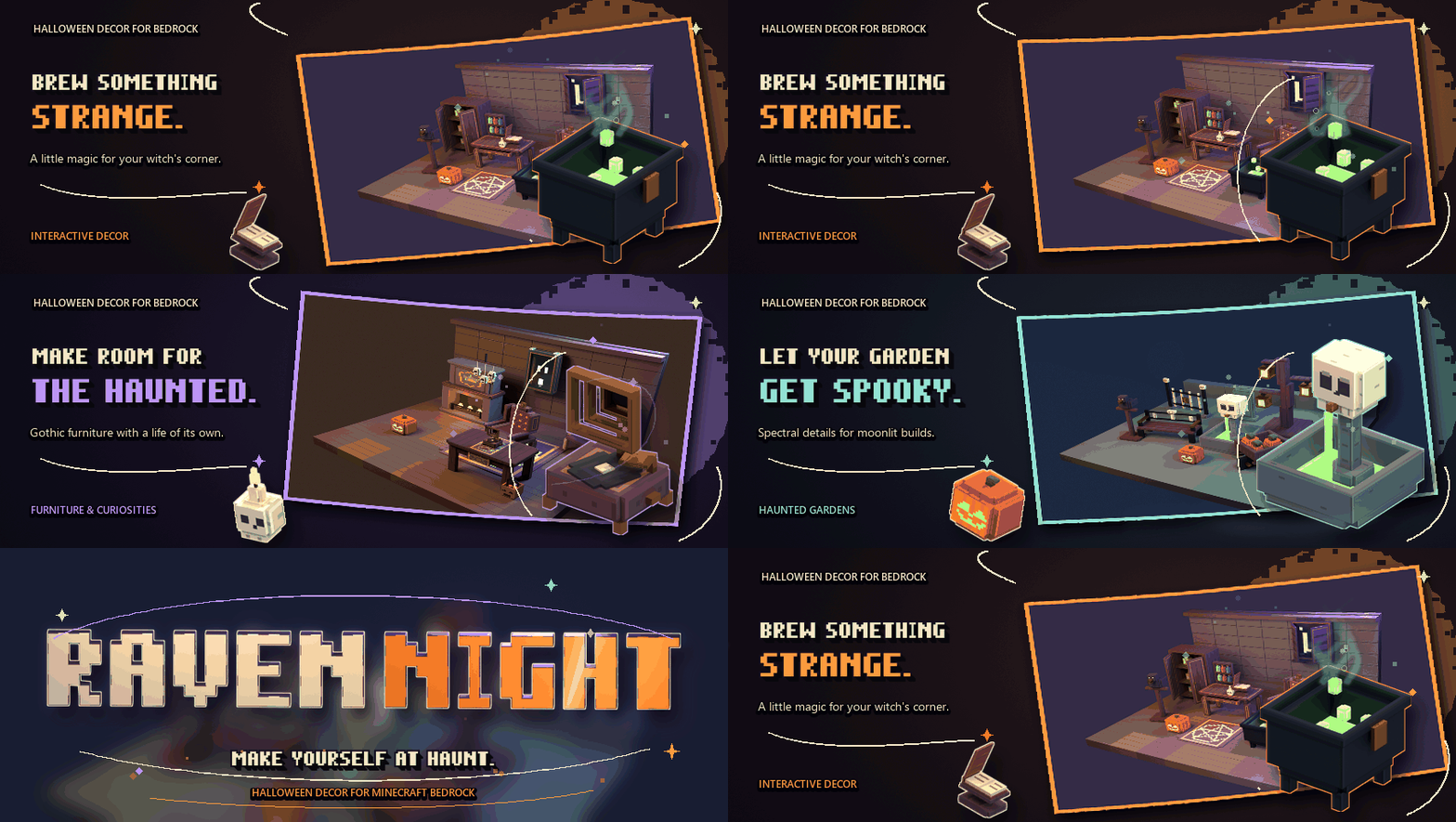
Raven Night brings detailed Halloween furniture and interactive decorations. Create cozy haunted homes, gothic parlors and curious little corners filled with cauldrons, coffins,...
Read the author’s full description (287 words)
Written by Cannela for the MCPEDL post, shown as published.
Turn an ordinary build into a home with a wonderfully strange personality. Raven Night brings interactive Halloween decorations to Minecraft — from tiny curiosities to full-size gothic furniture
Build a witch’s study, furnish a haunted parlor or fill a moonlit garden with odd little treasures. Cauldrons, desks, armchairs, coffins, pumpkins, instruments and carnival curiosities all belong to the same collection.
Use an empty hand to interact with a prop. Depending on the piece, you can open it, reveal a hidden detail, switch its light or activate its movement. Sit on supported furniture; sneak to stand up again.
Some details keep moving after you activate them. Bring your rooms to life with looping animations and animated active textures.
Harvest, Coven or Spectral: pick the mood that belongs in your build. Use a stick on a placed prop to cycle through its material palettes.
The haunted gramophone is one of the animated pieces. Activate it and let its moving details bring a quiet corner to life.
Every prop has a crafting recipe. At a crafting table, search for “Raven” in the recipe book and show all recipes to see pieces even when you do not have their materials yet. The pumpkin recipe shown here uses pumpkins arranged around a torch.
The resource pack includes metalness, emission and roughness maps for Vibrant Visuals. Warm flames, glowing eyes and spectral details have their own material treatment. The same pixel-art colors are also available in classic graphics.
Give your garden a spectral centerpiece. Interact with the skeletal fountain to switch its animated stream on or off.
A shelf full of oddities. A chair beside a glowing fireplace. A garden watched over by ravens. Choose your favorite pieces and make the place your own.
How to install
- Download the file below. On iOS or Android, open it from your Downloads with Minecraft; on Windows, double-click it.
- Minecraft imports the pack automatically. Enable it in your world’s settings under Behavior Packs or Resource Packs; an add-on usually needs both.
- Playing on a Realm or server? Everyone needs the same packs, and the host has to enable them.
- Starting a new world? Choose its seed first: the Seed Map shows villages, structures and biomes near spawn for any Bedrock seed.
Advertisement