Sit on Player – Unofficial Bedrock Port of Player Ladder
BedrockScriptPlayersby Zepaii
About this script
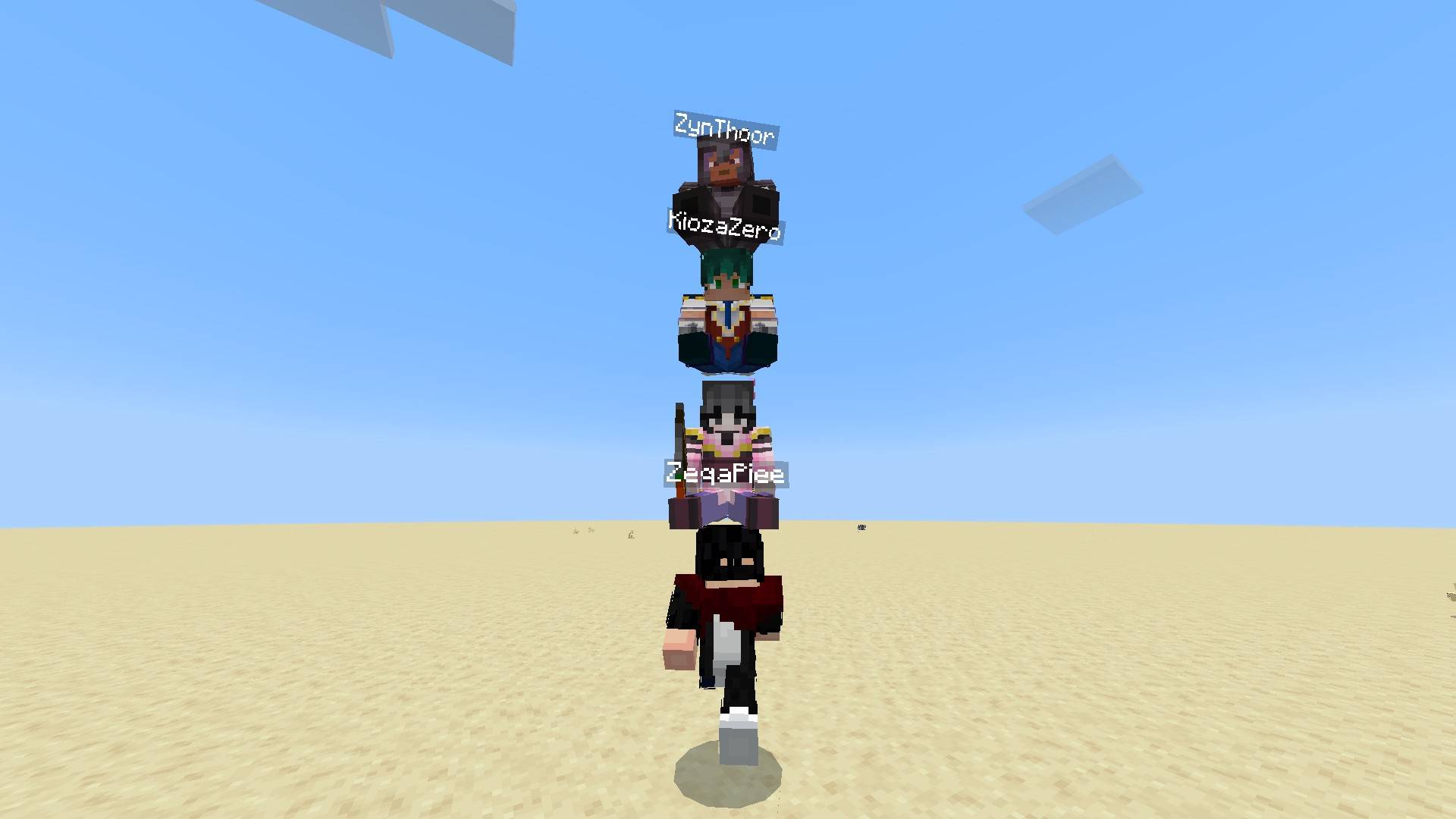
Sit on Player is a lightweight Bedrock add-on that lets players sit on top of each other — like a stack of humans! Inspired by the Java mod Player Ladder
Read the author’s full description (226 words)
Written by Zepaii.
*New Update!
Sit On Player [1.1.2]
Sit on Player is an unofficial Minecraft Bedrock Edition port of the popular Java mod Player Ladder by ForwarD‑NerN.
It allows players to sit on top of each other, forming fun and chaotic player towers — perfect for multiplayer
Created with full permission from the original mod author
How to Use
To ride another player:
- Make sure the player you want to ride is doesn't sneaking
- Use right-click (mouse) or tap the Use button (mobile)
To stack more players:
- Each new rider must interact with the topmost player in the stack
- You can keep stacking as high as you can!
To dismount or drop riders:
- Any player who is being ridden can sneak/crouch to remove the passenger(s)
- Riders can also dismount manually (with sneaking too)
Don't forget turn on Experimental Beta-APIs
What's New?
- Supported minecraft version 1.26.51.1
⚠️ Compatibility Note
- This add-on using player.json, It may conflict with other behavior packs that also using player.json
- Place this add-on at the top of the behavior pack list
- Avoid combining with other packs that include their own player.json
This add-on was inspired by the Java mod Player Ladder, developed by ForwarD‑NerN.
Thanks to them for granting permission for this Bedrock port
> 🔗 Player Ladder on Modrinth
🌐 Join the Community
Have questions, want updates, or see what I'm working on?
> 📣 Join our Discord: Zepai Community
Images
What’s new in the latest update
The author’s notes for the file uploaded .
- Supported minecraft version 1.26.60.4
How to install
- Download the file below. On iOS or Android, open it from your Downloads with Minecraft; on Windows, double-click it.
- Minecraft imports the pack automatically. Enable it in your world’s settings under Behavior Packs or Resource Packs; an add-on usually needs both.
- Playing on a Realm or server? Everyone needs the same packs, and the host has to enable them.
- Starting a new world? Choose its seed first: the Seed Map shows villages, structures and biomes near spawn for any Bedrock seed.
Advertisement