Small Items
BedrockTexture packPvpby voxenMC2
About this texture pack
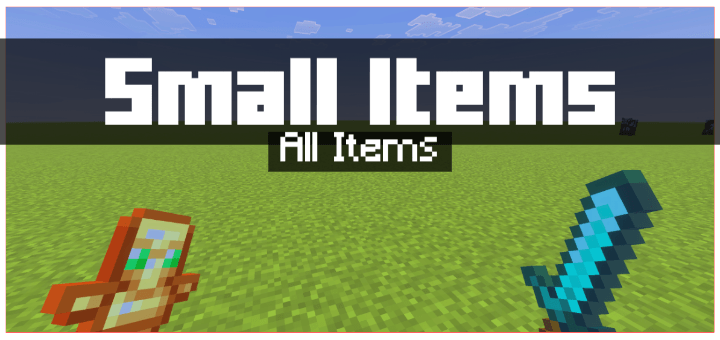
This pack makes all Minecraft tools and items smaller for a clearer screen view. It includes four subpacks: Small, Smaller, Smallest, and Tiny, letting you choose how compact yo...
Read the author’s full description (169 words)
Written by voxenMC2 for the MCPEDL post, shown as published.
What this pack does
This pack makes all the tools and items in Minecraft smaller so that they cover less of your screen and give you a clearer and cleaner view while playing.
Pack Features
- Items take up less space on the screen, making gameplay more comfortable.
- All tools and items appear smaller but remain easy to use.
- You can choose the item size you prefer from different subpacks.
Available Subpacks
- Small — Slightly smaller items.
- Smaller — Reduced screen coverage.
- Smallest — Minimal screen usage.
- Tiny — Very small items for maximum clarity.
You can pick any subpack you like. The smaller you go, the more open your screen will feel.
Known Issues
Some item textures may look a little different, and the apple texture will remain almost the same because this pack only edits item textures. Due to this, it is not fully compatible with every texture type, so you might notice a few minor visual differences.
This pack does not change block sizes. It only affects items and tools.
Images
What’s new in the latest update
The author’s notes for the file uploaded .
Added Textures
- Camp Map (Dappled Forest, Pale Garden, Cherry Grove, Birch Forest, Flower Forest, Bamboo, Swamp, Windswept Forest Camp Maps)
- Ancient City Map
- Mineshaft Map
- Desert Pyramid Map
- Jungle Temple Map
- Swamp Hut Map
- Warm Ocean Ruins Map
- Plains Village Map
- Desert Village Map
- Savanna Village Map
- Snowy Village Map
- Taiga Village Map
- Sulfur Cube Spawn Egg
Updated Textures (new vanilla design)
- Maps: Empty, Filled, Locked, Mansion, Monument, Nautilus, Trial Chambers
- All 16 Dyes
- All 16 Beds
- Flow & Guster Banner Patterns
- Boats: Oak, Spruce, Birch, Jungle, Acacia, Dark Oak
- Doors: Oak, Spruce, Birch, Jungle, Acacia, Dark Oak, Iron
- Signs: Oak, Spruce, Birch, Jungle, Acacia, Dark Oak, Crimson, Warped
- Item Frame, Glow Item Frame
- All Potions (Normal, Splash, Lingering)
- All Tipped Arrows
- Diamond Tools & Armor, Gold Hoe, Wooden Hoe
- Compass, Lodestone Compass, Recovery Compass
- Campfire, Soul Campfire, Lantern
- Sugar Cane, Dried Kelp, Honeycomb, Beetroot Seeds, Melon Seeds, Wildflowers
- Blaze, Breeze, Zombie Horse Spawn Eggs
- Minor color fixes on many other items to match the current game
How to install
- Download the file below. On iOS or Android, open it from your Downloads with Minecraft; on Windows, double-click it.
- Minecraft imports the pack automatically. Enable it in your world’s settings under Behavior Packs or Resource Packs; an add-on usually needs both.
- Playing on a Realm or server? Everyone needs the same packs, and the host has to enable them.
Advertisement