VILLAGER TRADE REVEALER
BedrockTexture packUtilityby BAKUTHEBUILDER
About this texture pack
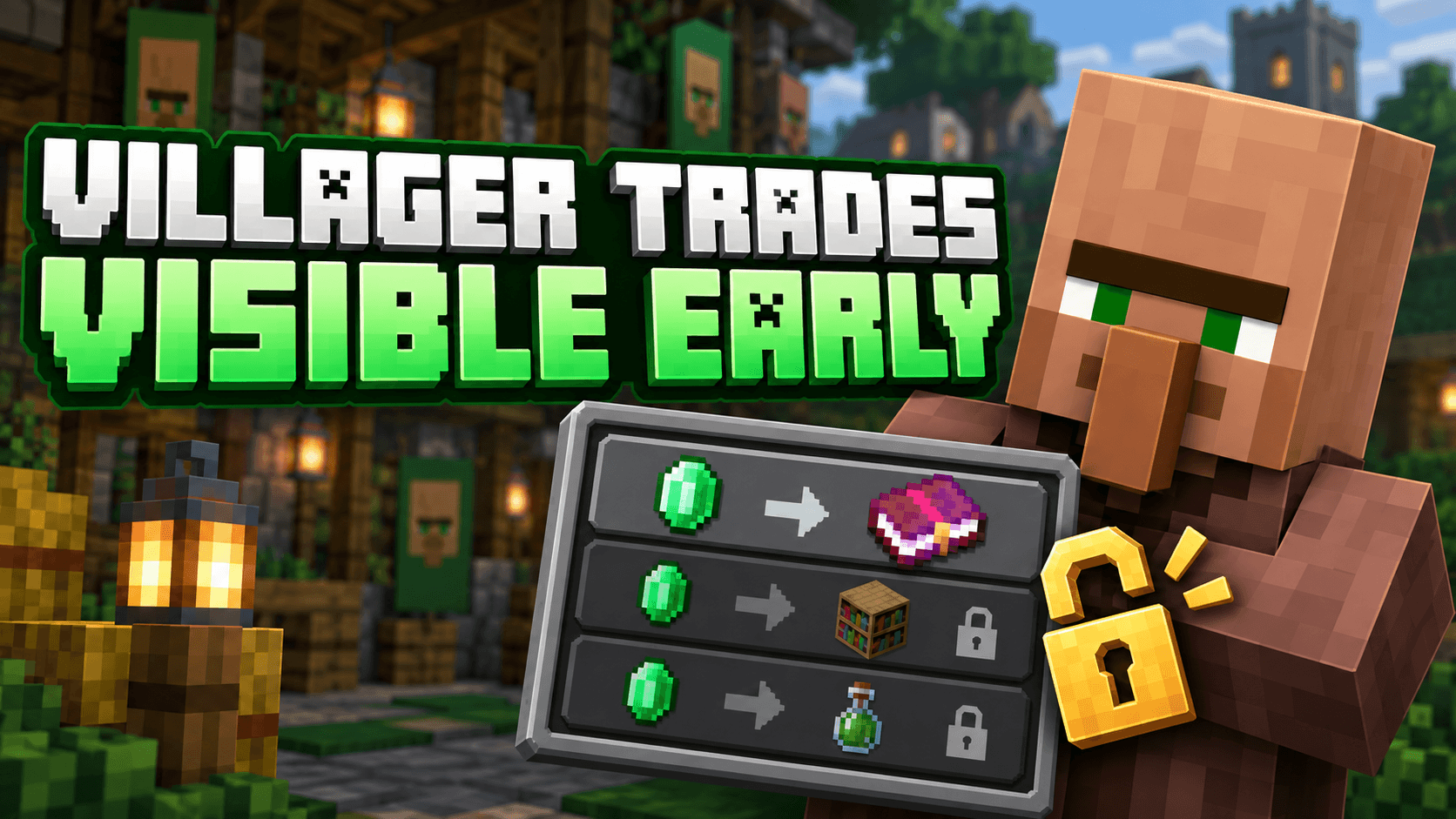
Preview every locked villager trade before leveling up! See future items, enchanted books and offers instantly with this lightweight Minecraft Bedrock resource pack. Built for s...
Read the author’s full description (225 words)
Written by BAKUTHEBUILDER for the MCPEDL post, shown as published.
🧑🌾 Villager Trade Preview
View locked and future villager trades before leveling them up!
📖 About the Pack
Villager Trade Preview is a lightweight Minecraft Bedrock resource pack that displays every locked and future villager trade from the beginning. You can preview upcoming items, enchanted books and other offers before spending resources to level up a villager.
The pack only reveals hidden trade information. Locked trades will remain locked until the villager reaches the required level, keeping normal survival progression balanced.
✨ Features
- Displays locked and future villager trades early
- Shows trade items, names and available enchantment details
- Works with every villager profession
- Supports Pocket UI and Classic UI
- Does not unlock trades or change villager mechanics
- Lightweight and performance-friendly
- Does not disable achievements
- Compatible with Minecraft Bedrock 1.26.40
📥 Installation
- Download the .mcpack file.
- Open the file using Minecraft.
- Wait for the resource pack to import successfully.
- Activate it from Global Resources or your world's Resource Packs menu.
- Place it above other UI packs to prevent compatibility issues.
⚠️ Important Information
This resource pack previews future trades but does not remove their level requirements. Other packs that modify the villager trading interface may conflict with it.
👑 Credits
Created, designed and maintained by Baku.
All pack branding and distribution credits belong to Baku.
This is an unofficial Minecraft resource pack and is not affiliated with Mojang Studios or Microsoft.
Images
How to install
- Download the file below. On iOS or Android, open it from your Downloads with Minecraft; on Windows, double-click it.
- Minecraft imports the pack automatically. Enable it in your world’s settings under Behavior Packs or Resource Packs; an add-on usually needs both.
- Playing on a Realm or server? Everyone needs the same packs, and the host has to enable them.
- Starting a new world? Choose its seed first: the Seed Map shows villages, structures and biomes near spawn for any Bedrock seed.
Advertisement