All texture packs
X-Ray Advanced
BedrockTexture packOtherby UniqueStudio
About this texture pack
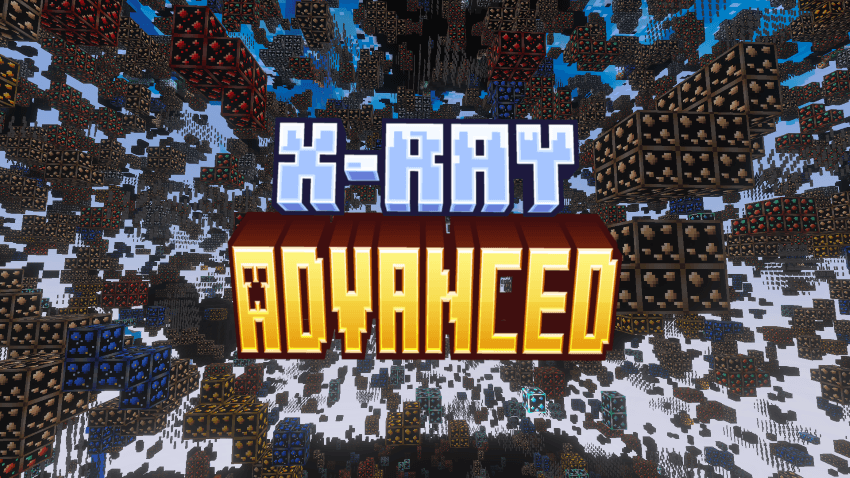
See every ore, skip the digging. X-Ray Advanced makes the ground invisible and the ores glow.
Read the author’s full description (199 words)
Written by UniqueStudio.
X-Ray Advanced
Take your mining to the next level with a clean and powerful X-Ray experience. Stone, dirt, deepslate and other filler blocks fade away, so every ore is visible at a glance. Dig less and find more.
Key Features
- Invisible filler blocks: stone, dirt, deepslate, netherrack, end stone and more
- Glowing ores with emissive PBR textures, visible even in dark caves
- All ores supported: coal, copper, iron, gold, lapis, redstone, diamond, emerald, nether gold and nether quartz
- Structure visibility: easily locate caves, mineshafts, dungeons and hidden areas
- Deepslate ore variants included
- Nether ready: netherrack and blackstone vanish, ancient debris and quartz glow, and lava stays visible
- Lava visibility: spot lava pockets before you mine into them
- Sand and gravel thinned out for a clearer view
- Clean and minimal design, with no clutter and only what matters
⚙️ Recommended Settings
- Enable PBR support (Vibrant Visuals or ray tracing) so the ores glow
- Increase brightness for maximum clarity (optional)
- Requires Minecraft Bedrock 1.21.120 or newer
📦 Installation
- Import the pack into the game or place it in your resource_packs folder
- Open or create a world, then go to Resource Packs
- Activate X-Ray Advanced
- Start your world and enjoy full underground visibility
Images
How to install
- Download the file below. On iOS or Android, open it from your Downloads with Minecraft; on Windows, double-click it.
- Minecraft imports the pack automatically. Enable it in your world’s settings under Behavior Packs or Resource Packs; an add-on usually needs both.
- Playing on a Realm or server? Everyone needs the same packs, and the host has to enable them.
- Starting a new world? Choose its seed first: the Seed Map shows villages, structures and biomes near spawn for any Bedrock seed.
Advertisement