Xray Vision | Full Bright
BedrockTexture packUtilityby YashGameplay
About this texture pack
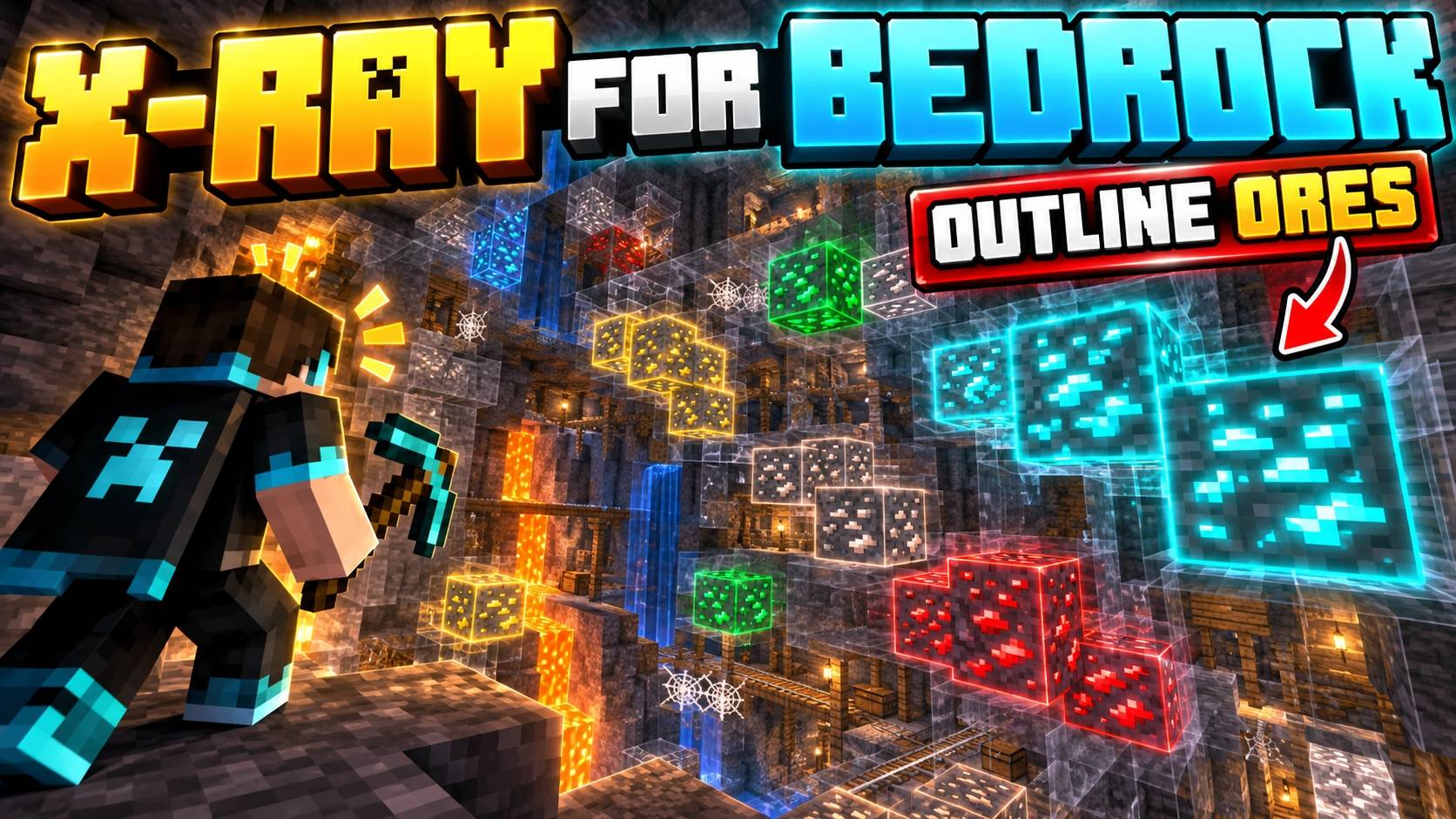
X-Ray Vision is a standalone Minecraft Bedrock mining pack with 3 modes for Overworld and Nether mining. Reveal hidden ores, choose whether dirt and grass stay visible, and cust...
Read the author’s full description (778 words)
Written by YashGameplay.
X-Ray Vision | 3 Mining Modes
Advanced X-Ray Pack for Minecraft Bedrock
X-Ray Vision is a standalone Minecraft Bedrock and MCPE resource pack designed to make underground exploration, ore searching, and Nether mining significantly easier through three specialized visibility modes.
Instead of forcing every player to use the same X-Ray configuration, this pack gives you multiple modes for different situations. You can keep dirt and grass visible for safer movement on the surface, remove them for maximum underground visibility, or switch to a dedicated Nether configuration when searching for resources below the Nether terrain.
The pack focuses on clear ore visibility, flexible mining options, and simple mode switching without requiring any separate UI or dependency pack.
Three dedicated X-Ray modes let you choose between safer surface navigation, maximum underground visibility, and focused Nether mining.
Mode 1 — Dirt & Grass Visible
This mode is designed for players who want X-Ray visibility while still being able to move around the surface comfortably.
Dirt and grass remain visible while other targeted solid blocks become transparent, allowing you to see underground resources without completely losing the ground beneath you.
This makes Mode 1 especially useful when travelling across the Overworld, checking areas before mining, or searching for ores while still keeping the terrain easier to understand.
Best suited for:
Overworld exploration
Surface movement
Finding underground ores
Locating caves and resources
Safer navigation while X-Ray is active
Mode 2 — Maximum Underground Visibility
Mode 2 removes dirt and grass visibility as well, creating a much clearer underground view.
With more surrounding terrain hidden, ores and underground structures become easier to identify across a larger visible area.
This mode is intended for players who prioritize maximum X-Ray visibility over normal terrain readability.
It works especially well when you are already underground and want a cleaner view of nearby resources without surface blocks getting in the way.
Mode 3 — Nether Mining
The third mode is specifically designed for Nether resource hunting.
Nether terrain requires a different approach from normal Overworld mining, so this mode provides a dedicated visibility setup intended for searching through Nether environments.
It is useful when looking for valuable underground resources or navigating mining areas where large amounts of Nether terrain would normally block your view.
Three Modes for Different Mining Situations
Dirt & Grass Visible Mode
Maximum X-Ray Visibility Mode
Dedicated Nether Mining Mode
Overworld Ore Searching
Underground Resource Hunting
Cave and Structure Visibility
Minecraft Bedrock and MCPE Support
Standalone Resource Pack
No Base UI Required
Recommended Settings for the Best Experience
For the clearest X-Ray visibility, use the following Minecraft graphics settings:
Smooth Lighting: OFF
Brightness: 100%
Night Vision: Enabled
Turning Smooth Lighting off helps reduce unnecessary shading around exposed blocks.
Setting Brightness to 100% makes underground objects easier to distinguish.
Using Night Vision provides the clearest overall view in dark caves and underground areas.
For the best visibility: disable Smooth Lighting, set Brightness to 100%, and use Night Vision while X-Ray Vision is active.
Built for Overworld and Nether Mining
Many X-Ray packs use one universal configuration for every dimension.
X-Ray Vision is designed differently by providing separate modes for different types of mining.
Mode 1 keeps important surface terrain visible.
Mode 2 prioritizes maximum underground visibility.
Mode 3 provides a dedicated setup for Nether mining.
This gives you more flexibility depending on where you are playing and what type of resource you are searching for.
Standalone Minecraft Resource Pack
X-Ray Vision is completely independent.
It does not require YashGameplay's Main UI, WhoCaresMC Main UI, or any other base resource pack.
Simply activate X-Ray Vision and select the mode that matches your current mining situation.
Compatibility with other resource packs can depend on whether they modify the same block textures or rendering-related resources.
Made for Minecraft Bedrock & MCPE
X-Ray Vision is designed for players looking for a Minecraft X-Ray Pack, Minecraft Bedrock X-Ray, MCPE X-Ray Texture Pack, Ore Finder Resource Pack, Nether X-Ray, Mining Texture Pack, Diamond Finder Pack, Ancient Debris X-Ray, Minecraft Ore Vision, or Bedrock Mining Resource Pack.
These terms directly describe the purpose of the pack: making underground resources easier to see through configurable Overworld and Nether visibility modes.
Better Control Over Your X-Ray Experience
Different mining situations need different visibility settings.
X-Ray Vision gives you the flexibility to keep surface terrain visible when needed, remove additional blocks for maximum underground visibility, or switch to a dedicated Nether mining configuration.
With three specialized modes, recommended visibility settings, Overworld support, Nether mining support, and standalone functionality, the pack provides a flexible X-Ray experience for Minecraft Bedrock and MCPE players.
Remember that some multiplayer servers restrict or prohibit X-Ray resource packs, so check the rules of any server before using it.
Images
What’s new in the latest update
The author’s notes for the file uploaded .
👁️ YashVision | X-Ray & FullBright v1.3
Welcome to v1.3 of YashVision X-Ray & FullBright! This release upgrades the pack for the latest Minecraft Bedrock updates (1.20 through 1.21.x+ / Tricky Trials), giving players total visual dominance underground without cave darkness or stone obstructions.
✨ What's New & Included in v1.3:
1. 🏛️ 1.21 Tricky Trials & Deep Cave Polish
- 14 Additional Cave Blocks Made Invisible: Eliminates bulky 1.21 barriers underground including:
- tuff_bricks, chiseled_tuff, chiseled_tuff_bricks
- tuff_slab, tuff_stairs, tuff_wall
- polished_tuff_slab, polished_tuff_stairs, polished_tuff_wall
- packed_mud, mud_bricks, mud_brick_slab, mud_brick_stairs, mud_brick_wall
- smooth_basalt
- Trial Spawners & Vaults 100% Readable: Trial Chamber spawners and reward vaults stay visible through terrain for effortless dungeon looting!
2. 💎 3 Versatile Subpack Presets
Switch your scanning mode via the Gear (⚙️) Icon under Settings > Global Resources > Active:
- 🟢 Classic Cave X-Ray [Default]: Underground stones (Stone, Deepslate, Andesite, Diorite, Granite, Tuff) invisible — ores, spawners, and caves fully highlighted.
- 🟡 All-Terrain Surface X-Ray: Dirt, Grass, Sand, and Gravel invisible — scan underground deposits directly from the surface!
- 🔴 Nether Ancient Debris Hunter: Netherrack, Basalt, and Blackstone invisible — spot Netherite scrap and Ancient Debris instantly.
3. ☀️ Permanent FullBright Night Vision (No Cave Darkness)
- 13 Overridden Fog Profiles: Eliminates black cave fog, deep dark blindness, and darkness effects across Overworld and Nether biomes.
- PBR Glowing Outlines: Compatible with Deferred Technical Preview & vanilla lighting for bright, neon ore outlines.
4. 🌐 Server & Console Safe
- Pure client-side resource pack (min_engine_version: [1, 20, 0]) with zero experimental flags required.
- Single-click import across Windows PC, Android (MCPE), iOS, and Consoles.
Created with ❤️ by YashGameplay.
How to install
- Download the file below. On iOS or Android, open it from your Downloads with Minecraft; on Windows, double-click it.
- Minecraft imports the pack automatically. Enable it in your world’s settings under Behavior Packs or Resource Packs; an add-on usually needs both.
- Playing on a Realm or server? Everyone needs the same packs, and the host has to enable them.
- Starting a new world? Choose its seed first: the Seed Map shows villages, structures and biomes near spawn for any Bedrock seed.
Advertisement