Using the Seed Map on Your Phone
JavaBedrockMost people check a seed with the game open on another screen, which for a lot of players means a phone propped against the monitor or a tablet next to the console. The map runs the same engine there as on a desktop, but the controls move. This is where they went, and a few habits that make it work with one hand.
Updated · 6 min read · Java & Bedrock up to 26.3
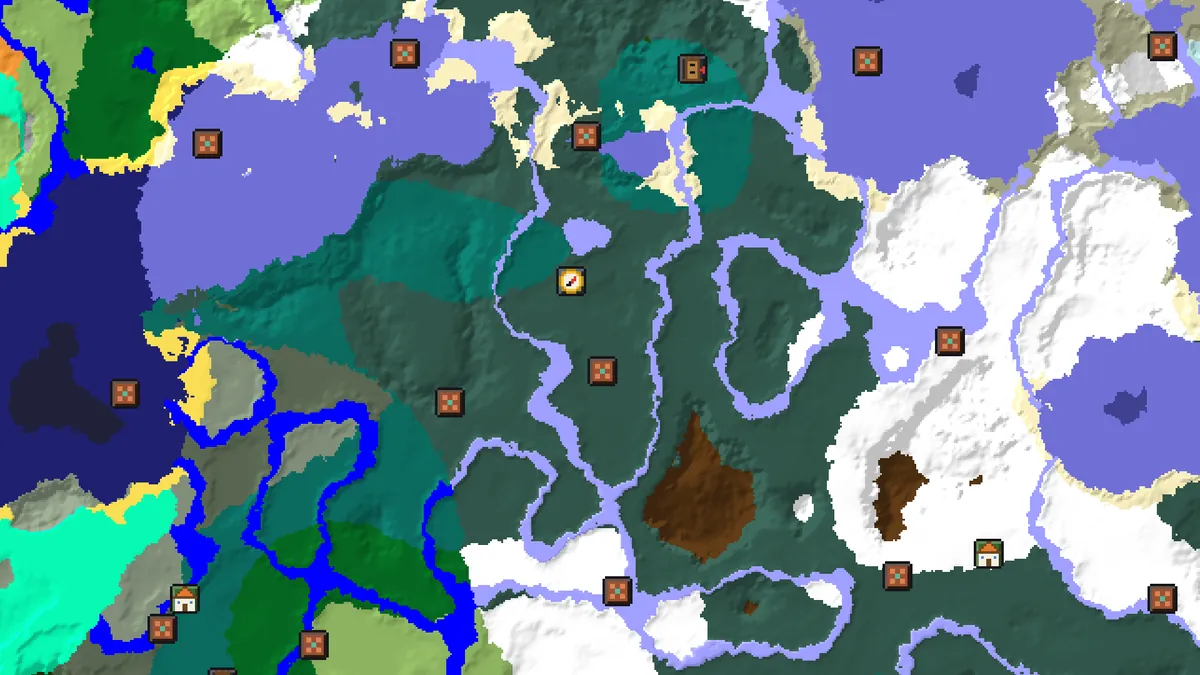
What changes below tablet width
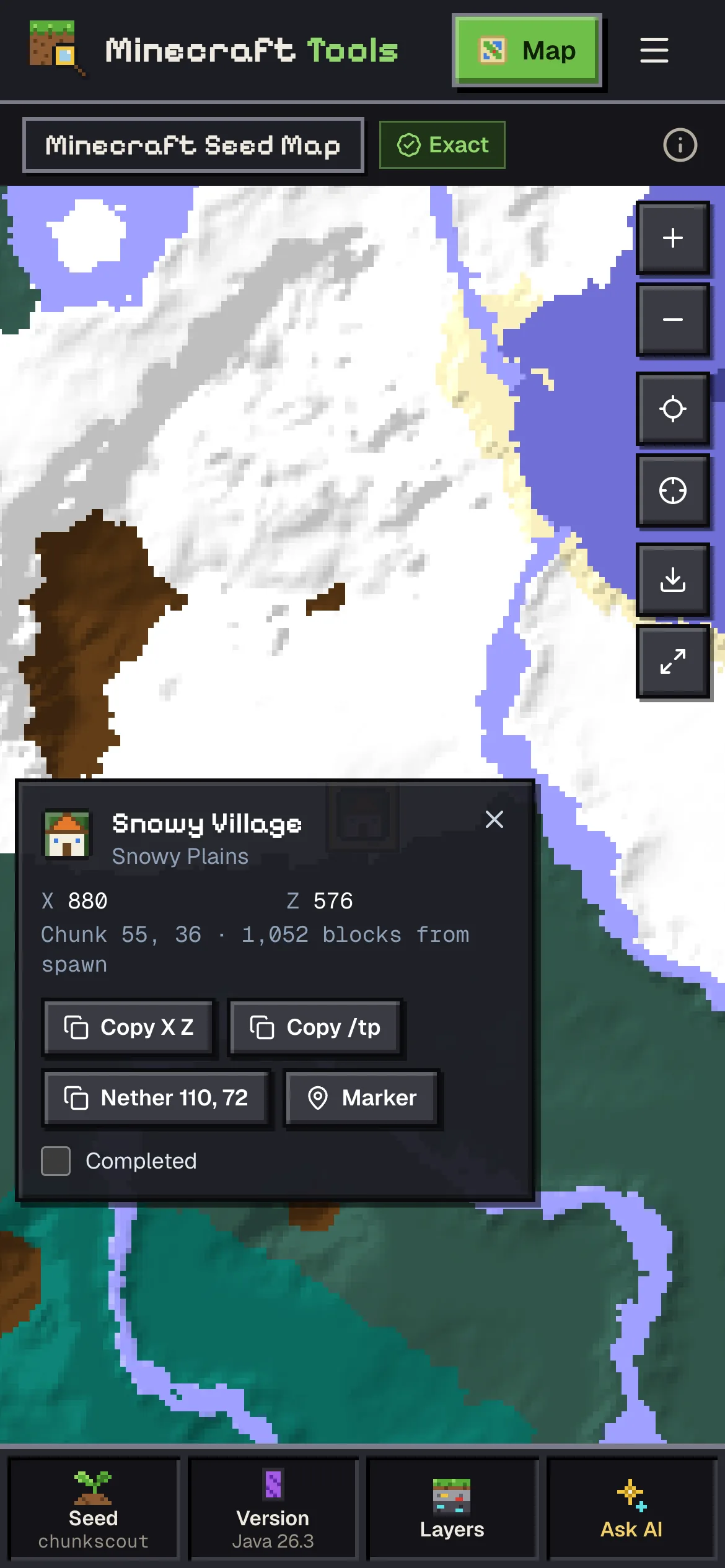
On a screen narrower than about 1,000 pixels the long toolbar and the side panel disappear. The map takes the full width, and everything you would click on a desktop is reached from a bar of four buttons along the bottom: Seed, Version, Layers and Ask AI. Each one opens a sheet that slides up over the lower part of the map and closes when you pick something or swipe it down.
Nothing is missing, it is only folded away. The Nearest list, the planner, the seed score, the legend, the share dialog and the bookmark button all live in those sheets. The engine is the same WebAssembly build the desktop uses, so a coordinate on the phone is the same coordinate you would read on a PC for the same seed, edition and version.
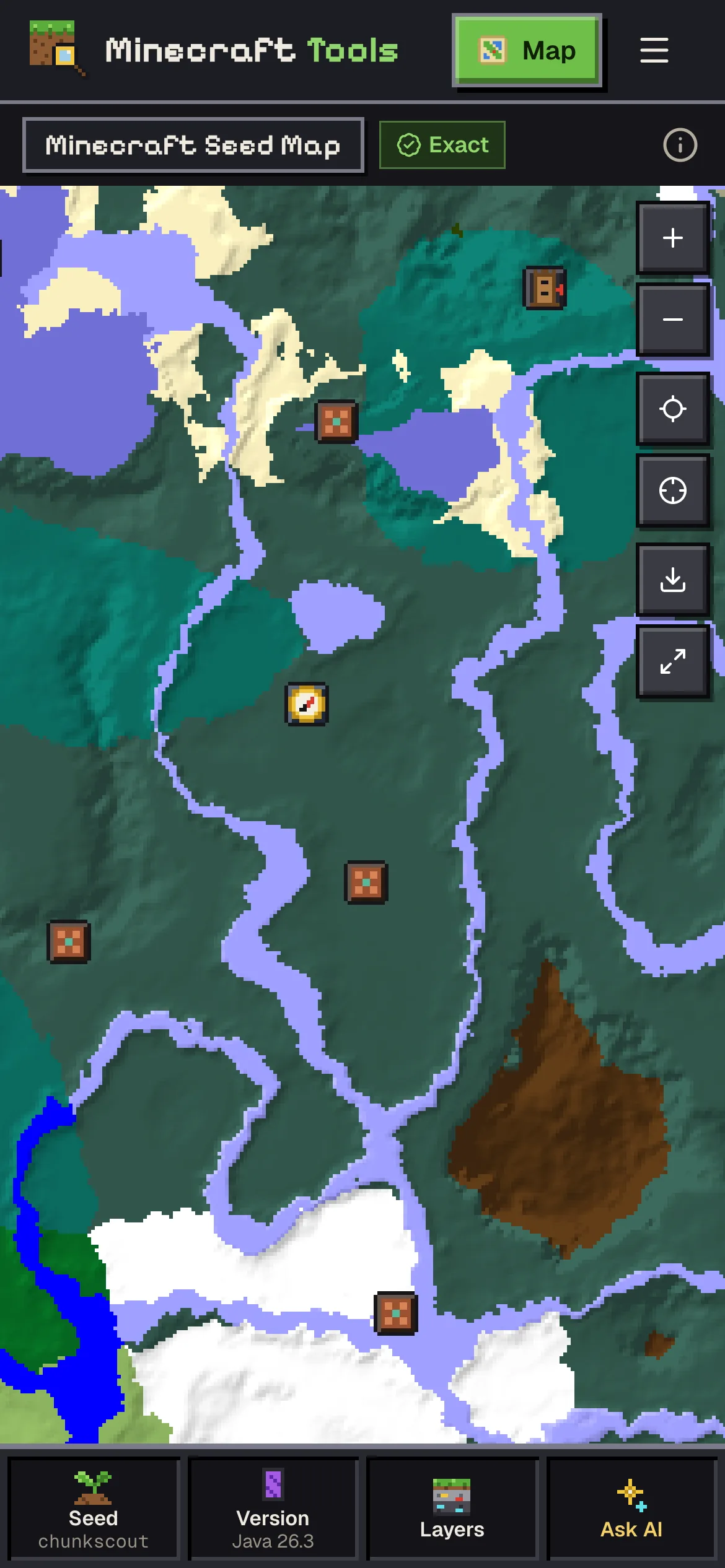
The bottom bar, button by button
| Button | What the sheet holds |
|---|---|
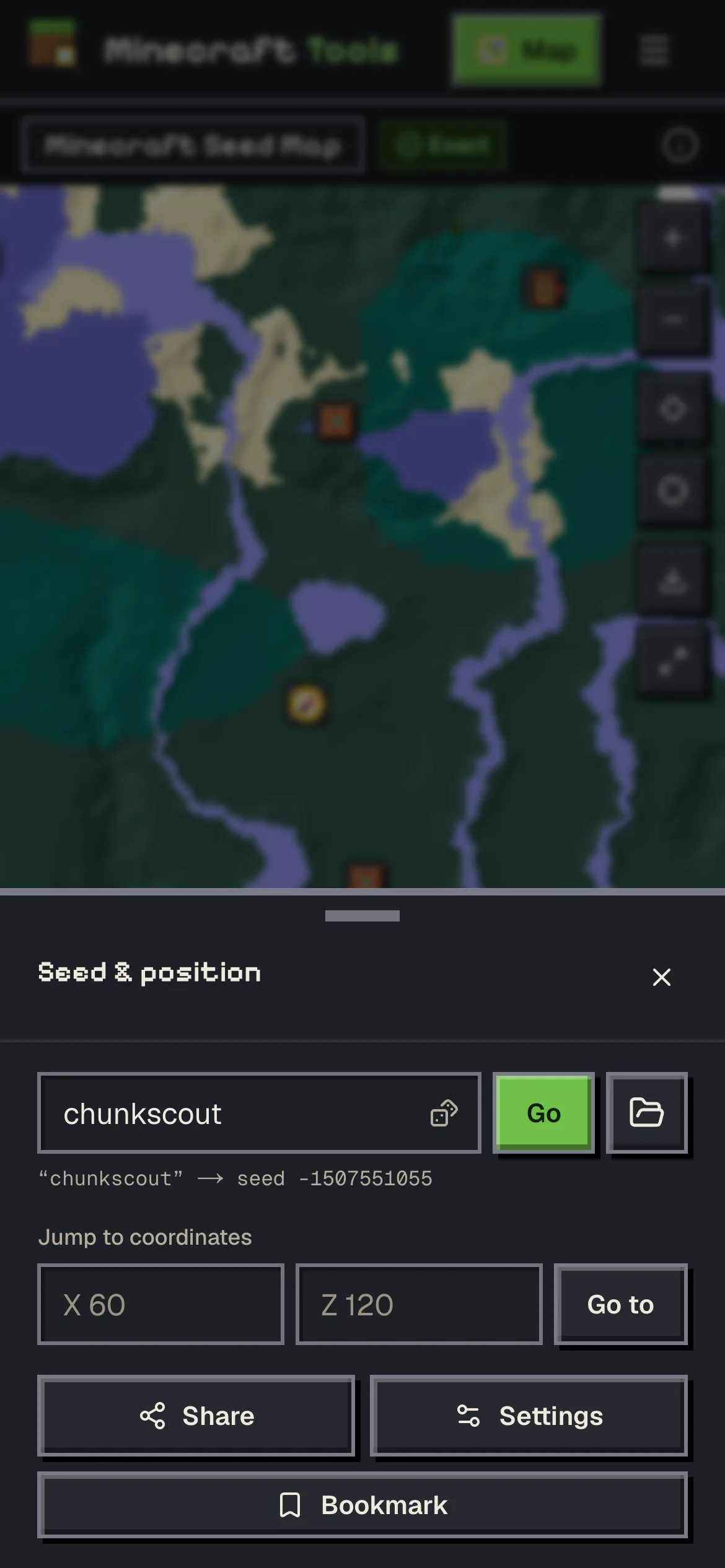
| Seed | The seed box with Go and the random-seed dice, the hint that shows what a text seed becomes, Jump to coordinates, Share, Settings and Bookmark. |
| Version | Edition, version and dimension. The label under the button reads like Java 26.3, with · Nether or · End added when you are not in the Overworld. |
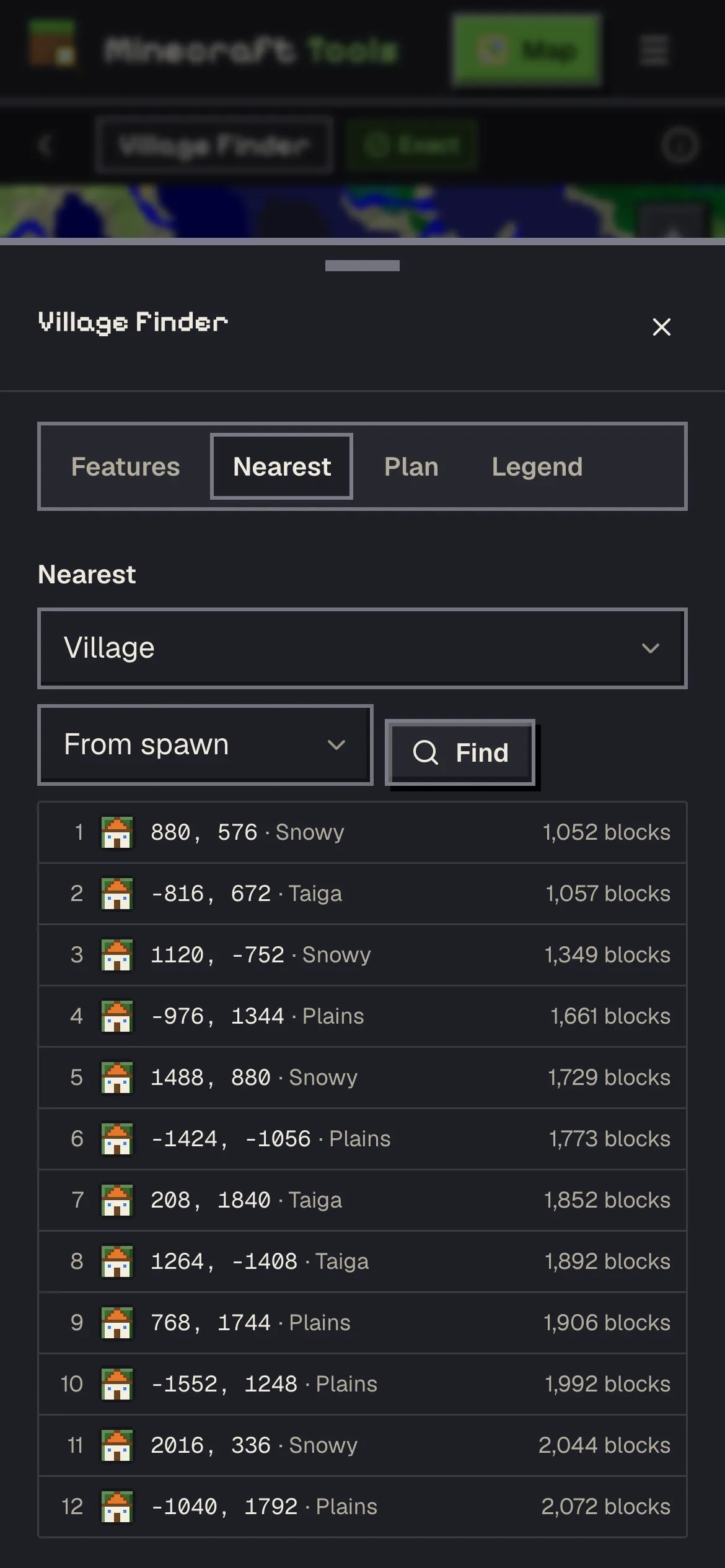
| Layers | Four tabs: Features (structure chips, highlight biome, grid, biome layer), Nearest, Plan (seed score, sister seeds, the base and route planner) and Legend. |
| Ask AI | The assistant as a sheet from the bottom. It needs you to be signed in, the same as on a desktop. |
Picking a row in the Nearest tab closes the sheet and scrolls the map back into view with that structure's popup open. That small detail matters more on a phone than anywhere else: you can work through a list of villages one thumb tap at a time without the sheet covering the result.
Gestures
- Drag with one finger to pan. A flick keeps the map gliding for a moment, which is handy for crossing a few thousand blocks.
- Pinch with two fingers to zoom around the point between them.
- Tap a structure icon for its popup. Where icons overlap at low zoom, tapping the cluster zooms in on it instead.
- Press and hold an empty spot for about half a second to drop a marker there. The marker dialog opens with the block coordinates filled in; give it a name and a colour.
- Hover tooltips do not exist on touch screens, so the popup is where the coordinates are. The buttons on the right edge of the map zoom, jump to spawn, jump to 0, 0, download a picture and toggle full screen.
The press-and-hold marker earns its place when you are standing somewhere new in the game with the phone in the other hand: a long press where you are on the map and a one-word name is faster than writing coordinates down.
Playing on a console or a phone at the same time
If the game runs on the same phone, switching apps costs you the map's position only if the browser throws the page away in the background. Mobile browsers do that when memory is short. Two things soften it: the address bar always holds the current view, because the map writes the seed, position, zoom and layers into the URL as you move, and markers are saved on the device as soon as you add them. Reopen the tab and you are back where you were.
Bedrock players on a phone or a console should set the edition before anything else. The Version button says which edition the map is on, and a Java map of a Bedrock world has the right biomes with the villages in the wrong chunks. The Java vs Bedrock guide has the details; the short version is that every coordinate on the map follows the edition shown on that button.
For coordinates in the game itself, Bedrock has a Show Coordinates option in the world settings, which puts your position at the top of the screen. Java on a PC uses F3. Either way, X and Z are what the map wants; Y only matters for ores and dungeons.
Battery, data and older phones
All of the world generation happens on the phone. The first visit downloads the engine, about half a megabyte, and after that panning into new ground costs processor time rather than data. How fast that is depends on the phone: the area around spawn appears quickly, and zooming far out takes longer because thousands of biome tiles have to be computed.
If an older phone struggles, three settings help. Turn terrain shading off in Settings, keep the zoom closer in, and switch off structure layers you do not need, because each one is another search per tile. The ore finders are the heaviest pages on the site, since they simulate caves block by block; on a weak phone, use them zoomed in on a small area rather than scrolling across a region.
Full screen, from the button on the right edge of the map, hides the site header and the browser's own bars where the browser allows it. On iPhones the browser decides how much it hides; adding the site to the home screen gives the map the most room.
Saving and sharing from a phone
The Seed sheet has the Share and Bookmark buttons. Share copies a link to exactly what you are looking at, which is the easiest way to move a view from the phone to a PC or to a friend's phone. Bookmark saves the seed, or the selected structure or marker as a named spot, to your library. Without an account those stay in this browser on this phone; signed in, they follow you to every device.
Everything about markers, bookmarks and links, including what a shared link does and does not carry, is in the markers and share links guide.
Questions
Does the seed map work on phones and tablets?
Yes. Below tablet width the controls move to a bottom bar with Seed, Version, Layers and Ask AI, and every desktop feature is inside those sheets. The engine runs in the phone's browser.
How do I add a marker on a phone?
Press and hold an empty spot on the map for about half a second. The marker dialog opens with that block's coordinates; name it, pick a colour and add it.
Why are there no tooltips on my phone?
Tooltips follow a mouse pointer, which touch screens do not have. Tap the icon instead; the popup has the name, coordinates and copy buttons.
The map is slow on my old phone. What can I do?
Switch terrain shading off in Settings, stay zoomed in, and turn off structure layers you do not need. Ore finders are the heaviest pages, so use them on small areas.
Will I lose my place if I switch to the game?
Usually not. The address bar keeps the seed, position, zoom and layers, and markers are saved as soon as you add them, so reopening the tab brings the view back.
Related guides
Finders and tools in this guide
- Seed MapInteractive biome map with every structure, slime chunk and spawn point on one canvas.
- Village FinderLocate villages by biome type — plains, desert, savanna, taiga and snowy.
- Slime FinderHighlight slime chunks for Java and Bedrock — build the perfect slime farm.
- Stronghold FinderFind every stronghold ring and the End portal room nearest to spawn.
- Nether Portal CalculatorLink Overworld and Nether portals — coordinates ÷ 8 and search ranges.
Written by the Minecraft Tools team from the same world-generation engine that runs the seed map. Coordinates quoted here were computed with it for the stated seed, edition and version, and the engine is tested against the real game.