Backpack Plus Addon
BedrockAdd-onPlayersby Amon28 (Dewdimpple)
About this add-on
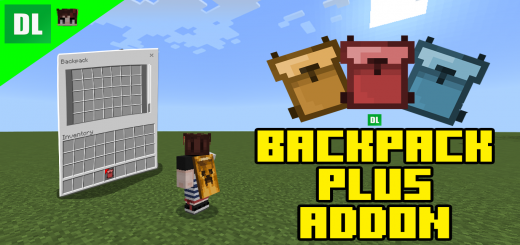
Do you want a backpack addon that works very similar to the Backpack mods from java? or do you want to carry alot of things but don't have anymore space in your inventory? This ...
Read the author’s full description (369 words)
Written by Amon28 (Dewdimpple) for the MCPEDL post, shown as published.
Do you want a backpack addon that works very similar to the Backpack mods from java? or do you want to carry alot of things but don't have anymore space in your inventory? This addon is just for you!
If you have played any backpack mods from Java you might be familiar to how this addon will work.
Crafting Recipes:
SpoilerSmall Backpack [16 slots]:
Medium Backpack [32 slots]:
Big backpack [42 slots]:
Big backpack [63 slots]:
Do no upgrade existing BIG BACKPACK with items inside, ITEMS WILL NOT CARRY OVER
Now, if you are on a PC just right click while the backpack is on your main hand and you can now access the backpack's inventory.
If you are on MOBILE simply tap the "open" button, or long tap the screen while holding the backpack.
Pc and Mobile has the same backpack GUI.
The items are saved per Backpack so you can put items in the backpack and share the backpack with your friends.
Backpack Commands:
SpoilerImproved Commands
- /bps:reset - Reset the backpack item your holding.
- /bps:clear bp - Deletes all backpacks and item recovery.
- /bps:see <ID:int> - See specific backpack items.
- /bps:retrieve <ID:int> - Retrieve backpack items.
- /bps:set <ID:int> - Manually set your backpack id.
- /bps:delete <ID:int> - Delete backpack and recovery items.
- /bps:clean - Delete all empty backpack entities.
- /bps:sudo <Player Name> <Backpack Command> - Allows to execute a backpack command as another player.
- /bps:bplist - See all backpack IDs
- /bps:bphelp - See all available commands
<ID:int> is just the backpack id number found in the backpack item. When using commands with this simply put the id number. For example `/bps:see 9004`
Showcase Video:
ENJOY :D
My Twitter @Dewdimpple
Also join my discord server for addon problems or addon updates https://discord.gg/TchBCRcaaG.
Reminders:
- Make sure to turn on the backpack resource pack in your world if you are using this addon.
- If the UI of the backpack is not the same in the images it means another resource pack is breaking the UI. To fix this move the resource pack of the backpack at the very top.
- As always, backup world first if you are updating from an older version of the backpack just to be safe.
- Using /kill in your world will break the backpacks.
What’s new in the latest update
The author’s notes for the file uploaded .
V4.3:
- Fixed Bug: Some commands doesn't work properly
Video
How to install
- Download the file below. On iOS or Android, open it from your Downloads with Minecraft; on Windows, double-click it.
- Minecraft imports the pack automatically. Enable it in your world’s settings under Behavior Packs or Resource Packs; an add-on usually needs both.
- Playing on a Realm or server? Everyone needs the same packs, and the host has to enable them.
- Starting a new world? Choose its seed first: the Seed Map shows villages, structures and biomes near spawn for any Bedrock seed.
Advertisement