Burki's Verity - super optimized
BedrockAdd-onHorrorby BurkiX0606MC

About this add-on
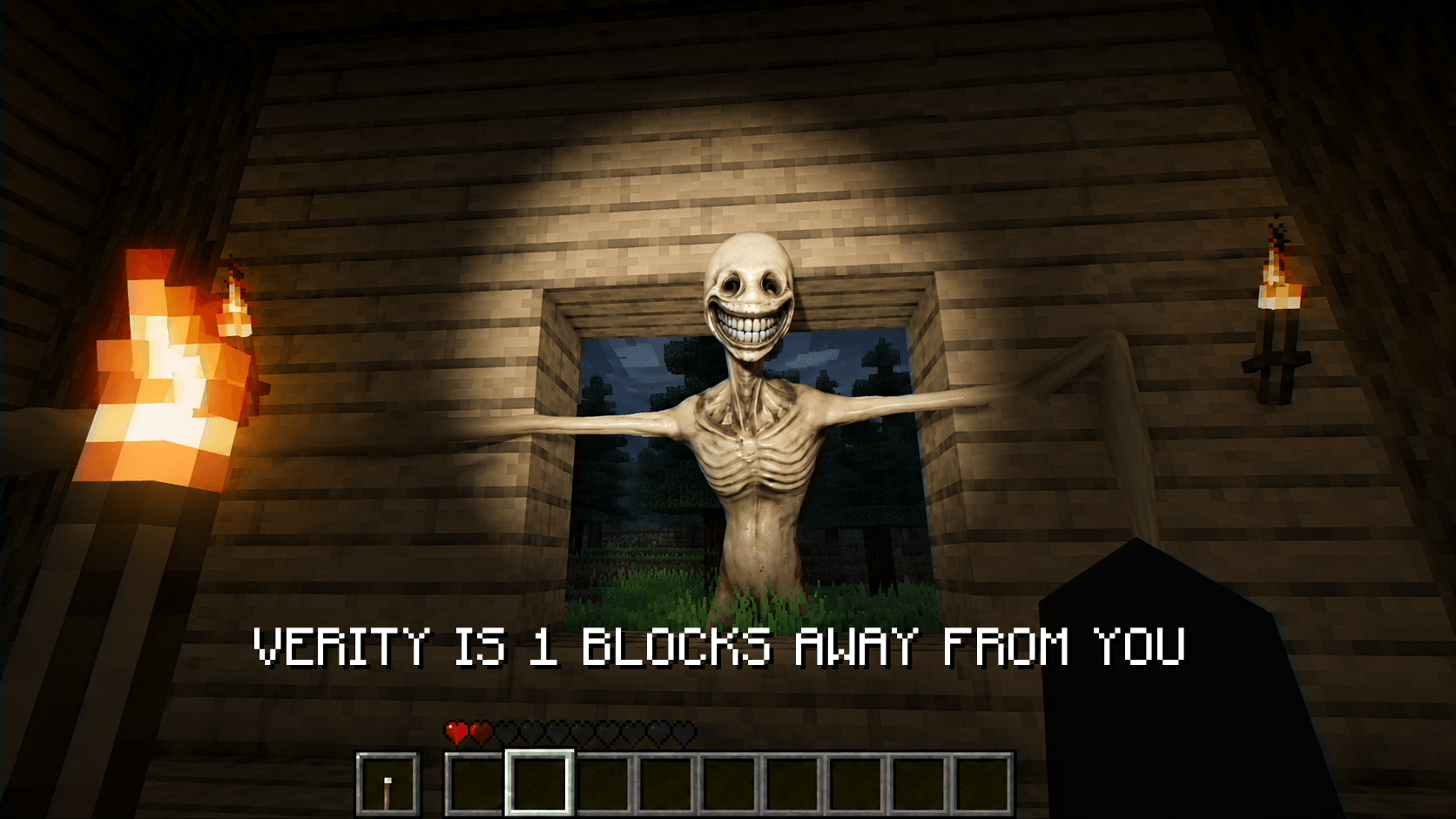
This addon adds Verity (inspired by thatmob), you can talk with him. You can angry him too and he can Find village.
Read the author’s full description (411 words)
Written by BurkiX0606MC for the MCPEDL post, shown as published.
Burki’s Verity
Verity is back. Smarter, more interactive, and more mysterious than ever.
Burki’s Verity is a Minecraft Bedrock Edition addon featuring an interactive character that can talk with the player, react to events, remember conversations, and change its behavior based on what happens around it.
🧠 Dynamic AI & Memory
Talk to Verity and ask it questions.
Verity can remember previous conversations and use them when responding later. What you say can affect future interactions and Verity's reactions.
🎭 Dynamic Face & Emotion System
Verity's face can change depending on what you say and what is happening.
🙂 Happy
😐 Normal
😠 Angry
😨 Crashout
Changing Verity's face texture does not reset its memory or actual state.
For example, if Verity becomes angry and you replace the angry texture with the happy texture, Verity can still remember what happened. When you talk to it again, its face can change according to its actual state and the conversation.
You can change the texture. You can't fool Verity's memory.
🎮 Commands Burki
Commands Burki is Verity's special command system.
Use it to trigger special events and behaviors:
- 👁️ Jumpscare
- ⏳ Fake Three Days
- 📍 Something Here
- 👣 Follow
- 💢 Hate
- 😤 Crashout
These are special interactions separate from Verity's normal conversation system.
📖 Story Mode
Story Mode lets you explore Verity's story and discover its mysteries.
As you interact with Verity, different events and situations can occur. Some parts of the story may require you to experiment, explore, and discover things yourself.
Not everything will be explained to you.
👁️ New Verity Design
Verity has received a completely redesigned appearance.
The new design is much closer to the original Verity appearance, while also being cleaner and smoother than the previous design.
📦 Verity Box
Verity begins inside a mysterious box.
Open the box, interact with Verity, and discover what it can do.
But opening the box may be the beginning of something much bigger...
⚙️ Other Features
- 💬 Free chat system
- 🧮 Basic mathematics system
- 👀 Nearby entity detection
- ❤️ Event-based emotions
- 🚪 Door interaction
- ⛏️ Block-breaking behavior
- 🔊 Custom sound effects
- 👹 Anomaly
- 🌐 English & Turkish support
⚠️ Required Settings
For the addon to work properly, make sure to enable the required Beta APIs and Upcoming Creator Features in your Minecraft world settings.
Some features may not function correctly without these experimental features enabled.
---
Verity isn't just a character that answers questions.
How you talk to Verity, what you do, and what you discover can matter.
«“Hello, i am Verity your personal helper friend. Ask me anything, i know everthing.”»
Burki’s Verity
Talk to Verity. Test Verity. Discover Verity.
Images
How to install
- Download the file below. On iOS or Android, open it from your Downloads with Minecraft; on Windows, double-click it.
- Minecraft imports the pack automatically. Enable it in your world’s settings under Behavior Packs or Resource Packs; an add-on usually needs both.
- Playing on a Realm or server? Everyone needs the same packs, and the host has to enable them.
- Starting a new world? Choose its seed first: the Seed Map shows villages, structures and biomes near spawn for any Bedrock seed.
Advertisement