GAMERTECH
BedrockAdd-onPlayersby Riay
About this add-on
Turn your world into a gamer's paradise: pixel-art PC setups
Read the author’s full description (332 words)
Written by Riay.
WHAT IT ADDS
------------
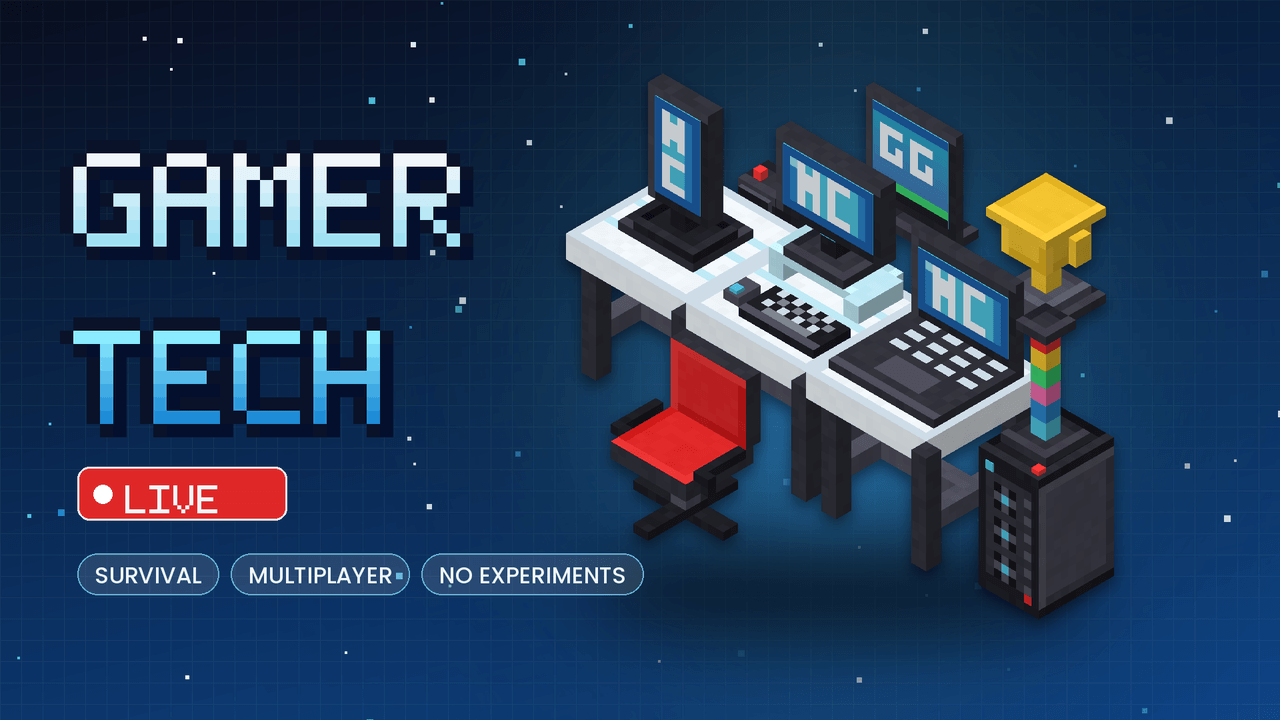
Gaming setup: Desk, Monitor, Vertical Monitor, Workstation, PC Tower, Laptop, Tablet, Phone Stand, Keyboard & Mouse, Streaming Camera, Console, Smartphone, Setup Kit (places a full setup in one click)
Furniture: Gamer Chair (10 colors, sit and dye), Beanbag (sit and dye), Gamer Rug (10 colors), Mini Fridge (10 storage slots, door animation)
Collectibles: Arcade Machine, Capsule Machine, Magic 8 Ball, Giant Dice, Hanging Mobile, Trophy, Poster (7 pictures), Speaker (plays tunes), Plant (water it)
Lighting: RGB LED Bar, Ceiling Lamp, Plasma Lamp, Neon Sign, LIVE Sign, RGB LED Strip (links to itself, sticks to floors, walls and ceilings)
animated figurines: Cat, Penguin, Fox, Frog, Owl, Dragon, Gamer Robot, Panda, Turtle, Shark, T-Rex, Ghost, UFO, Bee, Octopus, Bat, Bunny, Piggy, and more
wearable streamer headsets: Classic, Cat, Fox, Rabbit, Bear, Dragon
Items: Smartphone, Energy Drink, Pizza, Controller
HOW IT WORKS
------------
- Right-click any device to open its menu (every option has its own icon)
- Streaming: needs a Streaming Camera, a computer and a phone nearby; viewers can like, comment, donate points and follow
- Camera modes: fixed, follow streamer, aerial, selfie (with the Smartphone)
- Mini games: Clicker, Guess the Number, Trivia, Dice Duel, Slots, Rock-Paper-Scissors, daily reward
- Social: profiles, wall posts, private and global messages, community board, global ranking, 9 achievements
- Tools: notes, calculator, clock, GPS and flashlight on the phone
- Shop: buy furniture, collectibles and figurines with points
- Figurines: touch them to see an animation, sounds and particles (for example, the shark splashes water, the panda releases hearts, the dragon breathes fire)
SURVIVAL
--------
- Craftable: Desk, Monitor, Vertical Monitor, Workstation, PC Tower, Laptop, Tablet, Phone Stand, Keyboard & Mouse, Camera, Console, Smartphone, Setup Kit
- Bought in the Shop: chair, beanbag, rug, lamps, signs, figurines, fridge, collectibles, headsets, drinks
- Every new player receives a free starter Smartphone
- All crafting recipes are unlocked in the recipe book
INSTALLATION
------------
1. Open GamerTech.mcaddon with Minecraft (both packs are imported)
2. Create or edit a world and activate BOTH packs (Behavior and Resource)
3. Do not enable Experiments
Images
How to install
- Download the file below. On iOS or Android, open it from your Downloads with Minecraft; on Windows, double-click it.
- Minecraft imports the pack automatically. Enable it in your world’s settings under Behavior Packs or Resource Packs; an add-on usually needs both.
- Playing on a Realm or server? Everyone needs the same packs, and the host has to enable them.
- Starting a new world? Choose its seed first: the Seed Map shows villages, structures and biomes near spawn for any Bedrock seed.
Advertisement