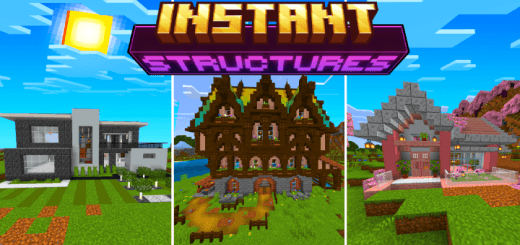
Instant Structures v7
BedrockAdd-onOtherby B0NY162
About this add-on
Instantly spawn over 100+ prebuilt structures
Read the author’s full description (413 words)
Written by B0NY162 for the MCPEDL post, shown as published.
This add-on allows you to spawn in pre built structures instantly using a craftable item, There are currently 100 different structures with different styles you can spawn in including houses, trees and farms.
<figure class="media"> </figure>This add-on requires Minecraft version 1.21
DOWNLOAD AND INSTALL BOTH PACKS BEHAVIOR AND RESOURCE PACKS
HOW TO SPAWN IN STRUCTURES:
-You will need the structure selector item, You can obtain this item in the creative inventory or you can also craft it in survival using 4 iron ingots
Once you have the item to spawn a structure hold the item in your hand and interact with it, this will open up the menu.- First click on the "Select Structure" button and select the type of structure you want to spawn.
- For every structure you will be able to adjust how it gets placed vertically, the mirror mode, and animation mode and time.
- Onece the structure is selected while holding the item in your hand a particle outline will appear to help you place the structure.
- To rotate the structure simply look in a different direction and the structure will rotate.
- To place the structure interact with the item again and select the optin "Place Structure"
- To remove the structure open the menu and select the "Undo" button, this will remove the
structure you just placed.
HOW TO PLACE MULTIPLE STRUCTURES:
- First select a structure.
- Once you seect a structure in the menu select "Place Multiple"
- You will be able to adjust the amount of structures to spawn using the slider and the spacing between each of the structures that it spawned.
HOW TO CHANGE PRICE MODE:
- First you will need to be in creative mode.
- Open the menu and select "Settings" and then "Placement Mode"
Here you will have a few options
- "Free": Structures can be spawned infinitly without requiring any item.
- "Paid Mode": Each structure will be sold for a set price reuiring an item emeralds/diamond.
- "Required Blocks": Will require player to have the blocks in there inventory before it gets built.
- "XP": Each structure will cost a set amount of XP levels.
- The price for every structure size will be adjustable.
<figure class="image"></figure>There is currently 100 different structures but more will be added
<figure class="image"></figure> <figure class="image image_resized" style="width: 33.89%;"></figure> <figure class="image image_resized" style="width: 33.47%;"></figure> <figure class="image image_resized" style="width: 33.53%;"></figure> <figure class="image image_resized" style="width: 33.19%;"></figure> <figure class="image image_resized" style="width: 32.58%;"></figure> Support the Channel Donate SOL: 6b6N6jvgfqWPPwmshsmw5gGUnahVuF66v3UTreL68MN1Images
What’s new in the latest update
The author’s notes for the file uploaded .
- No longer disables achievements in survival mode.
- Bug Fixes.
Video
How to install
- Download the file below. On iOS or Android, open it from your Downloads with Minecraft; on Windows, double-click it.
- Minecraft imports the pack automatically. Enable it in your world’s settings under Behavior Packs or Resource Packs; an add-on usually needs both.
- Playing on a Realm or server? Everyone needs the same packs, and the host has to enable them.
- Starting a new world? Choose its seed first: the Seed Map shows villages, structures and biomes near spawn for any Bedrock seed.
Advertisement
More add-ons
- Add-ons
Better Foliage Addon/Texture Pack for Bedrock(Major Bugfixes!)
by Fused Bolt
- Downloads
- 2.5M
- Rating
- 3.7