All texture packs
Newb x Unwind
BedrockTexture packShadersby Hazelntz
About this texture pack
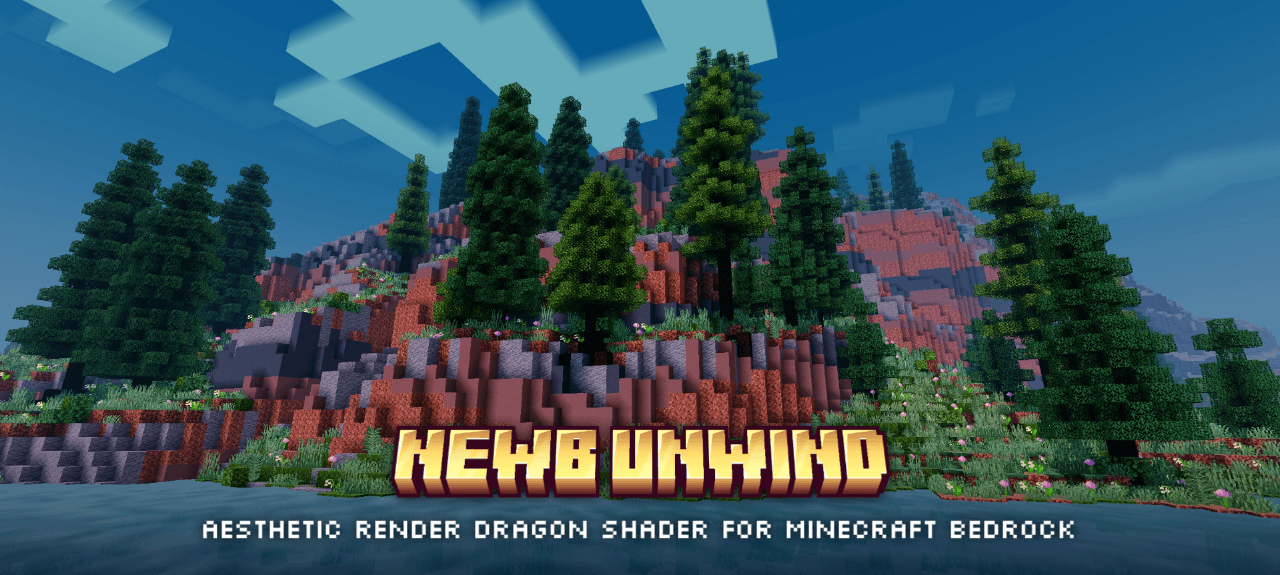
An aesthetic and chill vibes shaders for Minecraft bedrock with calm tone color, cozy night vibes, better weather particle and support for all version 1.21.21 above.
Read the author’s full description (183 words)
Written by Hazelntz for the MCPEDL post, shown as published.
This is not Vibrant Visuals and can't be used with default Minecraft app. Need MB Loader, MC Patched or any launcher that can load render dragon shaders
TRAILER
SUBPACKS :
- Vanilla Clouds Heighmap off
- Vanilla Clouds Heightmap on
- Vanilla Clouds Always reflection
- Rounded Clouds
- Soft Clouds
- Volumetric Clouds
- No Fog
- No Wave (PERFORMANCE BOOST)
PLATFORM SUPPORTED :
- Android (Supported)
- Windows (Supported)
- IOS (Not Supported)
MINECRAFT VERSION SUPPORTED :
- 26.40
GO TO "FILES" TAB TO DOWNLOAD LITE VERSION IF YOU ARE ON CURSEFORGE, THANK YOU
Changelog – Version 6.5 :
- Minecraft 26.50 supported
- Windows version now available (Click "Files" tab to choose between available versions)
- Way more brighter tonemap
- Remove plants wave effect on lite version
Shaders Installation :
- Make sure you have Minecraft Bedrock on your phone (Original or crack doesn't matter)
- Got to playstore and download "MB Loader"
- Once you have them all, go to downloaded file shaders and import the .mcpack file
- Then, choose import to "MB Loader" not Your Minecraft
- Go to MB Loader setting
- Scroll down and turn off all "autofix" toggle
- Finish, you can play with shaders via "MB Loader"
THANKS FOR DOWNLOADING
Images
What’s new in the latest update
The author’s notes for the file uploaded .
Changelog – Version 6.5 :
- Minecraft 26.50+ supported
- Windows version now available (Click "Files" tab to choose between available versions)
- Way more brighter tonemap
- Remove plants wave effect on lite version
Video
How to install
- Download the file below. On iOS or Android, open it from your Downloads with Minecraft; on Windows, double-click it.
- Minecraft imports the pack automatically. Enable it in your world’s settings under Behavior Packs or Resource Packs; an add-on usually needs both.
- Playing on a Realm or server? Everyone needs the same packs, and the host has to enable them.
- Starting a new world? Choose its seed first: the Seed Map shows villages, structures and biomes near spawn for any Bedrock seed.
Advertisement