Luminous Dreams v1.1.1
BedrockTexture packShadersby XxPoggyisLitxX
About this texture pack
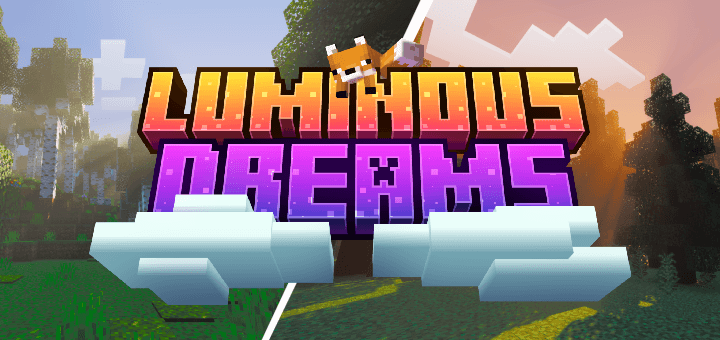
Luminous Dreams is a Deferred Rendering pack for Minecraft Bedrock Edition
Read the author’s full description (155 words)
Written by XxPoggyisLitxX for the MCPEDL post, shown as published.
Luminous Dreams is being reborn with v1.0, embracing a unique style designed to make your world feel warm and welcoming. In the past, Luminous Dreams aimed for realism, but that approach never truly captured our vision, it just didn’t feel right in Minecraft. Now, we’ve reimagined nearly every aspect of the pack to give it its own distinct identity.
Luminous Dreams is a stylized deferred graphics pack for Minecraft Bedrock, designed to bring warmth, depth, and character to your world. Moving beyond the pursuit of realism, it embraces a unique visual identity with soft lighting, glowing atmospheres, and rich environmental detail—crafted to feel truly at home in Minecraft.
NOTES:
For the best experience, it's suggested you use the following brightness.
**Bellow are a few screenshots taken with Luminous Dreams just to show how beautifully it can define Minecraft!
Screenshots taken in Minecraft 1.21.80:
**And yes, this is Minecraft Bedrock!
Fixed End Sky:
Dull Pale Garden:
What’s new in the latest update
The author’s notes for the file uploaded .
Lighting Improvements
- Adjusted the sky to use a softer blue with a more defined horizon line.
- Reverted the sun angle to its v1.0 appearance.
- Adjusted sunlight colors to be slightly warmer.
- Brightened nighttime lighting and shifted it slightly toward blue.
- Reduced the pack's overall brightness.
- Reduced overall contrast and saturation for a more balanced appearance.
Fog Improvements
- Added soft pink fog to Cherry Grove biomes.
- Increased fog density in Forest and Savanna biomes.
- Fixed Nether fog.
Lighting Fixes
- Fixed colored lighting for applicable Light blocks.
Additional changes
- Further refined the pack's overall lighting and atmosphere for a more balanced visual experience.
How to install
- Download the file below. On iOS or Android, open it from your Downloads with Minecraft; on Windows, double-click it.
- Minecraft imports the pack automatically. Enable it in your world’s settings under Behavior Packs or Resource Packs; an add-on usually needs both.
- Playing on a Realm or server? Everyone needs the same packs, and the host has to enable them.
- Starting a new world? Choose its seed first: the Seed Map shows villages, structures and biomes near spawn for any Bedrock seed.
Advertisement