SpookyCraft - Halloween Decorations
BedrockAdd-onHorrorby EL SANDO
About this add-on
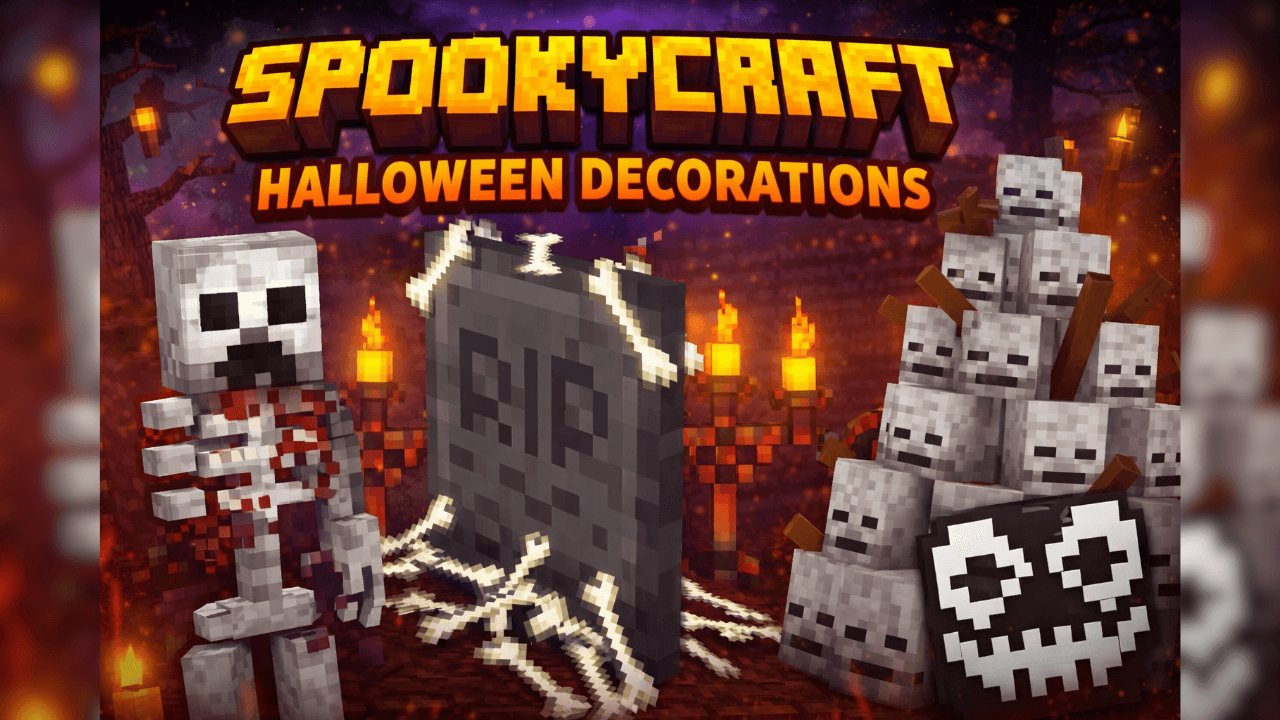
SpookyCraft – Halloween Decorations is an add-on for Minecraft Bedrock that adds new Halloween blocks and decorations, including interactive blocks to create haunted houses, cem...
Read the author’s full description (98 words)
Written by EL SANDO for the MCPEDL post, shown as published.
SpookyCraft – Halloween Decorations is a decorative add-on for Minecraft Bedrock that transforms your world into an authentic Halloween night.
Includes a huge collection of new blocks, themed objects and spooky decorations to build haunted houses, spooky streets, graveyards, Halloween events or horror maps.
The best thing: many of its blocks not only decorate… they are also interactive! 👻
⭐ Main Features:
🎃 New Halloween blocks with unique styles.
🕯️ Realistic decorations for indoors and outdoors.
👻 Interactive blocks (some activate, light up, make sounds or have effects).
🪦 Ideal for horror maps, themed survival or decorative builds.
🕸️ Dark, creepy atmosphere and perfect for Halloween.
What’s new in the latest update
The author’s notes for the file uploaded .
SpookyCraft v1.1 – Optimization Update
This update improves the addon’s performance, compatibility, and survival accessibility without changing its original decorations or features.
Changes
- Optimized the main script to reduce unnecessary repeated checks.
- Combined multiple systems into a more efficient processing cycle.
- Fixed the script loading path in the Behavior Pack manifest.
- Updated both pack manifests for Minecraft Bedrock 1.21.50 and newer versions.
- Updated the addon version to 1.1.0.
- Added balanced crafting recipes for all 20 existing Halloween decorations.
- Verified all JSON files, recipes, scripts, dependencies, and pack structure.
- Preserved every original model, texture, block, interaction, and special effect.
The addon should now provide improved stability, better performance, correct script loading, and full access to its decorations in Survival Mode.
How to install
- Download the file below. On iOS or Android, open it from your Downloads with Minecraft; on Windows, double-click it.
- Minecraft imports the pack automatically. Enable it in your world’s settings under Behavior Packs or Resource Packs; an add-on usually needs both.
- Playing on a Realm or server? Everyone needs the same packs, and the host has to enable them.
- Starting a new world? Choose its seed first: the Seed Map shows villages, structures and biomes near spawn for any Bedrock seed.
Advertisement