XP = OP
BedrockAdd-onFantasyby HumanlyInfinite
About this add-on
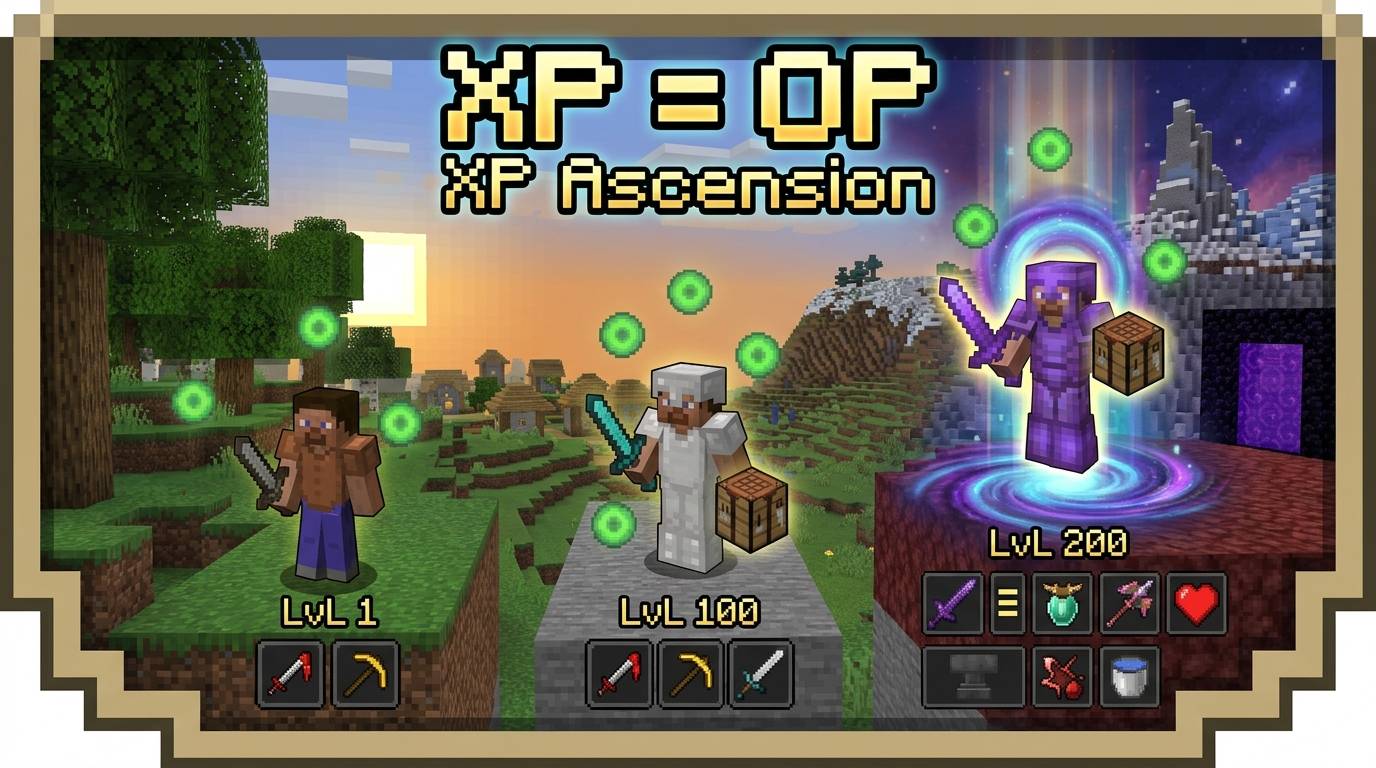
Every XP level turns you into a God! Unlock stacking status buffs & auto-enchanted crafting from Lvl 1 to 200. Can you reach max power?
Read the author’s full description (655 words)
Written by HumanlyInfinite for the MCPEDL post, shown as published.
XP = OP turns every level you earn into real power.
Remember when leveling up was just… a number? Yeah, that's over.
With XP = OP, your XP level is your build. Hit Level 1 and you get Strength I. Hit Level 3 and you're stacking Haste and Speed on top of it. Keep climbing and you'll be running Resistance, Regeneration, Night Vision, Fire Resistance, Dolphin's Grace, Slow Falling, Conduit Power, Health Boost and Luck. And that's not even the halfway point.
62 unlock steps. 16 powers. Level 200 is god tier.
🎥 Watch it in action: [PASTE YOUR VIDEO LINK HERE]
⚡ Your level is your power
Every level you gain unlocks stronger effects, and they stack. There are no items to find and no grinding for gear. Mine, fight and farm like normal, and the XP you collect makes you stronger.
- 🟢 Level 1: Strength I
- 🟢 Level 3: Haste and Speed join the party
- 🔵 Keep climbing: Resistance, Regeneration, Night Vision, Fire Resistance, Dolphin's Grace, Slow Falling, Conduit Power, Health Boost, Luck and more
- 🟡 Level 200: the final form
62 unlock steps means there's always something new within a few levels, so levelling up feels good every time.
👑 What Level 200 looks like
Get to Level 200 and you'll be regenerating faster than anything can hurt you, running Resistance V, Strength V, Speed V, Haste V and Conduit Power IV at the same time. A walking fortress with a Fortune III pickaxe you got for free.
🛠️ Craft it. It comes out enchanted.
It doesn't stop at powers. Your level also upgrades what you craft:
- ⚔️ Swords come out with Sharpness that scales with your level
- 🪓 Axes, pickaxes, shovels and hoes come out enchanted too
- 🏹 Bows and crossbows get Power and other bonuses
- 🛡️ Full armor sets get Protection and Unbreaking
- ⛏️ Efficiency and Fortune on tools
- ✨ Mending at the top end
The higher your level, the better your crafts come out. Level up, craft a fresh set, and feel the difference.
🎛️ You're always in control
Not every power is for everyone, so everything has a toggle in a clean in-game menu:
- ✅ Every power can be turned on or off. Don't want Night Vision? Turn it off.
- ✅ Every craft bonus has its own toggle too.
- 🎯 Want to go full glass cannon? Turn off Resistance and Health Boost and keep everything else.
- 🎮 Want a lighter experience? Keep only the powers you like.
Mix and match until the game feels exactly how you want it.
💾 Your choices stick
Settings are saved per player and survive relogging and world restarts. Set it up once and forget it.
👥 Built for multiplayer
Every player has their own levels, their own unlocks and their own toggles, completely independent. One player can run everything while another keeps it simple, on the same server.
📱 Works on mobile
- No experimental toggles
- No resource pack required
- Just drop it in and play
🚀 How you start
- Create or open a world and activate XP = OP under Behavior Packs.
- Join the world. You'll automatically receive the Power Menu Nether Star.
- Gain levels and watch your powers unlock.
Lost the Nether Star? Run /scriptevent xpa:powers and it's back in your hand.
🎬 Perfect for
- Survival worlds where leveling feels rewarding
- YouTube and TikTok series ("I reached level 200 and became unkillable")
- Servers and friend groups where everyone builds their own power
- Anyone who thinks XP should do more than enchant things
❓ FAQ
Can I turn off powers I don't like? Yes. Every power and every craft bonus has its own toggle in the menu. Do my settings reset? No. They save per player and survive relogging and world restarts. Do I need a resource pack? No. Is it multiplayer-friendly? Yes. Each player has independent levels, unlocks and toggles. I lost my Power Menu. Run /scriptevent xpa:powers. I found a bug or have an idea. Leave a comment!
The grind finally pays off.
⭐ Enjoying it? Leave a rating and tell me which level felt the best to hit.
What’s new in the latest update
The author’s notes for the file uploaded .
Updated to 1.0.0 on 2026-10-21.
How to install
- Download the file below. On iOS or Android, open it from your Downloads with Minecraft; on Windows, double-click it.
- Minecraft imports the pack automatically. Enable it in your world’s settings under Behavior Packs or Resource Packs; an add-on usually needs both.
- Playing on a Realm or server? Everyone needs the same packs, and the host has to enable them.
- Starting a new world? Choose its seed first: the Seed Map shows villages, structures and biomes near spawn for any Bedrock seed.
Advertisement