Java Aspects
BedrockAdd-onOtherby AgentMindStorm
About this add-on
A comprehensive Java parity pack for Minecraft Bedrock.
Read the author’s full description (1,343 words)
Written by AgentMindStorm for the MCPEDL post, shown as published.
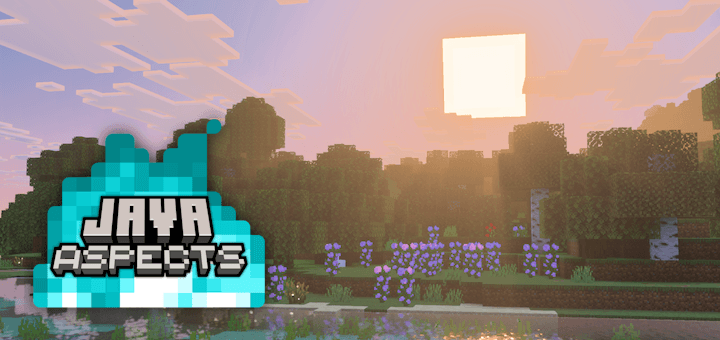
Java Aspects bridges the gap between Bedrock and Java Edition. It changes water colors, explosion particles, block sounds, mob animations, and many other things. Now, you can bring the clean visuals of Java Edition into the world of Mineraft Bedrock.
Check out Console Aspects for the Legacy Console Edition style on Bedrock.
Creator: AgentMindStorm, Bluesky Account, YouTube Channel (Click here for more credits.)
Pack Options
Explore the different ways to use Java Aspects.
SpoilerDefault Textures
Matches the latest update for Java Edition. Modern block, item, and entity textures.
Programmer Art (Classic Textures)
The original look of Minecraft. You must apply the Minecraft Classic Texture Pack from the Marketplace below Java Aspects for the subpack to work correctly.
This mode does not recreate bugs from Programmer Art, such as green Villager hats.
Compatibility Mode
Allows another resource pack to overwrite textures while keeping Java sounds, animations, and language changes intact. Apply the other pack above Java Aspects.
(Note: City Texture Pack not included!)
Feature List
Read a comprehensive list of in-game differences when using Java Aspects.
SpoilerRecommended Game Settings:
Accessbility:
- Block Dithering: OFF
- Player and Mob Dithering: OFF
- Actionbar Background Opacity: 0%
- Chat Background Opacity: 50%
- Text Background Opacity: 0%
Video:
- Fancy Bubbles: ON
- Show Autosave Icon: OFF
- Outline Selection: ON
====================
Atmosphere:
Fog and Sky
- Lighter overworld fog
- Blue rain fog
- Deep blue underwater fog
- Distant underwater fog
- Biome-specific sky colors from Java Edition
- End sky color
Weather
- Smaller snowflakes
====================
Block Changes:
Textures
- More transparent water from Java Edition
- Crimson-colored Weeping Vines
- Snowy Grass Block side matches normal Grass Block side
- Blackstone Slab and Stairs have consistent tops and bottoms
- Pale Copper Torch and Lantern colors
- Updated Purple Glazed Terracotta sword outline
- Consistent Decorated Pot top and bottom rotation
- Activated Observer back texture
- Fire and Bubble Coral Block textures
- Structure Block Save/Load are used like Java Edition
- Structure Void texture similar to Barrier
- Black opaque Leaves textures when using Fast graphics
- Fixed miscolored Weathered Copper Bars pixels
- Correct Nether Reactor textures
- Missing texture is now pink and black
Colors
- Water colors from Java Edition
- Warmer Meadow grass and foliage
- Warmer Dripstone Cave grass and foliage
- Cooler Lush Cave grass and foliage
- Smooth Grass Block side biome transitions
- Carried Grass Block tint
- Carried Leaves tints
- Ominous Banner colors match player-made banners
Models
- Taller
- Seagrass
- Wider
- Calibrated Sculk Sensor amethyst
- Improved Texture Mapping
- Torch
- Redstone Torch
- Soul Torch
- Copper Torch
Rotation and Variation
- Concrete Powder now randomly rotates on top and bottom
- Stone, Bedrock, Deepslate, and Sculk now have texture variance
- Dirt and Sand no longer rotate the side texture
- Removed random rotation from most other blocks to match Java Edition
Ambient Occlusion and Brightness
- Face dimming on most light sources (such as Glowstone)
- Darker Sand shading to match Sandstone
- Lighter Obsidian shading to match Crying Obsidian
- Lighter Respawn Anchor shading to match Crying Obsidian
- Darker Leaves shading to match all other blocks
Texture Animations
- Faster Lava
- Faster Magma Block
- Faster Kelp
- Faster Seagrass
- Faster lit Smoker front
- Faster Crimson and Warped Stem sides
- Removed frame blending for most animations
Distant Rendering
- Lighter Distant Leaves
- Greener Grasses and Ferns
- Improved color accuracy for:
- Cornflower
- Warped Roots
Miscellaneous
- Lighter block cracking animation
- Christmas Chest textures (requires Christmas Chests companion pack)
====================
Item Changes:
General Changes
- First Person
- Smooth hitting animation for Bow, Crossbow, Trident, Shield, and Spyglass
- Off-hand items render correctly for Bow, Crossbow, Trident, Spyglass, and Spear
- Removed idle item bobbing for Bow, Crossbow, Trident, Shield, Spyglass, and Spear
- Third Person
- Consistent held item positions for most items
Bow
- First Person
- Smooth drawing animation
- Gradual shaking transition
- Third Person
- Arrow points straight ahead
Crossbow
- First Person
- Centered when loaded in main-hand
- Smooth drawing transition
- Idle holding position
- Third Person
- Arrow points straight ahead
- Sounds
- Consistent loading sounds
Spear
- First Person
- Jab and charge animations
- Third Person
- Charging spear angle
- Zombie and Husk arm animations
Trident
- First Person
- Riptide animation
- Gradual brandishing transition
- Idle holding position
- Third Person
- Static brandishing animation
- Riptide wind texture
- Sounds
- Different Riptide sounds
Shield
- First Person
- Blocking animation
- Idle holding position
- Third Person
- Directional blocking animation
- Main-hand shield preferred when dual wielding
- Held shield position
Spyglass
- First Person
- Idle holding position
- Third Person
- Lower arm position while spying
- Texture
- Corrected texture mapping
Elytra
- Third Person
- Smooth opening transitions
Held Foliage
- Grass, Fern, Lily Pad, and Vine item colors
- Seagrass item texture
Spawn Eggs
- Consistent Spawn Eggs for:
- Cat
- Panda
- Wandering Trader
Maps
- Updated Map markings
- Unique village Map color
- Removed locked Map texture
Arrows
- Tipped arrow colors are now consistent with Java Edition
Pink Petals
- Removed extra pixel which appears when holding this item
Technical Items
- Pixel-consistent Light item textures
- Orange Command Block Minecart item
- Better held End Portal and Gateway
====================
Entity Changes:
General Changes
- Faster walking animations for babies
- Accurate sitting heights for humanoid mobs
Player
- First Person
- Empty hand position
- Empty hand attack animation
- Improved Map holding arms
- Cleaner item swap animation
- Removed red hurt overlay
- Added full vertical split-screen support
- Third Person
- Fast jumping and sprint-jumping animation
- Directional attack animation
- Lower crouching height
- Smooth swimming and crawling transitions
- Dynamic cape flapping
- Proper sneaking and gliding animation
- Tooting goat horn animation
- Brushing animation
- Arm bobbing animation
- Removed eating animation
- Removed blinking
- More transparent spectators
- Held item positions
- Slim skin arm position
- Improved animations for various premium skins
- Sounds
- Thwacky knockback sounds
- Varied swimming sounds
- Heavy splash sound
- Tilling farmland sounds
- Flattening dirt path sounds
- Stripping wood sounds
- Item pickup pitch
- Dropping items is silent
- Punching the air is silent
- Jumping is silent
Pig
- Model
- Removed boosting sound when using Carrot on a Stick
Cow
- Cold Cow ear texture
- Corrected model misalignments
Mooshroom
- Slower legs
- Corrected model misalignments
- Muted eating sound
Chicken
- Model
- Smooth wing flapping
Sheep
- Skin texture
- Smooth grazing animation
Horse, Donkey, and Mule
- Model
- Rein textures
- Tail position
- Galloping animation
- Static saddlebag chests
- Unique underwater Skeleton Horse sounds
Wolf
- Lower legs when sitting
- Smooth begging animation
- Dark overlay when wet
- Quieter sound volume
Ocelot
- Model
Cat
- Model
Fox
- Smooth pouncing
- Pouncing ends if target is lost
Rabbit
- Model
- Smooth hopping
- Louder sound volume
Parrot
- Model
- All animations
- Smooth wing flapping
- Imitation sounds match Java Edition
Polar Bear
- Attack animation
Llama
- Separated decoration layer
- Spit particles float down instead of up
Turtle
- Reduced size
- Front fins rotate while swimming
- Swimming animation used in midair
- Hatching sounds
Dolphin
- Tail length
- Swimming animation
Panda
- Smooth rolling
- Sneezing animation
- Breathing sounds
Bee
- Antenna positions
- Leg positions
- Bobbing animation
- Wing flapping speed
Goat
- Head animation
- Walking animation
Tadpole
- Tail length
- Swimming animation
Frog
- Warm Frog texture
Camel
- Texture
- Idle head bobbing
Sniffer
- Head position
Squid and Glow Squid
- Model
- Smooth swimming animation
- Directional shading on Glow Squid
- Glow Squid particle colors
Cod, Salmon, and Tropical Fish
- Flopping animation
- Fish-specific death sound
Pufferfish
- Fin flapping animation
- Bobbing animation
- Unique sounds different from other fish
Villager
- Hat visibility for each profession and biome
- Robe length
- Walking animation
- Held item positions
- Angry particle size
Iron Golem
- Attack animation
- Walking animation and particles
- Lower pivot point
- Sounds have full 0.8-1.2 pitch variance
Copper Golem
- Corrected attachable item positions
Snow Golem
- Looking animation now twists the body
Creeper
- Semitransparent white exploding overlay
- Slower walking animation
- Better leg inflation
Zombie
- Attack animation
- Raises arms while chasing target
Zombie Villager
- Visible trade level badge
- Helmet position
- Attack animation
- Raises arms while chasing target
- Robe length
- Offhand item position
Husk
- Increased size
- Raises arms while chasing target
Drowned
- Slimmer model
- Removed emissive spots
- Swimming animation
- Raised arms while chasing target
Skeleton, Stray, Bogged, and Parched
- Idle arm position
- Bow drawing animation
- Melee attack animation
- Slower walking animation
- Centered held item positions
Spider and Cave Spider
- Slower walking animation
Witch
- Hat model
- Nose bobbing animation
Slime and Magma Cube
- Smooth squish and jump animations
- Attack sounds
- Separate jump and land sounds
- Directional shading on Magma Cube
Phantom
- Invisible eye texture
Guardian
- Quieter ambient sounds
Vindicator
- Texture
- Empty hand attack animation
- Higher seated leg position
- Offhand item position
Pillager
- Reduced size
- Walking animation
- Removed bobbing animation
Evoker
- Robe length
- Smooth fang attacks
- Fang summoning sound
- Offhand item position
Vex
- Held item position
What’s new in the latest update
The author’s notes for the file uploaded .
Changes in the Pinpoint Precision Update (6.5.0)
Released January 28, 2025
Lines that begin with * are features unique to Java Aspects (not in Console Aspects).
=Companion Packs=
Christmas Chests:
- Added full support for Vibrant Visuals
- Moved chest inventory textures into "chest_icon" subfolder to match Java Aspects
- Added fallback full-size chest inventory textures for when servers use chest images in UI screens
- Reduced item icon image size by 75% to match Java Aspects
=Universal=
Textures:
- *Cold Cow texture now matches Java Edition
- Spyglass texture is now mapped onto the model correctly (Thanks, @LateLagMC on Twitter/X!)
- Removed copper lantern textures as the vanilla colors now match Java Edition
- Removed sun texture as the Simple/Fancy graphics halo effect was fixed in vanilla
Entities:
- Overhauled first-person attachable animations with the updated Detached System
- First-person animations can be ported directly from Java Edition with this system
- Updated bow, crossbow, trident, shield, and spyglass animations to be identical to Java Edition
- Spear animations now match Java Edition 1.21.11 pre3
- Spear animation changes from 1.21.11 RC1 have issues and will likely be updated again in the future (MC-304769)
- Map hand animations use a combination of Java 1.8, Java 1.9, and custom animations
- Java 1.8: Two-handed map hand attack animation
- Java 1.9: Static hand positions when holding maps
- Custom: One-handed map attack animation that aligns with Bedrock map movement
- This is necessary because the map renderer is hard-coded
- Detached System designed in collaboration with @LateLagMC on Twitter/X
- Custom animations, testing, and feedback provided by lionhead07 and kryzorrr on Discord
- Held item poses are now correct for slim skins (Thanks, @incyada on Twitter/X!)
- Slim skin arms now rest at shoulder height in third person (Thanks, @incyada on Twitter/X!)
- Holding the jump button while swimming or crawling no longer slows down player animations (Thanks, lionhead07 on Discord!)
- Parched animations and item poses now match Java Edition
- Skeleton, Stray, Bogged, and Parched melee attack animations now match Java Edition
- Copper Golems now hold attachables normally (Thanks, @LateLagMC on Twitter/X!)
- Copper Golem, Nautilus, Zombie Nautilus, Parched, and Camel Husk are no longer invisible when using resource packs with format_version of 1
Interface:
- Loading bars now match Java Edition (Thanks in part to @ZouChenyunfei on Twitter/X!)
- Forced Play, Realms, and Marketplace buttons on the main menu to match the standard button style
- Removed featured server animation and "Check it out!" caption on the main menu
Sounds:
- Added closed captions (subtitles) that match Java Edition for all sound events
- Entity sound effects and UI sounds do not show captions currently due to a bug (MCPE-235334)
- Projectiles no longer make swimming sounds in water
- Removed underwater ambience and critical hit sound files as they were officially added to the game
Particles:
- Copper chests now use copper block breaking particles like Java Edition
- Trial spawner activation particles no longer have extra pixels
- Nautilus bubble particles are now billboarded
Language:
- Zombie Nautilus and Camel Husk dismount messages now match Java Edition
- Breath of the Nautilus effect name color now matches Java Edition in all languages
- *The splash "Java 16 + 1 + 4 = 21!" is now "Java 16 + 1 + 4 * 2 = 25!"
- *Updated Italian translations for 1.21.110 (Thanks, @EmptyCoso on Twitter/X!)
=Fixes=
Textures:
- Sculk sensor shading is once again correct when the sculk sensor is inactive
- Default Textures: Zombie Horse now uses the same reins texture as other horses
- Default Textures: Removed Zombie Horse spawn egg texture as it was added to vanilla
- Block Dithering setting once again affects sugar cane
- Disable this setting to match Java Edition.
Entities:
- Spear animations are no longer broken
- Loading a crossbow in first person once again causes the crossbow to bob
- The loaded crossbow in first person now moves to the right side of the screen while attacking
- *Holding a loaded crossbow in third person while sneaking now angles the arms downward like Java Edition
- Starting to swim while holding a loaded crossbow in third person now transitions the arms smoothly
- The empty hand now persists for the correct amount of time in first person while swapping to any item (Thanks, @LateLagMC on Twitter/X!)
- Empty hands in first person no longer move into the map hand position until the "lowering" part of the hand bob has finished (Thanks, @LateLagMC on Twitter/X!)
- Holding a filled map in third person no longer causes certain attachables to become invisible in the offhand (Thanks, @LateLagMC on Twitter/X!)
- Blocking with a shield, using a spyglass, brushing, tooting a goat horn, and eating no longer rotates the inactive arm when holding an item
- Elytra position now adjusts for skins with different heights
- Skeletons, Strays, and Bogged now hold items in the center of their arms instead of the outside
- Zombies, Zombie Villagers, Husks, and Zombified Piglins no longer rotate their bodies while attacking
- *Piglins now angle their right arm correctly while melee attacking with a trident
- *Camels and Camel Husks once again look at targets correctly
- Cold Cow horns are now aligned and mirrored correctly
- Drowned now use the correct sitting height on the Zombie Nautilus
- *Drowned left arm is no longer mirrored to match Java Edition
- *Drowned body and legs are now positioned and inflated more like Java Edition
- Golden dandelion held item position now matches Java Edition
- Villager item poses are now correct with pale oak log, firefly bush, tall dry grass, wildflowers, and golden dandelion
- Updated Wolf model centering changes to match official changes from the 26.0.23 preview
- *Dolphin tail fin pivot point now matches Java Edition
Interface:
- Nautilus armor empty slot outline now matches other outlines
- Smithing table netherite upgrade item outlines now align correctly with the slot
- *Text Background Opacity setting no longer affects coordinate or day counter backgrounds
- This setting now only impacts title and subtitle backgrounds. 0% opacity matches the default setting on Java Edition.
- Chat Background Opacity setting now affects the transparency of chat message backgrounds
- 50% opacity matches the default setting on Java Edition.
- *Actionbar Background Opacity setting now affects the transparency of actionbar, bed, and height limit message backgrounds
- 0% opacity matches the default setting on Java Edition.
- *Compatibility Mode: Coordinate and day counter backgrounds no longer change to match the texture pack
Sounds:
- *Underwater ambience addition rarities are now weighted the exact same as Java Edition
- Common Additions: 90% chance
- Rare Additions: 9% chance
- Ultra Rare Additions: 1% chance
- Additions have a 1% chance to play each tick the player is underwater. Therefore, ultra rare additions have a 0.01% chance to play each tick.
- Parrot imitate sounds are now configured correctly for Guardians, Phantoms, Pillagers, Ravagers, and Zoglins
Particles:
- Dolphin trail particles once again match Java Edition
Language:
- *Day count now shows an octothorpe (#) before the number like Java Edition
- Corrected effect names for Blindness, Conduit Power, and Health Boost in Portuguese, Indonesian, and Hungarian respectively
Technical:
- Lowered player.entity.json min_engine_version to 1.0.0
- This fixes player animations in edge cases, such as applying Java Aspects below a resource pack without any min_engine_version (like the Minecraft Classic Texture Pack on the Marketplace).
- Camel Husk no longer causes content errors
- Updated Zombie, Zombie Villager, Husk, and Zombified Piglin entity files to format version 1.10.0
- Updated Drowned model to match changes from 1.21.120 while preserving the outer layer inflation from Java Edition
- Updated Dolphin model to match changes from 1.21.120 while preserving the unique tail position
- Grass and foliage in the unused mesa_plateau biome now matches other Badlands biomes
- The unused "chest_inventory" texture in terrain_texture.json now uses the correct chest icon textures
- Removed unused chests from horse models to match Java Edition
- Removed unused invisible nether sprouts texture
- *Experience level number border element in hud_screen.json no longer removes inheritance from other packs
- *Goat animation file no longer contains broken JSON
=Pack=
Technical:
- Updated "java_enchantment_glint.zip" to include spears (Thanks, lionhead07 on Discord!)
- *Updated "java_no_vignette.zip" to reflect the latest changes
- Updated the minimum game version required to use the pack to 1.21.130, which means this pack is no longer compatible with earlier versions
- Changed pack UUID to be compatible with earlier versions of this pack
- Updated pack version to 6.5.0
Pack Documents:
- Feature List is now stored in Markdown format instead of plaintext inside the pack
- Updated the custom tab with the latest Changelog and Credits
- Updated documentation for version 6.5.0
=Notes=
- First-person animations for vertical split-screen are based on Console Edition, but with a few improvements. The crossbow on PS4 Edition is almost fully off-screen (https://youtu.be/Xl3ketqQJMY&t=1208) and the shield covers about a third of the screen (https://youtu.be/7MGZ5-THYcQ&t=829). These items are positioned better for playability in Java Aspects.
- The texture for equipped leather horse armor on Java Edition is still different than Bedrock Edition. This will not be recreated in Java Aspects, as it has already confirmed as a bug (MC-304375).
- The name of Golden Horse Armor was changed in Bedrock Edition to match Java Edition for US English, but UK English was missed. The change will remain in Java Aspects until the bug is fixed (MCPE-235303).
- Item name text cannot be given the optional dark background from Java Edition when the Text Background Opacity setting is above 0. The method used to hide item descriptions in HUD text causes the background to become as wide as the widest line in the item description, even if the line is hidden. This makes the dark background too wide for enchanted items with short names.
Video
How to install
- Download the file below. On iOS or Android, open it from your Downloads with Minecraft; on Windows, double-click it.
- Minecraft imports the pack automatically. Enable it in your world’s settings under Behavior Packs or Resource Packs; an add-on usually needs both.
- Playing on a Realm or server? Everyone needs the same packs, and the host has to enable them.
- Starting a new world? Choose its seed first: the Seed Map shows villages, structures and biomes near spawn for any Bedrock seed.
Advertisement
More add-ons
- Add-ons
Better Foliage Addon/Texture Pack for Bedrock(Major Bugfixes!)
by Fused Bolt
- Downloads
- 2.5M
- Rating
- 3.7