All add-ons
Transformers (Miniatures)
BedrockAdd-onOtherby OdderWorks
About this add-on
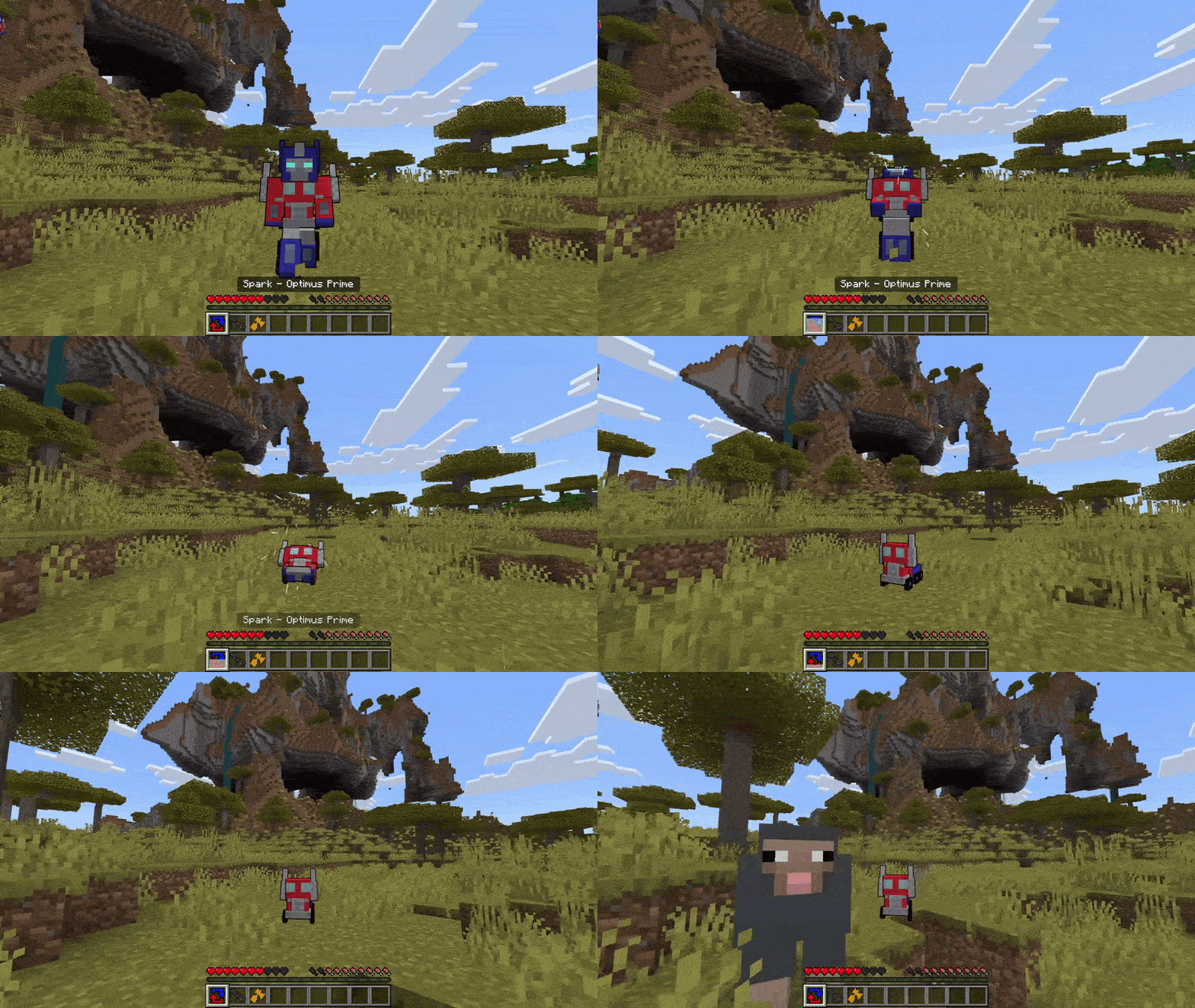
Become one of the autobots or decepticons and roll out in your vehicle forms with this add-on!
Read the author’s full description (189 words)
Written by OdderWorks.
Yes these are not quite to scale... They are supposed to be like miniature die-cast cars (at least thats the excuse I'll go with for this one xD)
All the information you need to use this Add-On is listed below!
Requirements
- The Education Edition slider (found in settings under cheats) must be turned on in order for this Add-On to work!
How to use this Add-On
- Look in the recipe book to find what you need to craft different "Sparks" that let you become various "tiny" autobots and decepticons.
- Each character has an Ion Blaster that can be right-clicked to fire a projectile and a Transform item that can be used to swap between your robot and vehicle form. It is the same for all of them with a few exceptions listed below,
- Optimus Prime: Has an additional item, the "Energon Axe" which can be right-clicked.
- Megatron: His Ion Blaster can be held to charge it unlike other Ion Blasters.
- Grimlock: He has a sword that can be right-clicked.
- Shockwave: He has an additional Laser item that can be right-clicked.
- Starscream: He can fly like in creative mode.
Images
What’s new in the latest update
The author’s notes for the file uploaded .
This is just a super quick update with some small modifications,
Changes & Fixes
- All transformers now give the player Resistance and Strength boosts when equipped.
How to install
- Download the file below. On iOS or Android, open it from your Downloads with Minecraft; on Windows, double-click it.
- Minecraft imports the pack automatically. Enable it in your world’s settings under Behavior Packs or Resource Packs; an add-on usually needs both.
- Playing on a Realm or server? Everyone needs the same packs, and the host has to enable them.
- Starting a new world? Choose its seed first: the Seed Map shows villages, structures and biomes near spawn for any Bedrock seed.
Advertisement
More add-ons
- Add-ons
Better Foliage Addon/Texture Pack for Bedrock(Major Bugfixes!)
by Fused Bolt
- Downloads
- 2.5M
- Rating
- 3.7