Large Biomes Worlds: What Changes and What Doesn't
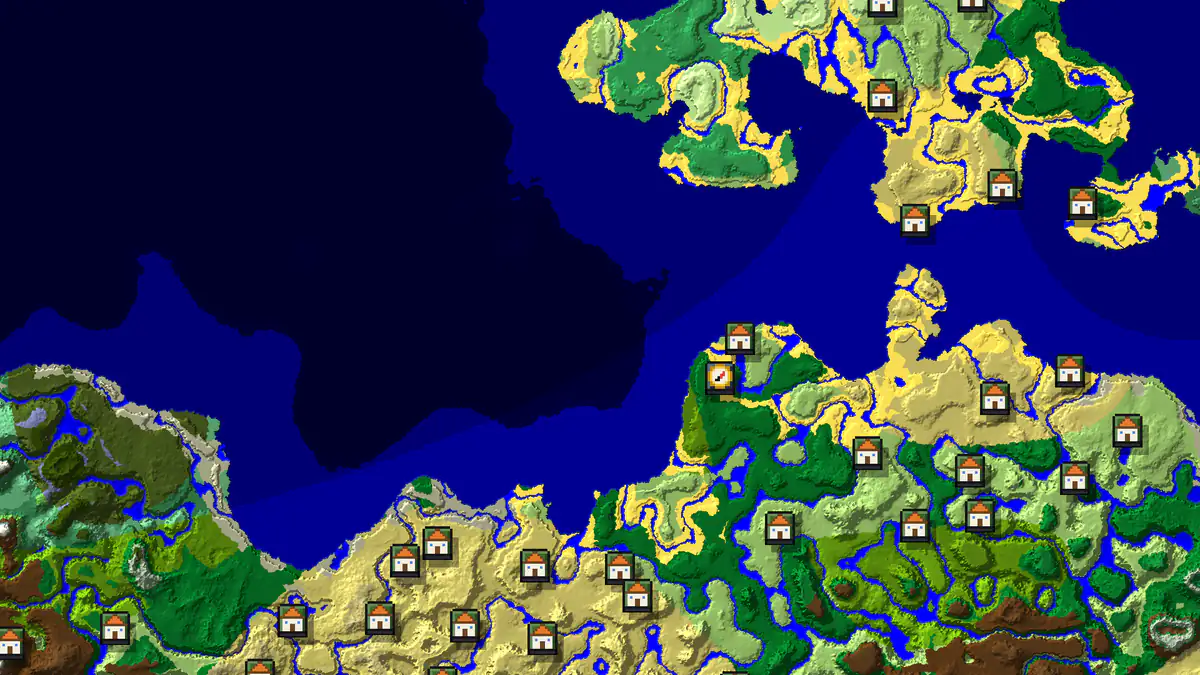
JavaSame seed, Large Biomes ticked, and seed 0 turns into a water world: 73% ocean around the origin instead of 36%, no village anywhere near spawn, and 83 ocean monuments where there were 29. Large Biomes doesn't just zoom the map in. It's a different world that happens to share a seed.
Updated · 6 min read · Java up to 26.3
What the world type actually does
On Java you pick it when you make the world: Create New World, the World tab, World Type, Large Biomes. It stretches the biome layout four times in each direction, so a forest that was 500 blocks across can be 2,000. Terrain shape follows the biomes, so mountain ranges and oceans get bigger too.
What it doesn't stretch is the structure grid. Villages, outposts, monuments and the rest still roll their placement on the same region grid as a normal world. The catch is that every structure also checks the biome at its spot, and the biomes are now completely different, so a different set of attempts survives. Same seed, different villages.
Bedrock doesn't have a Large Biomes world type, so all of this is Java only. On the map it lives in the version dropdown: there's a Java Large Biomes group with the same versions as the normal Java list. Pick the version you play from that group, not from the regular one.

Three seeds, side by side
We ran seeds 0, 123456789 and 8675309123456789 on Java 26.3, once normal and once Large Biomes, and looked at the same 8,192 × 8,192 block square around 0, 0. Here's what came out.
| Seed 0 | Seed 123456789 | Seed 8675309123456789 | |
|---|---|---|---|
| Different biomes in view | 55 → 16 | 55 → 28 | 55 → 29 |
| Biggest single biome patch | 2.1 → 19.4 million blocks² | 1.5 → 8.1 million | 1.9 → 12.8 million |
| Share that is ocean | 36% → 73% | 29% → 28% | 35% → 46% |
| Villages | 46 → 33 | 55 → 44 | 61 → 72 |
| Ocean monuments | 29 → 83 | 23 → 25 | 28 → 50 |
| World spawn | −32, 0 → −112, −1,040 | 64, −48 → 32, −64 | 0, 0 → 768, 272 |
A couple of things jumped out. Biome variety in a given area falls off a cliff, from 55 to somewhere between 16 and 29. And the ocean share is basically a dice roll: seed 123456789 barely changed, seed 0 nearly doubled. Monuments follow the ocean, so seed 0 goes from 29 to 83.
The patch sizes aren't a neat 16 times bigger either. Rivers and beaches still cut big biomes into pieces, so the biggest patch grew 5 to 9 times on these seeds. Still huge. Seed 0's largest patch on Large Biomes is one lukewarm ocean of about 19 million square blocks.
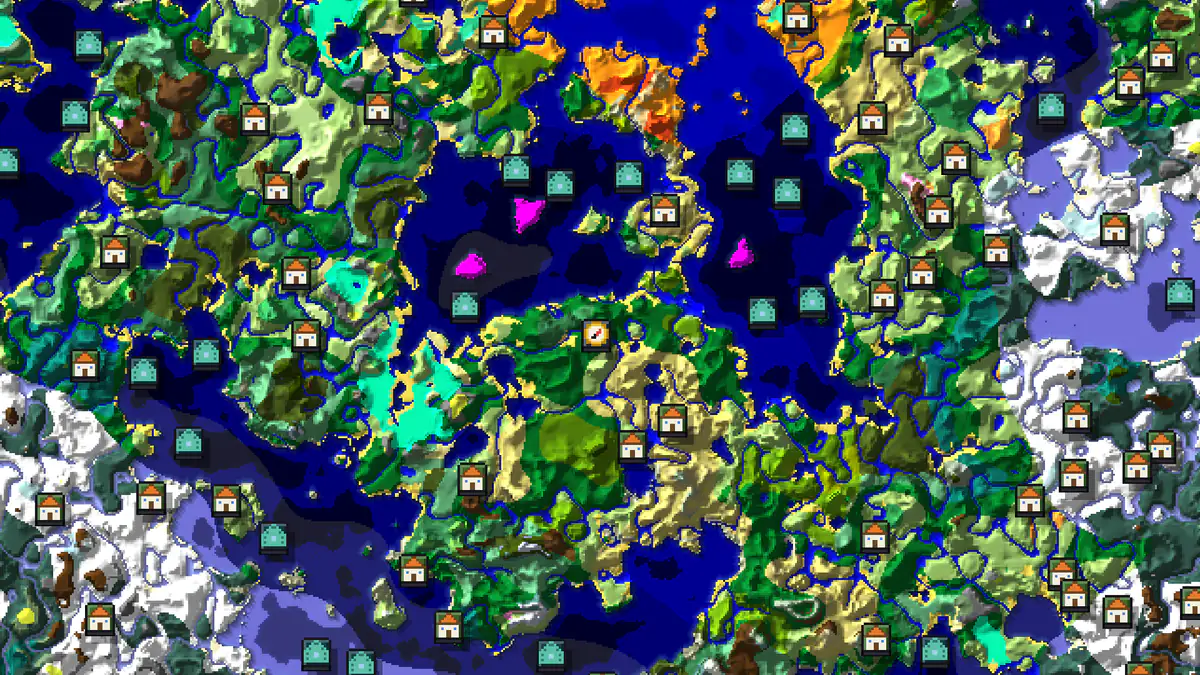
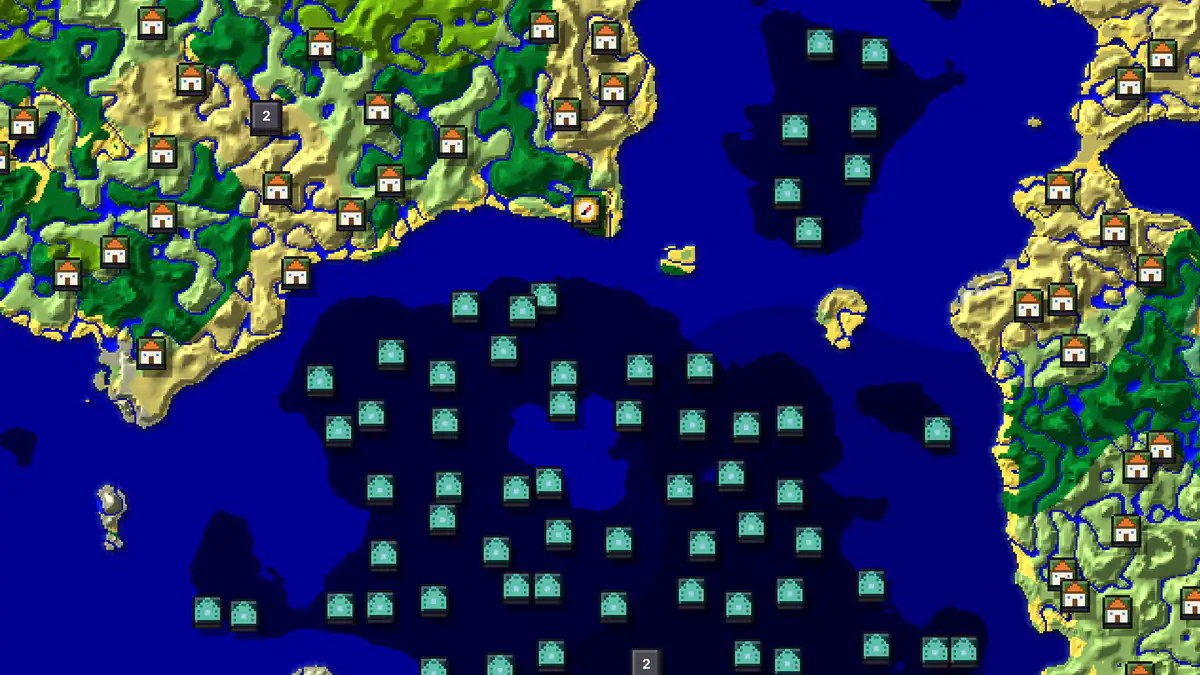
Your spawn moves, and so does everything near it
This is the part that bites. Spawn on seed 0 jumps from −32, 0 to −112, −1,040, a thousand blocks north. On 8675309123456789 it goes from 0, 0 in a sparse jungle to 768, 272 in a forest. Even when spawn barely moves, like 123456789 (64, −48 to 32, −64), the biome under your feet changes, forest to birch forest in that case.
Nearby stuff shuffles completely. On 123456789 the closest village goes from 395 blocks to 528, and the nearest cherry grove from 256 blocks to 1,050. On 8675309123456789 it's the other way round for villages: 886 blocks normally, 286 on Large Biomes. That seed also loses its pale garden next door (253 blocks normally, 3,174 on Large Biomes). Seed 0 is the worst: no village at all within 1,500 blocks of the origin on Large Biomes.
Strongholds move a bit but not much. They're placed in rings and then nudged to a suitable biome, so the first one on seed 0 slides from −204, −1,692 to −204, −1,612. Close enough that the ring logic in our stronghold guide still applies, but don't copy coordinates between the two world types.
Is it worth playing?
Depends what you're after. We like Large Biomes for building worlds and long survival worlds where you plan to settle one area properly. A badlands or cherry grove that runs for a couple of thousand blocks is a great backdrop, and terraforming around a base feels less like a quilt.
- Good for: big builds, servers where everyone wants space, screenshots, anyone who finds normal worlds too busy.
- Bad for: finding rare stuff. Mushroom fields, ice spikes and the pale garden can end up thousands of blocks away. On seed 0 we found no cherry grove, mushroom island, pale garden, ice spikes, badlands or desert in the whole 8,192-block square.
- Annoying for: early game on an ocean seed. If spawn is in a 20-million-block ocean, you're crafting a boat on day one.
Whatever you pick, scout it first. Switch the map version to the Large Biomes entry, then use the biome finder to highlight what you want and the village finder for your first base. Rare biomes has more on hunting the uncommon ones.
Common mistakes
Most "the map is wrong" reports on Large Biomes worlds come down to the version dropdown. If you made the world with Large Biomes and the map is on plain 26.3, every village, temple and the spawn will be off, and it won't be by a small amount. The reverse is just as bad.
Importing a level.dat doesn't fix it for you either. The map picks the version from the save but never turns Large Biomes on by itself, so switch it manually after loading the file. Amplified and the other world types aren't modelled at all; only Default and Large Biomes are. Why the map and my world disagree has the full checklist.
Questions
Does Large Biomes change structure locations?
Yes, in practice. The placement grid is the same, but structures check the biome, and the biomes are different, so a different set of villages, temples and monuments generates. Spawn moves too.
How much bigger are biomes in Large Biomes?
Four times in each direction. In our comparison the biggest biome patch around 0, 0 grew 5 to 9 times in area, because rivers and beaches still split them up.
Does Bedrock have Large Biomes?
No, it's a Java world type. The map only offers Large Biomes versions for Java.
How do I view a Large Biomes world on the seed map?
Pick your version from the Java Large Biomes group in the version dropdown. Using the normal entry will show a different world.
Are strongholds in the same place on Large Biomes?
Close but not identical. On seed 0 the first stronghold moves from −204, −1,692 to −204, −1,612, because strongholds snap to a suitable biome.
Related guides
Finders and tools in this guide
Written by the Minecraft Tools team from the same world-generation engine that runs the seed map. Coordinates quoted here were computed with it for the stated seed, edition and version, and the engine is tested against the real game.